
Why look for a ChatGPT alternative for YouTube research?
ChatGPT can research topics and draft scripts. Consider another tool when you spend too much time assembling inputs: finding relevant videos, managing a source collection, checking keyword estimates or gathering channel evidence.
For a YouTube creator, those inputs change the work: keyword estimates narrow a topic, selected transcripts let you compare explanations, and channel references can inform a filming brief. Choose the tool that shortens the step you repeat most often.
ChatGPT alternatives by your YouTube research task
| Your task | Tool | Useful output | Access / price |
|---|---|---|---|
| Find background facts | Perplexity | Web sources and a cited synthesis | Free access; paid research options |
| Find and question YouTube content | Gemini | Video discovery and content answers | Sign-in and feature settings required |
| Compare a source collection | NotebookLM / Gemini Notebook | Answers grounded in selected material | Free limits; paid allowances |
| Check keyword opportunities | vidIQ | Search candidates and upload inputs | Limited free access; Boost $19/month |
| Research through to creation | Kabo | Channel patterns, premises and scripts | Daily credits; Pro $7.99/month |
Pick the research step you need help with
1. Perplexity — research the facts behind a video topic
Perplexity is worth comparing when you want web evidence at the center of the workflow. Its search documentation describes source synthesis, citations and follow-up questions.
For a sourdough explainer, investigate fermentation guidance, compare conflicting explanations and open the cited pages. Choose it over ChatGPT if this source-first process makes claims easier for you to inspect. ChatGPT also offers citations.
Use it for background facts. It does not by itself provide a complete channel inventory or a visual review of a reference video.
2. Gemini — find and ask about YouTube content
Gemini Apps provides a documented route to finding and questioning YouTube content, including videos, playlists and channels.
Choose it when you want to start inside YouTube discovery: locate an explainer, ask what it says and revisit the relevant original. Check the answers against your actual references rather than assuming every video is accessible.
The documented feature requires sign-in and Keep Activity enabled; availability varies by setting and surface. Choose a notebook instead when you want to revisit several tutorials as one research collection.
3. NotebookLM — compare a chosen collection of video sources
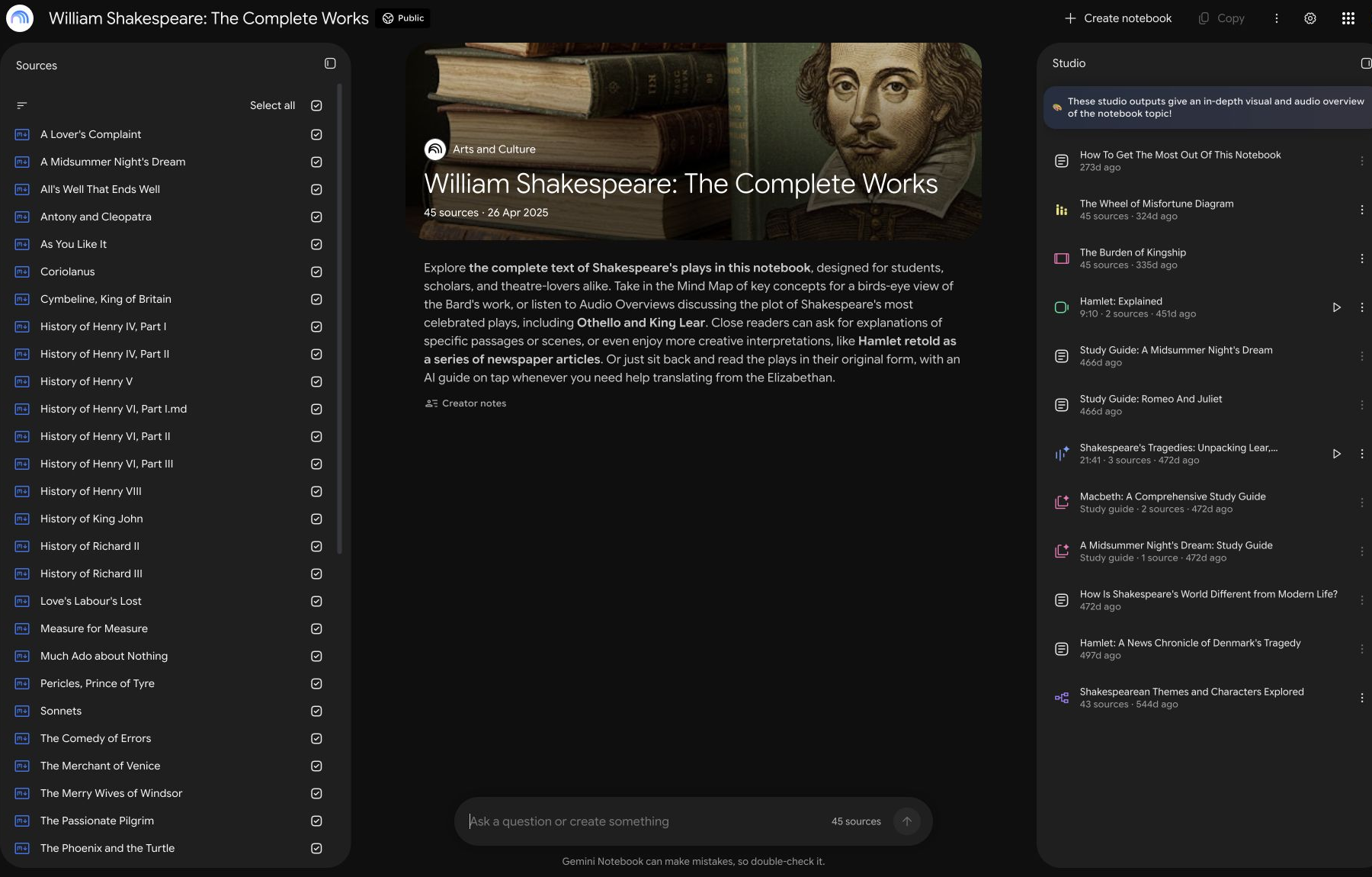
NotebookLM, currently shown as Gemini Notebook, suits research you want to organize and revisit. Its source documentation supports documents, web pages and public captioned YouTube videos.
Its practical advantage is explicit control over the research collection. Select three tutorials alongside your notes, then compare how they explain the same baking step. Choose it when you want answers tied to that material. Source discovery can help build the collection.
YouTube imports use transcripts, not frames. Speechless videos are unsupported; recent uploads may be unavailable. Treat this as source comparison, not visual review.
4. vidIQ — check YouTube keywords and packaging options
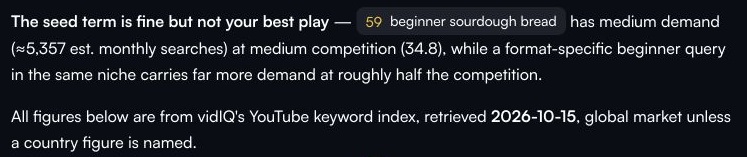
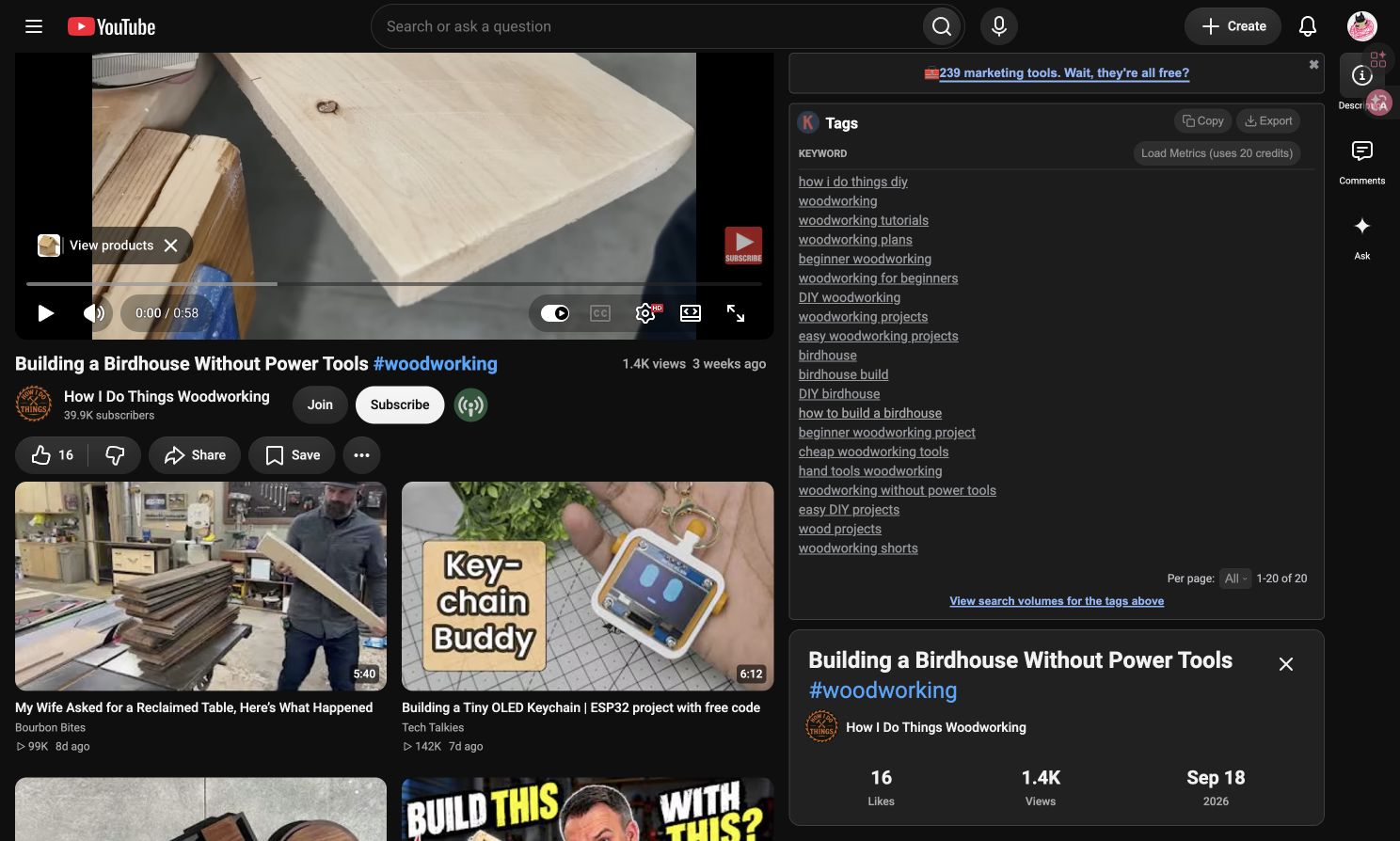
vidIQ adds YouTube keyword estimates and reference-video inputs that a general ChatGPT answer does not establish on its own. Its features also include AI Coach, scripts, ideas and thumbnail tools.
For “beginner sourdough bread,” the keyword example produced five candidates, recommending “how to make sourdough sandwich bread” plus two supporting terms. That helps choose between a broad beginner lesson and a narrower tutorial. Figures are global estimates, not verified US demand.
Choose vidIQ when keyword evidence is the gap. The separate extension example shows reference tags. Boost displayed $19/month for one channel; its documented ChatGPT integration can also complement your existing chat.
5. Kabo — carry channel research into an original script
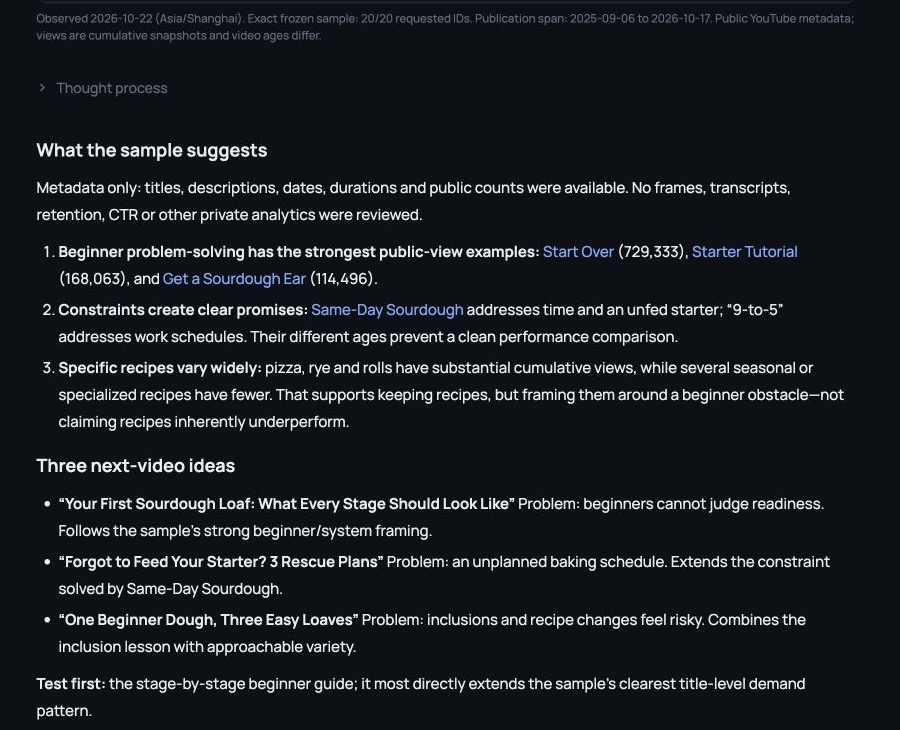
Kabo connects YouTube research, channel interpretation and writing in an AI Agent conversation. Compared with starting from a general ChatGPT prompt, the benefit is having public account and video research tools in the same creator workflow.
With twenty supplied GrantBakes records, its channel analysis identified beginner problems and schedule constraints. Three ideas followed, including a first-loaf guide showing every stage.
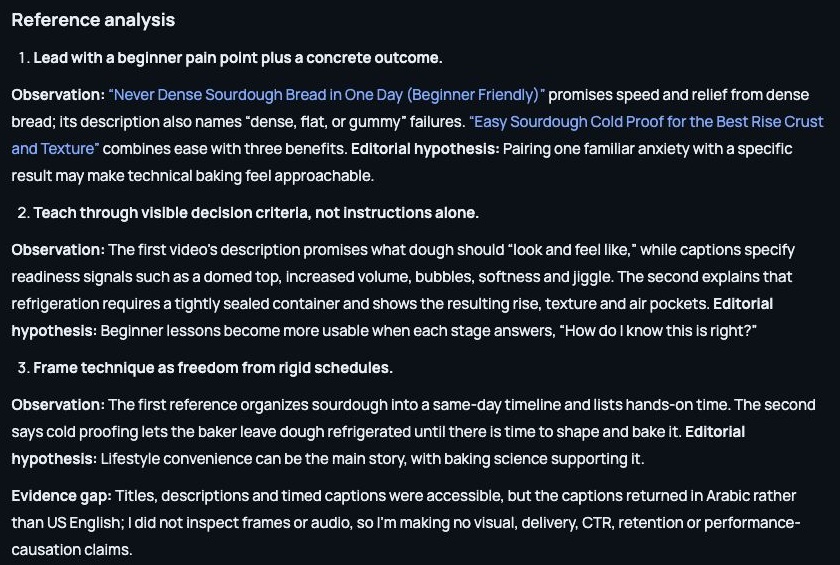
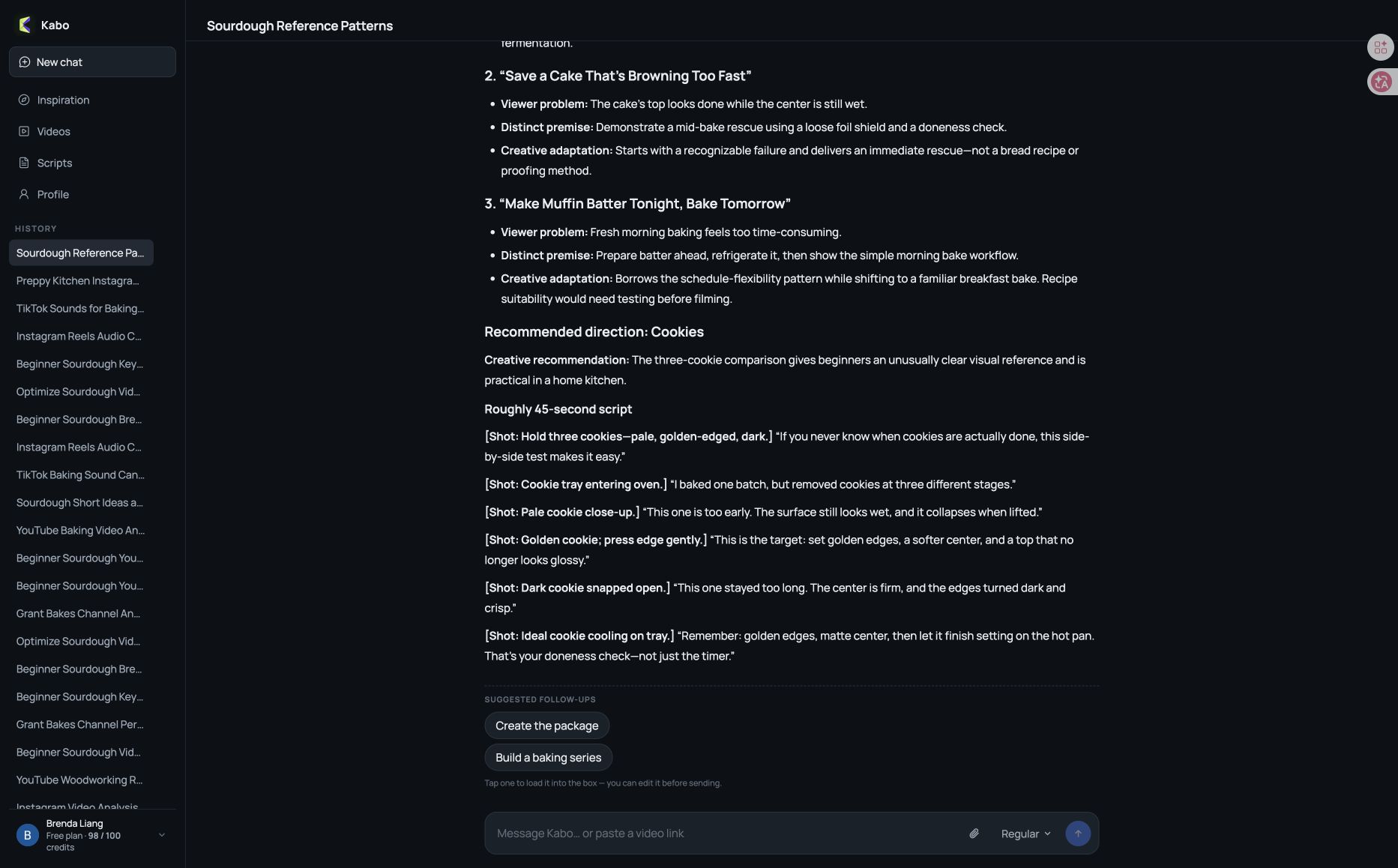
A separate reference conversation examined two sourdough links, drawing out beginner pain points, readiness cues and flexible schedules. It proposed original baking directions, then developed a cookie-doneness script with close-ups and comparison shots.
Ask which reference supports an observation, change the audience or simplify filming, then continue into script writing.
Prefer working in Codex? Install the Kabo plugin to bring public creator research tools and instructions into that workspace. Follow the connection guide for account access and allowances. Kabo’s plans include daily free credits and Pro at $7.99/month.
Before switching, check what the answer is based on
ChatGPT supports web search and citations, subject to account and workspace availability. Before switching, try the same question and references in both tools. Can you trace the answer to its sources, identify missing evidence and develop a draft you can use?
Check links, dates and coverage. Distinguish transcripts, metadata and visual analysis; fluent prose does not establish what the tool inspected.
ChatGPT alternatives for YouTube research FAQ
Can ChatGPT already research YouTube topics?
Yes. ChatGPT supports web research and drafting. A specialist is useful when it improves a particular step, such as source selection, keyword research or working with creator references.
Which tool should I use for captioned YouTube sources?
NotebookLM/Gemini Notebook supports public captioned YouTube sources for transcript-based research. Gemini Apps also supports YouTube discovery and questions. Check source availability and account conditions.
Can these tools see private CTR or audience retention?
Public research cannot reveal competitors’ private CTR or audience retention. For channels you manage, use authorized first-party analytics and check what each connected tool can actually access.
Sources and scope
Published by Kabo. Official sources checked October 22, 2026; screenshots dated October 13–22. Perplexity, Gemini and NotebookLM features are documentation-based. Kabo screenshots show separate web-app tasks, not the Codex plugin. vidIQ’s keyword and tag examples were also separate. Image captions identify evidence limits; no comparative accuracy or publishing outcomes were established.
The order groups tasks, not performance. Plans and allowances can change. Public metrics and model estimates require context.