
Why look for a TrendTok alternative?
A recommended trend can still leave you asking whether it is gaining momentum, which uploaded version to use, and how to film it with your own resources. Look beyond TrendTok when you want to inspect those choices yourself or need an original premise and script. More recommendations will not necessarily solve the gap between saving a sound and recording a video.
TrendTok alternatives at a glance
| Your task | Tool | Useful output | Access |
|---|---|---|---|
| Explore official trend context | TikTok Creative Center | Songs, hashtags and related examples | Public entry; some views need login |
| Choose from a sound chart | Tokchart | Sound uploads, matched songs and usage | Public preview; deeper access gated |
| Investigate one sound | Exolyt | Historical usage and period comparisons | Limited Basic; paid plans / trial |
| Make a quick browser check | Countik | Public songs or creator-report entry points | Public tools; scope varies |
| Make the trend your own | Kabo | Original directions and a filming draft | Daily free credits; paid plans |
5 alternatives, by the task you need
1. TikTok Creative Center — research trends at the source
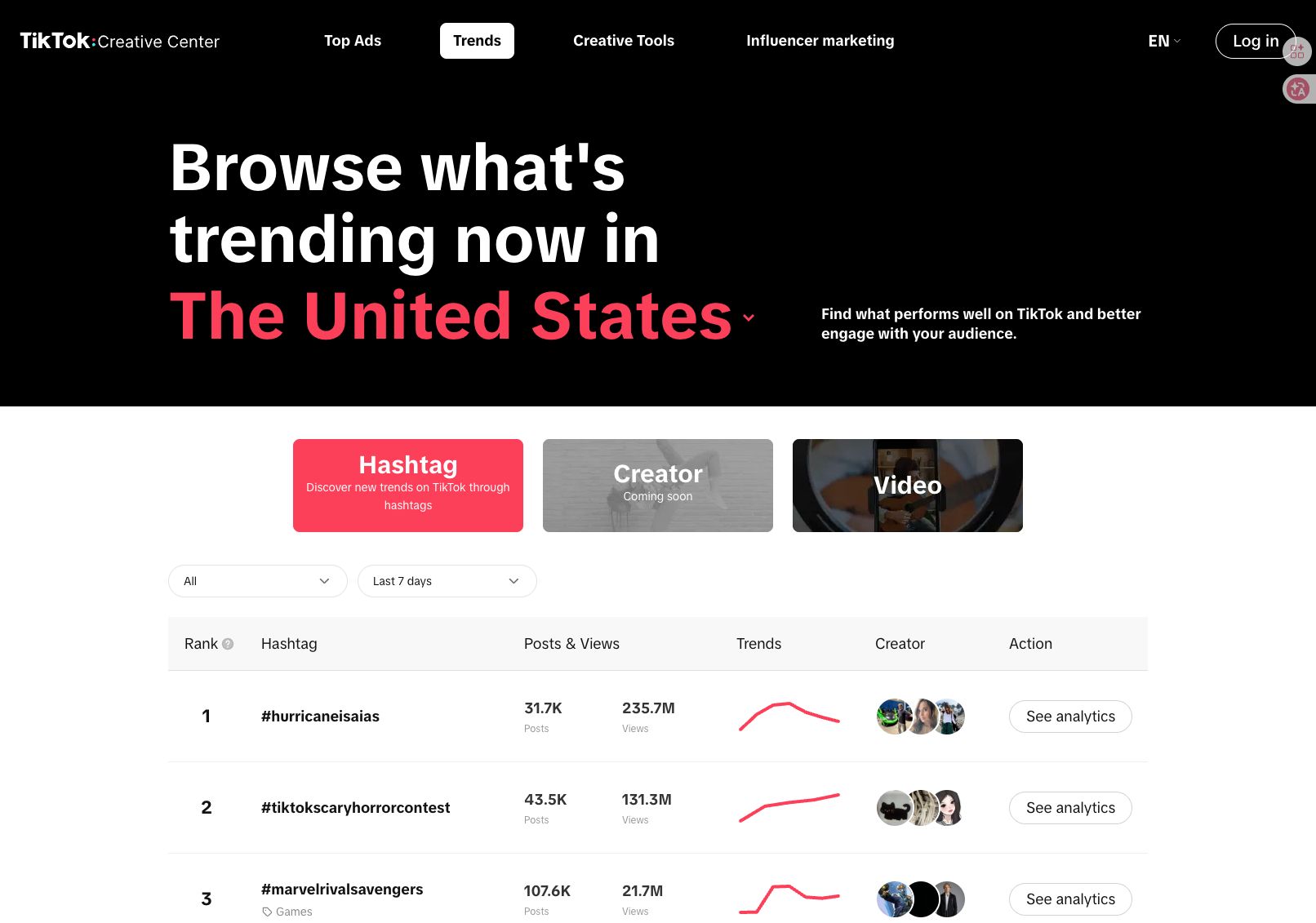
TikTok Creative Center suits a creator who wants to explore a trend directly from TikTok’s business research tools. The Trends entry provides a route into songs, hashtags and other creative references; available detail depends on the view and access.
Choose it when your first question is what is worth investigating in a market or period. Inspect the displayed scope and examples before treating a song’s total usage as evidence that it is newly rising in your niche.
For branded content, use the relevant Commercial Music Library guidance to check region and placements. Trend discovery and permission to use the audio answer different questions.
2. Tokchart — scan a sound chart
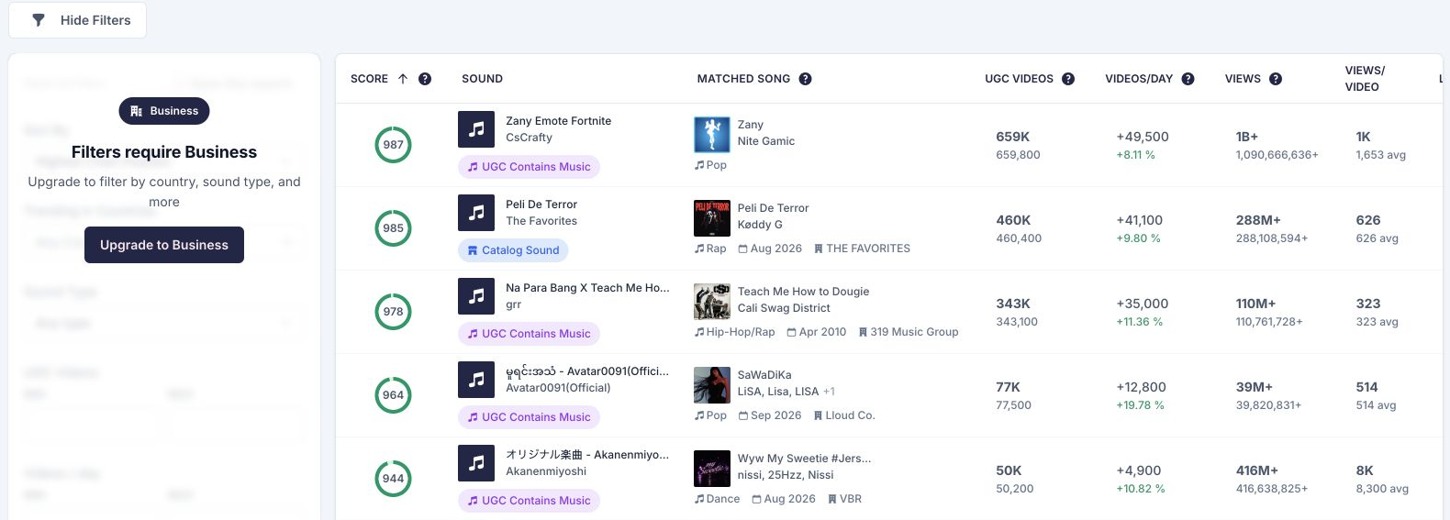
Tokchart is useful when you prefer comparing a list yourself to receiving personalized suggestions. Its public chart separates uploaded sounds from matched songs and presents usage-related columns.
The public chart showed five named sounds; detail pages and country filters required more access. The exact uploaded sound matters: similarly named tracks can refer to different versions.
Choose Tokchart for chart-led browsing. Check its current plans if favorites, filters or tracking are what you need; it also offers creator and campaign tools beyond the chart. Decide which candidate fits what you can film.
3. Exolyt — look beyond a trend recommendation
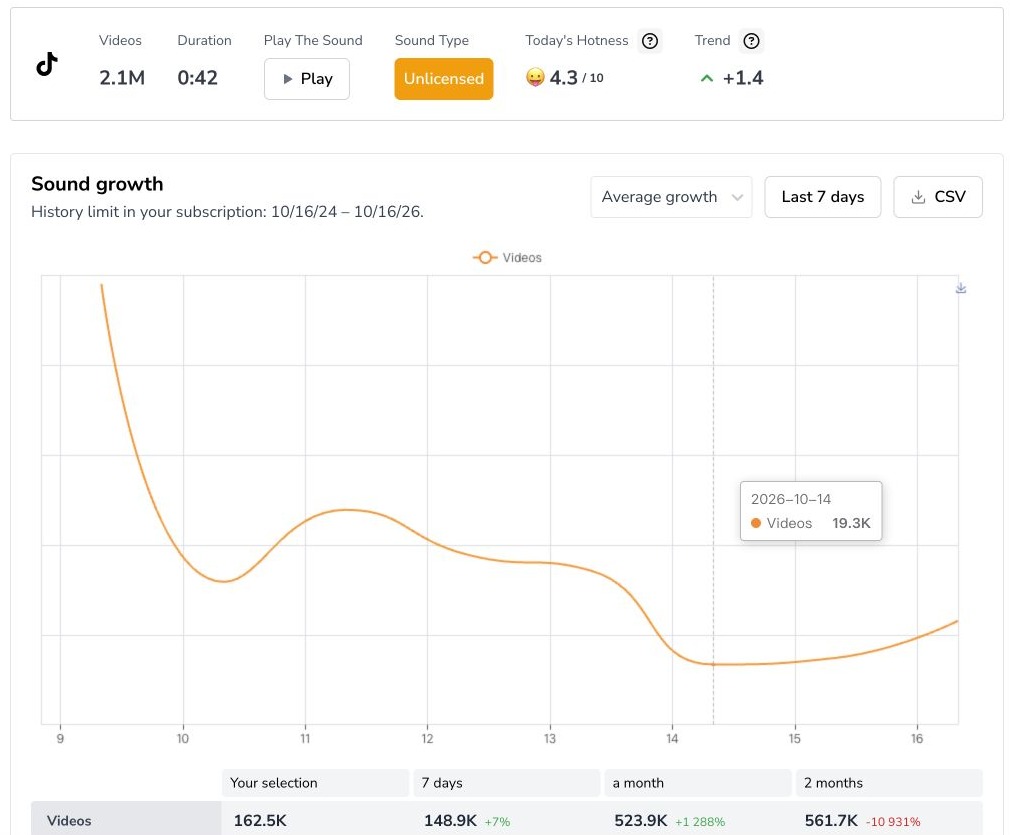
Exolyt is worth considering when a recommendation needs more context. Its sound analytics help investigate usage history within a broader TikTok research workspace.
The October sound report below illustrates why you should read the period labels: the fixed seven-day summary differed from the calendar selection. Its country setting filtered example videos; that did not turn the sound’s overall growth into a US-only measurement.
Choose it when you repeatedly need to investigate a sound over time. Check the plan limits for history and tracking; the pictured report used Advanced-trial access. Historical activity can inform your choice, but it does not verify a forecast that the sound will peak next week.
4. Countik — make a quick browser check
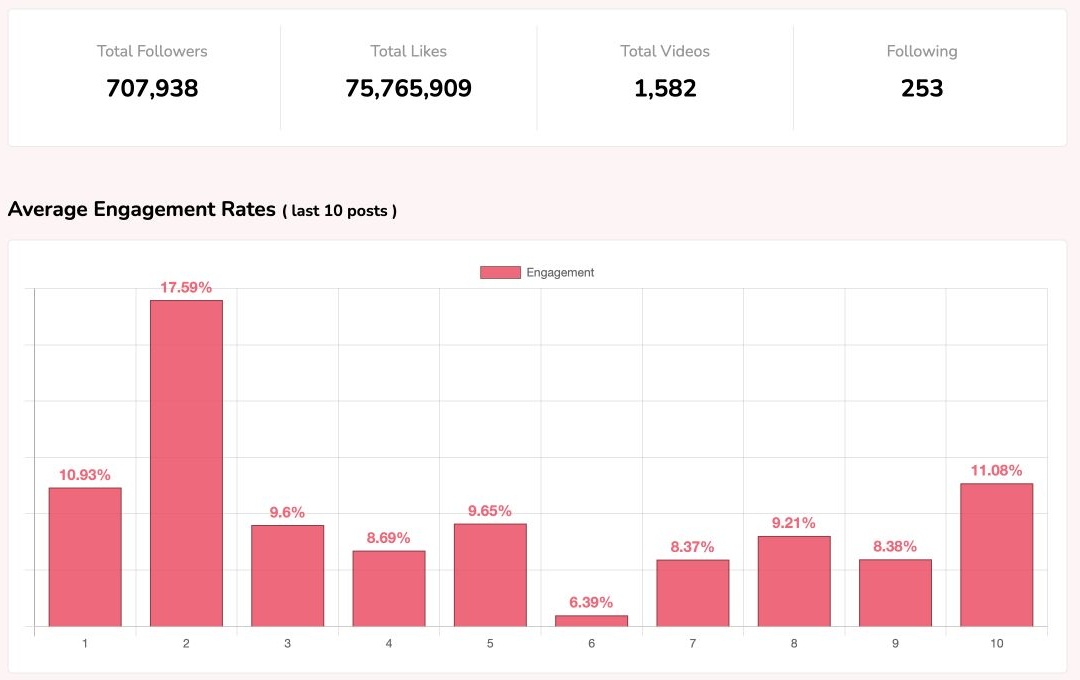
Countik offers a lightweight route when you want a browser lookup rather than a recommendation-focused app. Its trending-songs page is one starting point; it also provides public creator analytics.
The account lookup, rather than the sound chart, was checked directly: a baking-creator lookup returned a report and a 15-row video CSV. That can help you inspect the account behind a reference before choosing what to study further.
Choose Countik for occasional public checks. Use a more specialized trend or history workspace when saved tracking and deeper comparison are central.
5. Kabo — develop an original take on a reference
Kabo helps answer “How could this work for my audience?” Its AI Agent can begin with a creator, reference or research question, discuss the evidence and develop a direction through follow-ups.
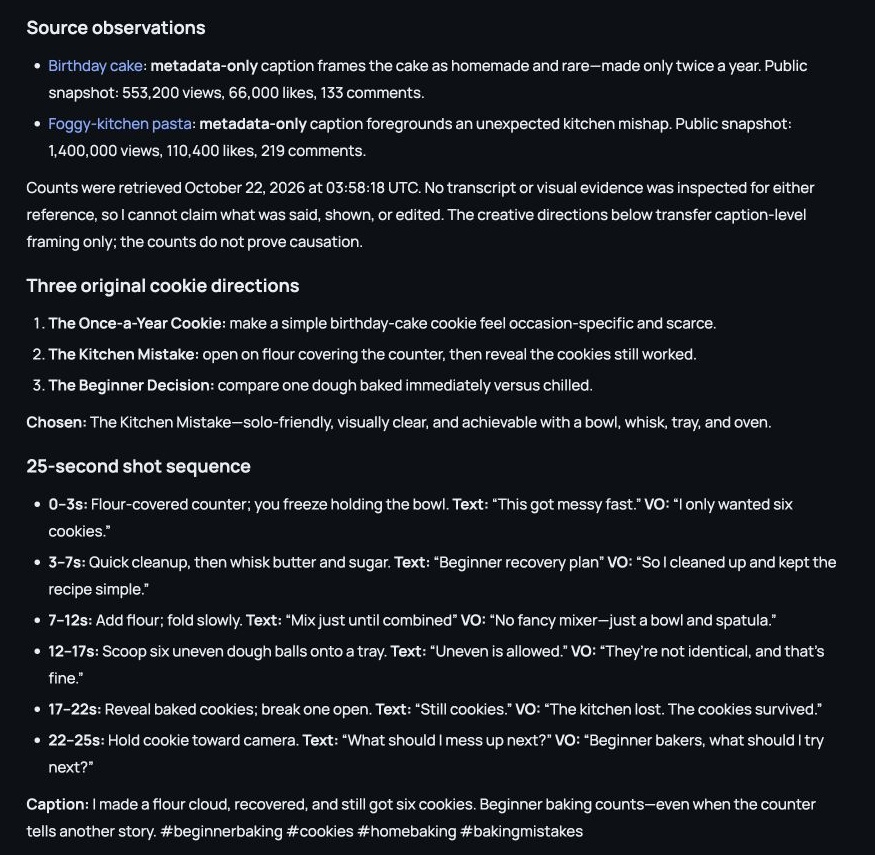
Two TikTok captions—a rare-occasion cake and a kitchen mishap—led to three original cookie concepts: scarcity, a mistake-and-recovery opening, and an immediate-versus-chilled-dough choice. For a solo beginner, the Agent chose “The Kitchen Mistake”: ordinary equipment, no family cast, and an opening the creator could stage at home.
The continuation supplied a 25-second shot sequence, screen text, voiceover and a caption. It opened on flour covering the counter and ended with a cookie reveal. Those were new creative proposals; no source frames or transcripts had been inspected.
Choose Kabo when you need help turning research into a premise and content plan, then revise the hook, format or shots in the same conversation. It also analyzes channels and videos. Use charts for scanning sounds and monitoring tools for history. Preview the audio before filming.
Before you switch: discovery, prediction and access
TrendTok’s official offering includes personalized suggestions and trend analytics, with a Web route through TrendLab. A retained Food & Cooking visit reached a membership boundary, so it does not establish the full paid experience or prediction accuracy.
Keep it if category-led discovery already helps you choose. Compare alternatives when you need a different output: a broader chart, sound history, a public profile check or an original draft. Try one real brief before subscribing.
TrendTok alternatives FAQ
Are there Web alternatives to TrendTok?
Yes: Creative Center, Tokchart, Exolyt, Countik and Kabo have browser entry points. TrendTok itself also links to Web access; compare the available features and limits.
Can a trend tool guarantee more views?
No. Use signals and examples to form an idea, then evaluate your own content. Historical usage and predictions do not establish your future performance.
Can Kabo write a video around a reference?
Yes. Discuss the reference and audience, choose an original angle, then ask for a script, shot sequence or caption and continue refining it.
Sources and scope
Published by Kabo. Official sources reviewed October 22, 2026. Screenshots reuse October 16–22 observations. TrendLab paid detail and prediction accuracy were not tested; Exolyt used trial access. Countik’s tested output was a creator report, not a sound leaderboard. Kabo’s references were metadata-only. Audio suitability, beat detection, commercial permission and publishing outcomes were not established.
The order groups tasks, not performance. Access, prices and product coverage can change.