
vidIQ vs TubeBuddy at a glance
The main difference is where you spend your time: planning a video or working through channel operations.
| Your task | vidIQ | TubeBuddy |
|---|---|---|
| Find an angle | Research and coaching Keywords, channel context and AI follow-ups. | Keyword Explorer Scores, related terms and channel-weighted analysis. |
| Prepare an upload | Draft a package Titles, descriptions, tags and thumbnail concepts. | SEO Studio Guided optimization; paid access required in our example. |
| Maintain a catalog | Work on an upload Research and draft metadata for a selected video. | Studio operations Bulk tools for repeated changes across existing videos. |
| Evaluate packaging | Create candidates Thumbnail creation differs from split testing. | Testing workflow Compare eligibility with YouTube’s native tests first. |
Why compare vidIQ and TubeBuddy?
The feature lists overlap, so paying for both can duplicate work. A researcher may need related topics and explanations; a channel manager may need to change many older uploads. Try one complete recurring task in each free workflow and see where an upgrade becomes necessary.
Keyword research: compare the workflow, not the scores
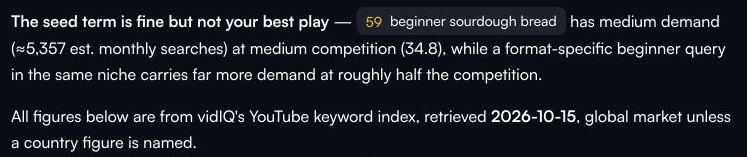
With the same seed, “beginner sourdough bread,” vidIQ returned five candidates and recommended “how to make sourdough sandwich bread” as the primary query, alongside supporting terms. Check that the recommended angle matches your footage: sandwich bread promises something different from a general first loaf.
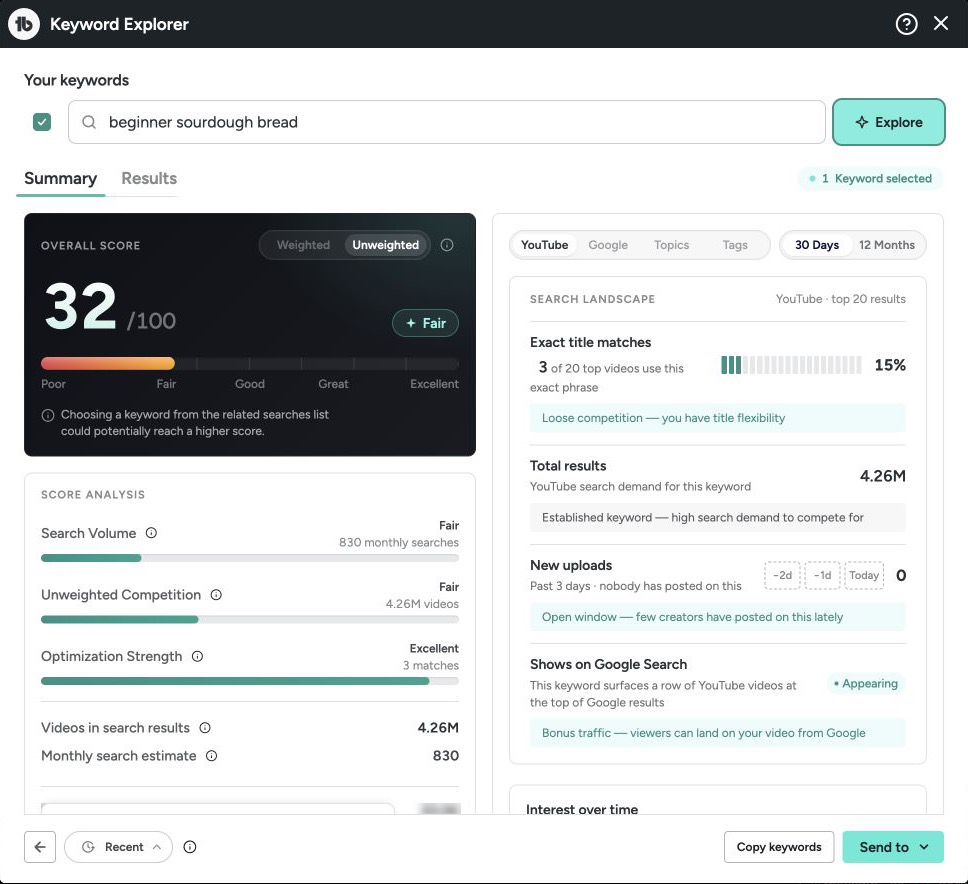
TubeBuddy’s Keyword Explorer gave the seed an unweighted 32/100 “Fair” score. Its free interface showed three of 126 related searches; channel-weighted scoring required Pro. This suits a creator evaluating a specific phrase.
vidIQ showed 5,357 global monthly searches, while TubeBuddy showed 830 monthly searches and 4.26 million results. Different scopes and models prevent an accuracy ranking or a verified US-demand claim. Check actual search results against your video’s promise.
Channel research and AI ideas
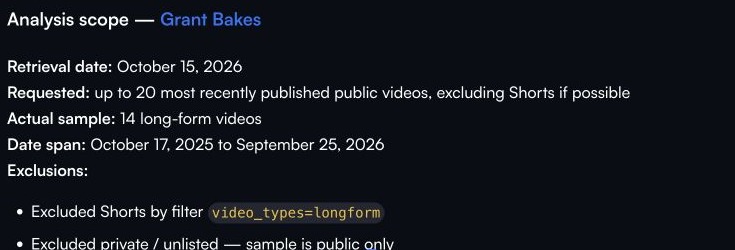
vidIQ’s Grant Bakes review connected a sample of 14 long-form videos within a 365-day window to three next-video ideas. That connects recent content to a planning decision, within a limited sample.
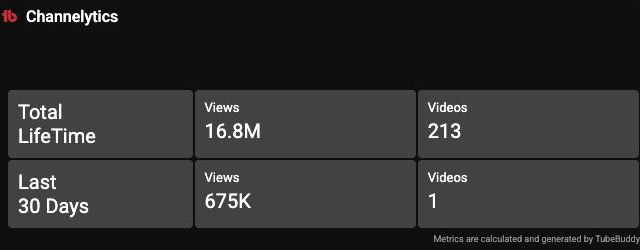
TubeBuddy Channelytics provided lifetime and last-30-day views and upload counts, making it useful for a quick channel snapshot. Its deeper Scorecard required Legend.
Both products support ideation. TubeBuddy’s Next Video Ideas draws on channel, comment and niche context. Compare suggestions for relevance to your channel and ease of developing a brief.
SEO and library work: an upload versus a catalog
For a synthetic nine-minute sourdough demonstration, vidIQ produced title options, a description, tags and a thumbnail concept. It used supplied recipe facts, providing an editable package rather than a measured improvement to a published video.
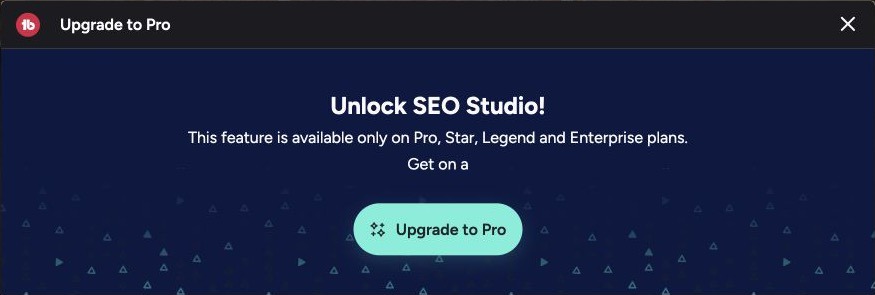
TubeBuddy’s SEO Studio provides a guided optimization workflow, but the free session stopped at its upgrade gate. Paid editor output quality was therefore not compared. TubeBuddy’s bulk tools address a separate problem: maintaining an existing library. Repeated description, card or end-screen changes can be a stronger reason to choose it than another keyword score.
Compare metadata clarity for a new upload, or repeated steps removed for a catalog. The footage must fulfill the promise.
Thumbnail and title tests: check YouTube Studio first
Before buying TubeBuddy’s testing workflow, check YouTube Studio’s native A/B tests. Eligible creators with advanced features can compare up to three title or thumbnail variants on supported public long-form videos from desktop. YouTube selects results using watch time; Shorts are excluded.
Generating thumbnail options, including through vidIQ, supplies candidates for a test. It does not itself compare their performance with viewers. Check your upload’s eligibility and whether native testing already answers your question before choosing a paid testing feature.
Free plans, paid limits and billing
vidIQ lists Boost at $19/month and MAX at $49/month. Annual billing is $199 for Boost and $468 for MAX. Its free allowance includes 150 monthly AI credits, which limits how much conversational research and drafting you can do.
TubeBuddy shows Pro at $15/month and Legend at $32.99/month. With annual billing, the displayed monthly equivalents are $12 and $26.39. Those discounted figures require annual billing.
Check the plan that contains your essential feature: channel-weighted analysis, SEO Studio, a particular bulk tool or testing. Budget for completing the task, rather than the cheapest entry tier.
Kabo for reference research and original writing
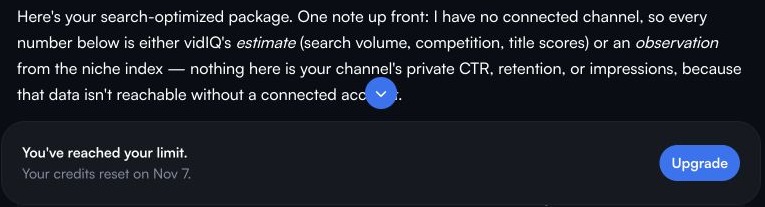
If your work starts with public references, Kabo offers an AI Agent for channel and video analysis, follow-up questions and original writing around your audience and filming constraints. Given the same synthetic sourdough brief, it produced three titles, a 135-word description, five tags and a thumbnail concept. vidIQ also produced an upload package, so compare how each handles your reference material and follow-up revisions.
Which should you choose for your channel?
Try vidIQ for research questions, topic ideas and a draft upload package. Try TubeBuddy when repeated Studio tasks slow your publishing or library maintenance. If YouTube’s native tools already cover the task, wait for a specific gap before subscribing.
vidIQ vs TubeBuddy FAQ
Which is better for a beginner?
Start with the free workflow that solves your immediate task. vidIQ is worth trying for research and coaching; TubeBuddy for Keyword Explorer and Studio-oriented work.
Can I use both?
Yes, but pay for distinct recurring needs. Test whether the second subscription adds a useful deliverable rather than repeating the first.
Do these tools replace YouTube Analytics?
Use authorized YouTube Analytics for your channel’s actual audience and performance data. Third-party estimates and public channel research help with planning; they do not reveal another creator’s private CTR or retention.
Sources and scope
Published by Kabo. Screenshots and example outputs date from October 15; current features and prices link to official sources. Paid SEO Studio output, bulk edits and live A/B results were not tested. Channel snapshots do not reveal private competitor CTR or retention.
USD prices checked October 22, 2026. Plans and allowances can change.