
Breakfast, with a little audience participation.
The linked Reel had 2,653,143 likes and 4,989 comments in the public snapshot retrieved November 2, 2026.
Big numbers. The useful part to borrow is on screen.
The video opens with a man holding a frying pan. A huge finger graphic, outlined in white, fills the foreground. The text reads:
“Help me make breakfast 😋”
By approximately 0:01, there’s a second instruction:
“Swipe to the beat!”
Now the viewer has a role before the cooking even starts.
01. The opening gives you something to do.
“Watch me make breakfast” would introduce a routine.
“Help me make breakfast” invites you into it.
The finger graphic shows the gesture, while the text tells you when to try it. The video establishes its little game without a long explanation.
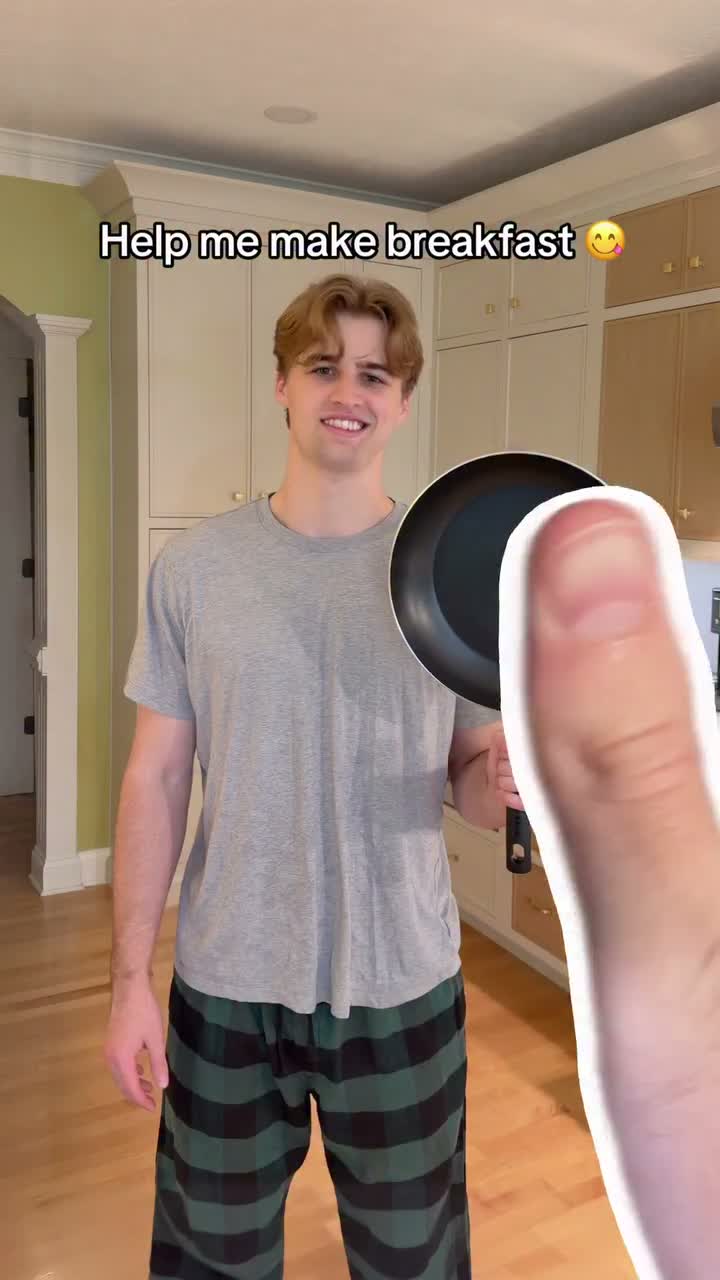
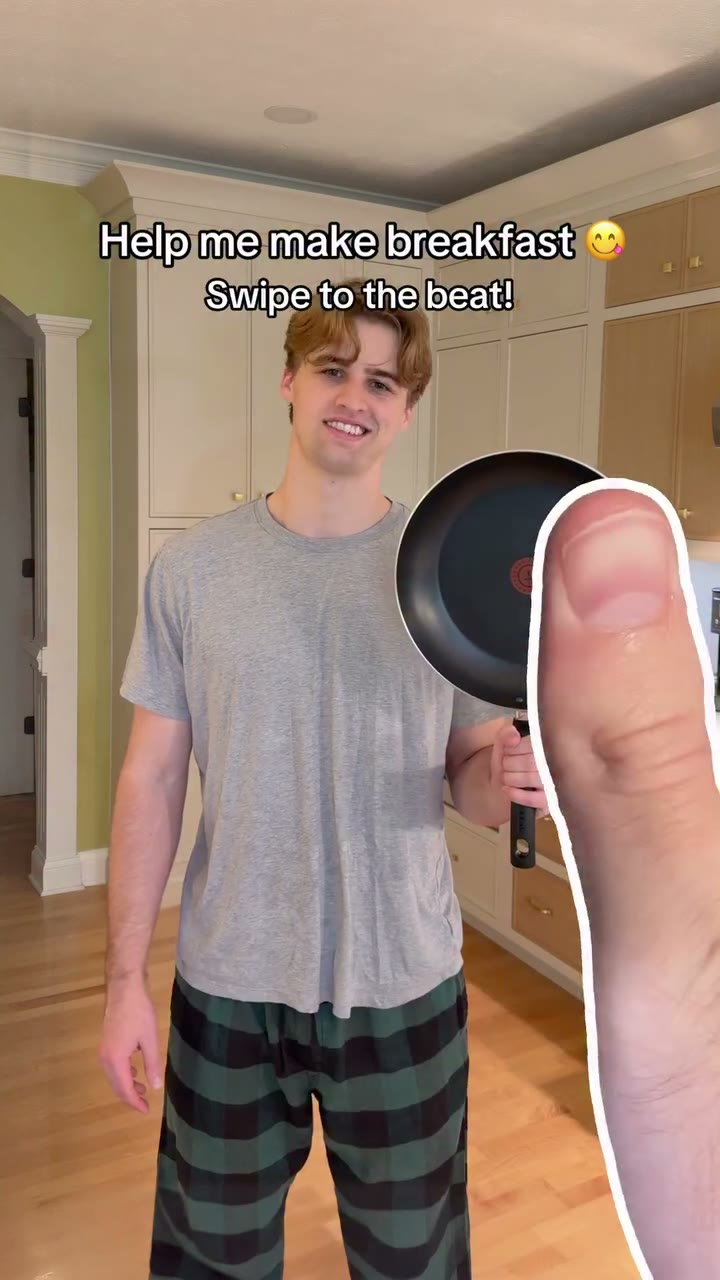
This is an edited sequence: the viewer’s swipe doesn’t actually control the footage. But the invitation gives each upcoming action a playful frame. You’re watching for what your next gesture appears to do.
For your own version, pair a simple instruction with a visible result. If the viewer needs three sentences to understand the game, simplify it.
02. The next shot makes the instruction feel useful.
Around 0:03, the frying pan appears in flight toward the stove. By roughly 0:04, it’s sitting over a blue flame.
There’s the first result.
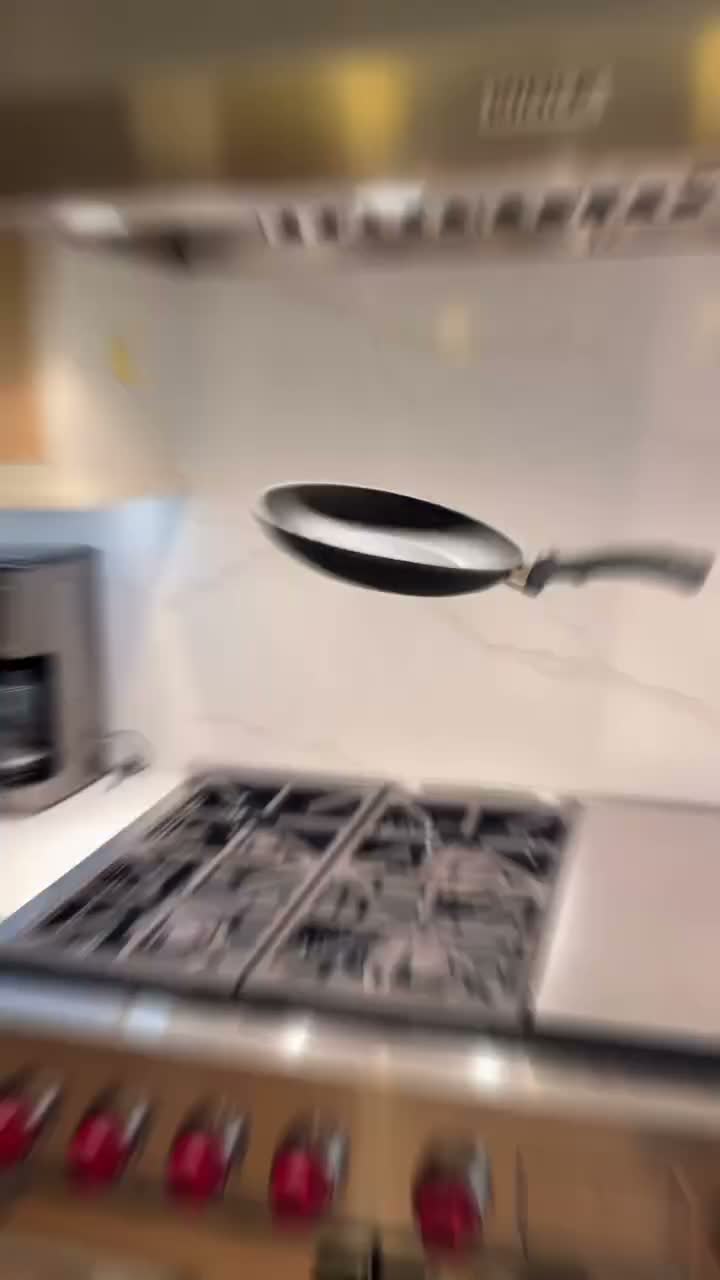
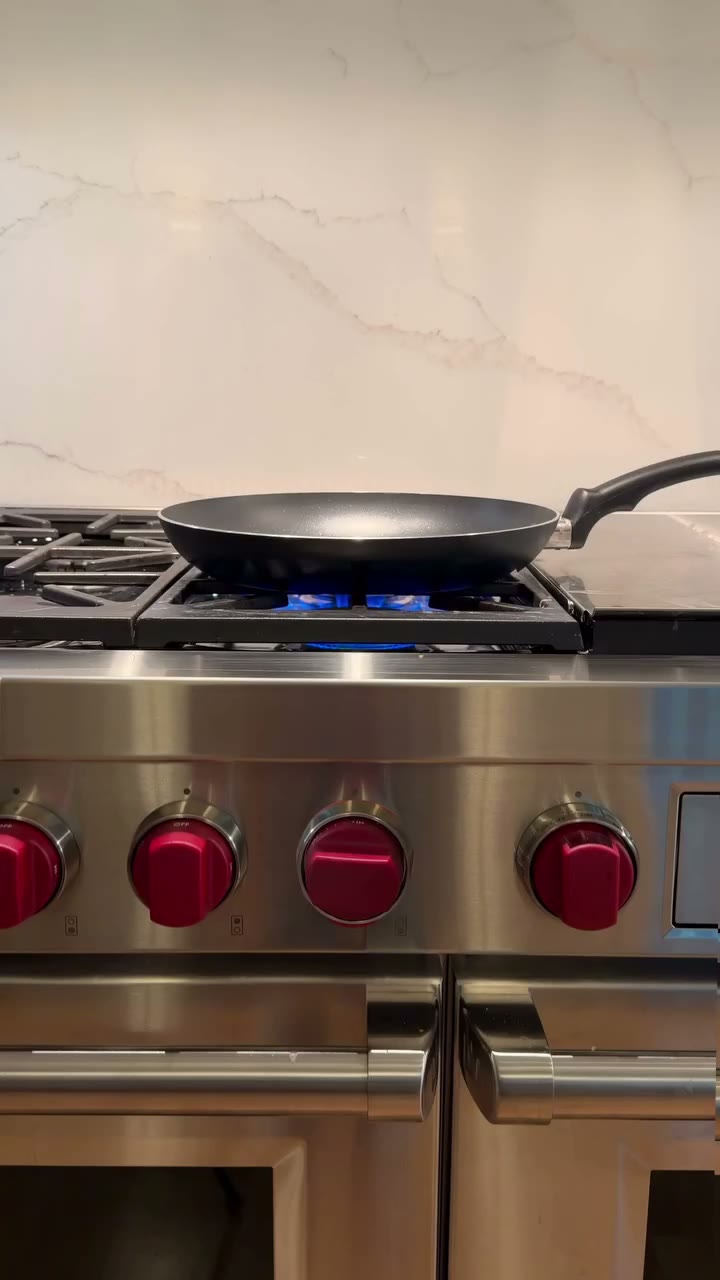
The opening hasn’t asked you to wait until the final plate to see something happen. It gives you an immediate change to connect with the gesture.
The pattern continues:
- ≈0:05–0:06: Bread is presented toward the camera, then appears in the toaster.
- ≈0:07–0:08: Eggs appear suspended above the pan; the next sampled frame shows two yolks in the pan with shells still above it.
- ≈0:09–0:15: A tray of raw bacon goes into the oven, followed by cooking cues and a tray of cooked bacon held toward the camera.
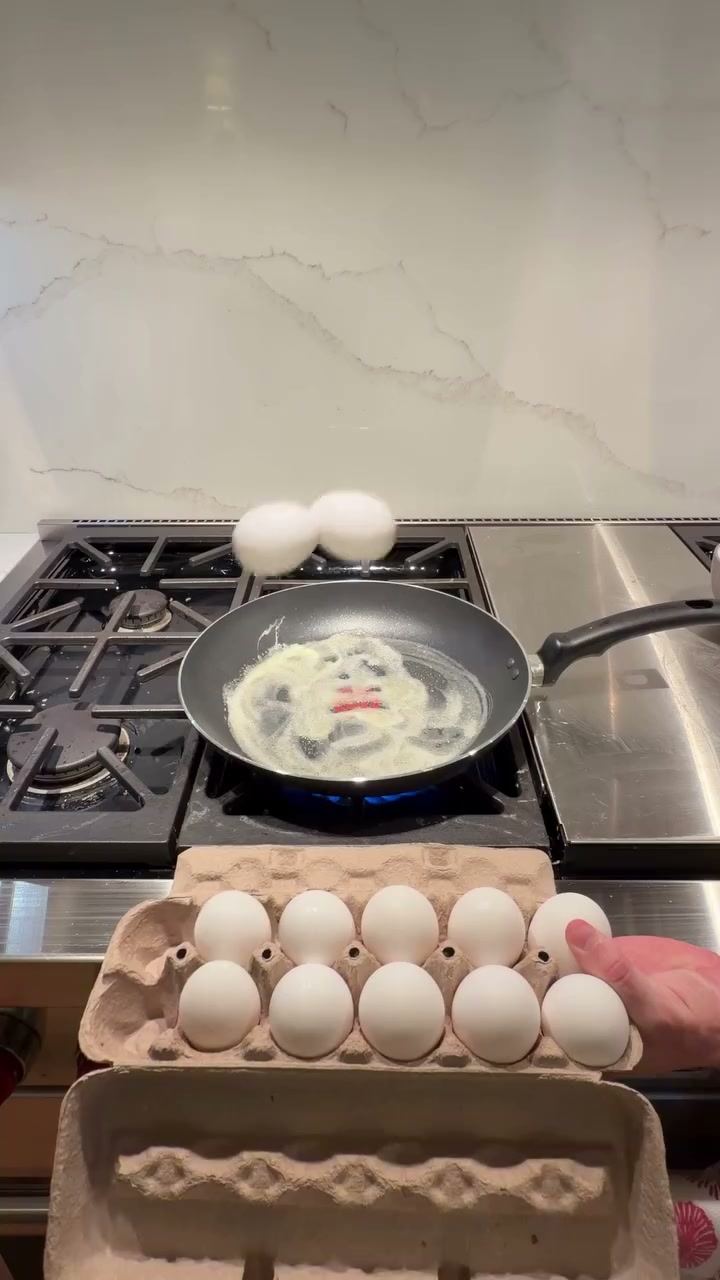
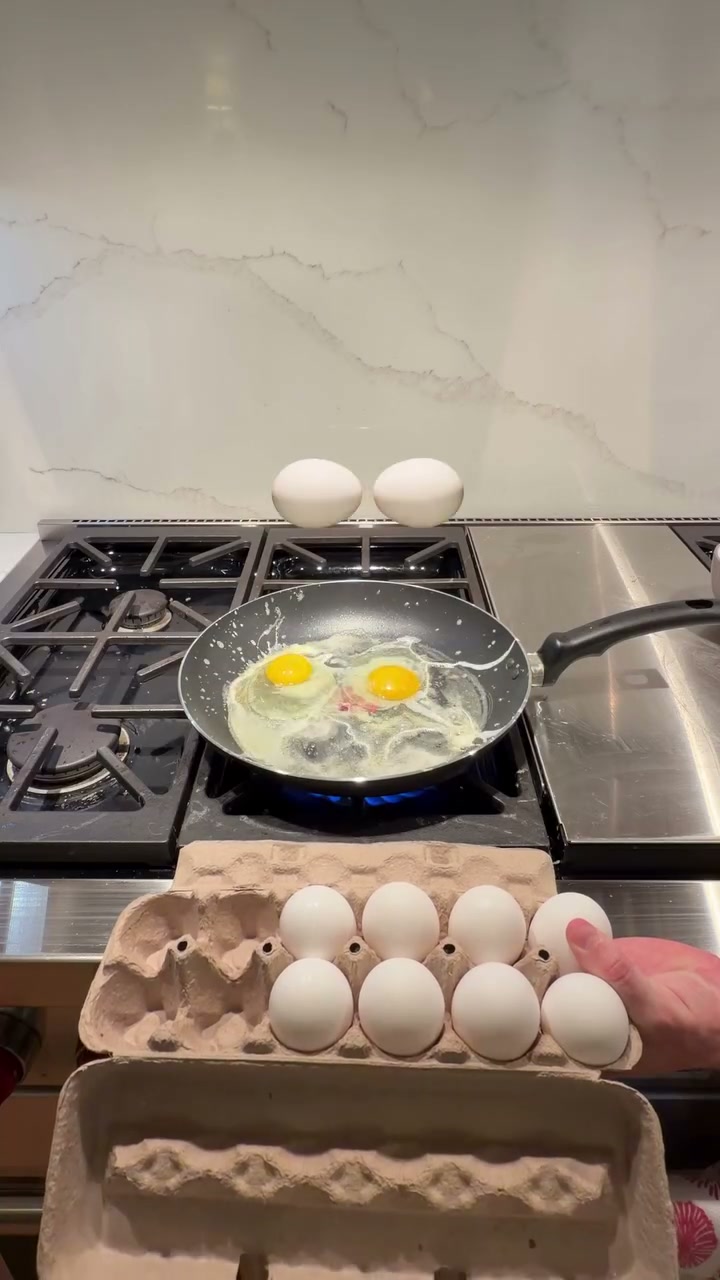
Each ingredient creates a small setup and result.
The full breakfast is still ahead, but the video keeps giving you something along the way.
03. Familiar actions make the impossible bits easy to follow.
A flying pan. Floating eggs. Toast hanging above a knife.
The movement is unusual. The task is familiar.
You already know what bread, eggs, and bacon are supposed to become. That makes the visual jumps easy to read without explaining every step.
The framing helps, too. Some shots show the person and kitchen; others bring the pan, tray, or ingredients closer. The object that matters gets its own moment.
Around 0:18–0:20, the attention shifts to toast and a knife. One sampled frame catches a slice suspended above the blade; another shows the toast being cut diagonally.
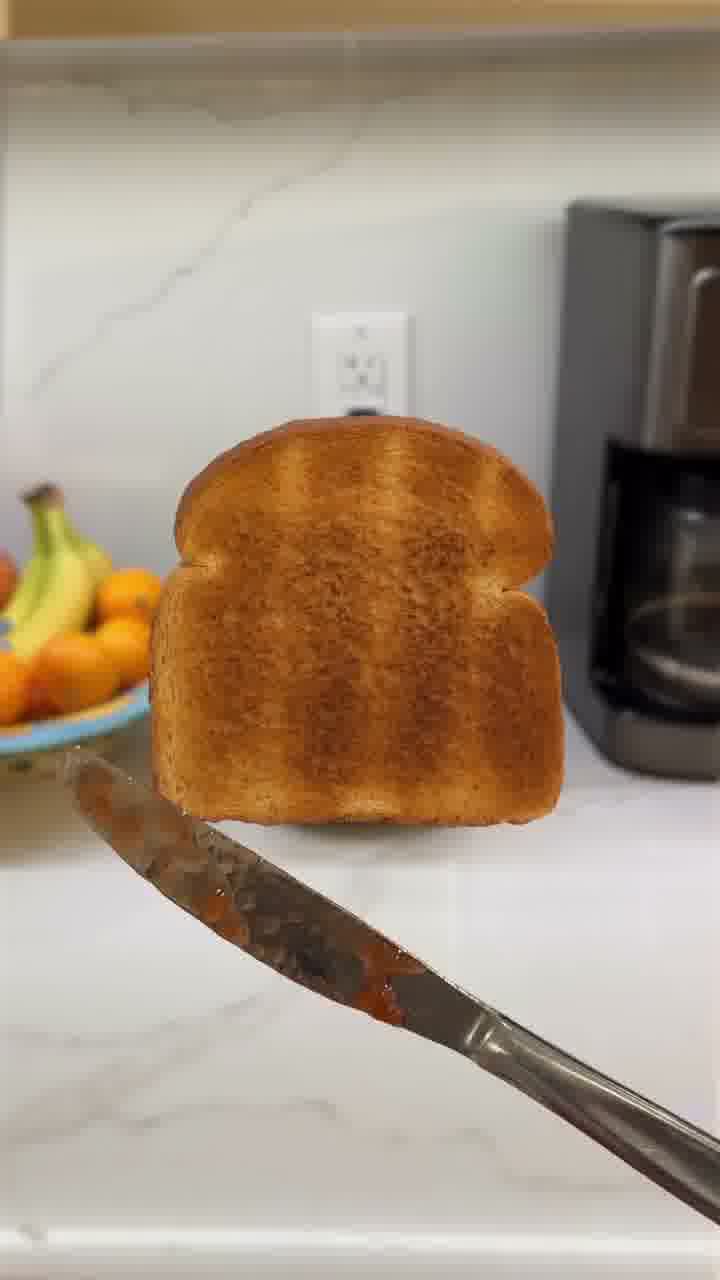
New object. New action. Same breakfast.
For an original version, keep the overall task clear and vary the visible result. Repeating the same reveal five times gives the viewer less to discover than moving through five useful steps.
04. The final plate brings the little moments together.
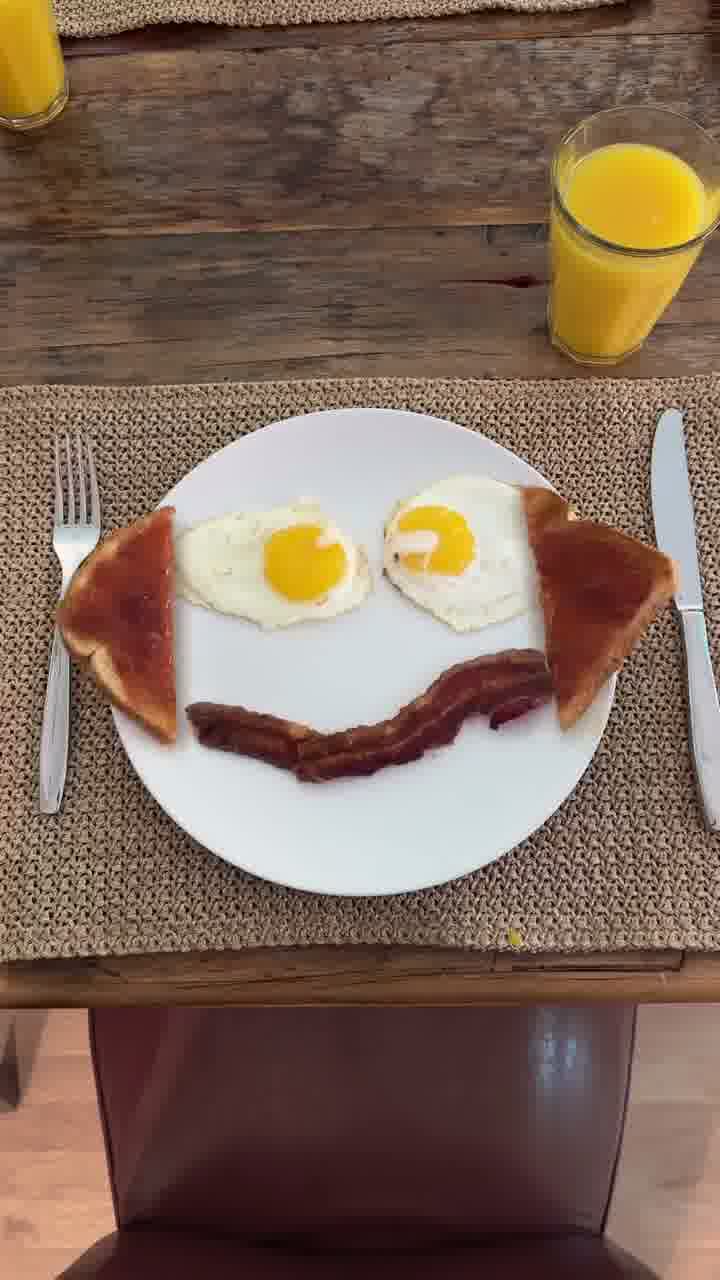
Around 0:21–0:22, the video moves to an overhead view of the breakfast.
Two eggs become the eyes. Bacon curves into a mouth. Toast sits around the sides.
It’s a smiley face.
That’s a more specific ending than “the food is cooked.” The ingredients we’ve been following now belong to one finished image.
Near 0:24, the creator is eating toast. In the closing sampled frames, he smiles and holds up a white sheet marked “10.”
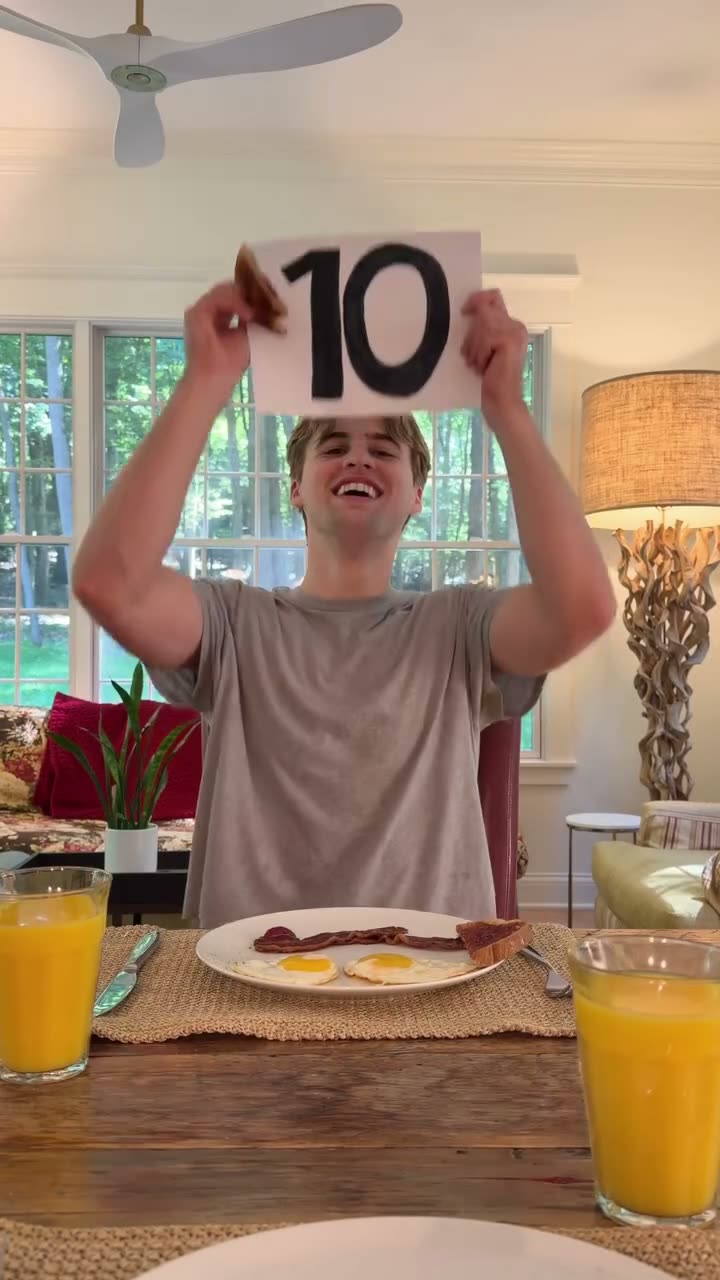
The breakfast gets a rating. The request for help gets a thank-you-shaped ending.
If you use this structure, decide on the final image first. Then make the earlier actions contribute to it.
Make the gesture your own.
You don’t need to remake someone else’s breakfast.
Borrow the connection between an invitation, a visible change, and a finished result.
A few original directions:
- A desk setup: Invite viewers to help build a workspace. Each gesture appears to place one item, ending on a desk ready for a specific task.
- A styling video: Build an outfit one piece at a time, then reveal the complete look in a new setting.
- A product scene: Assemble a gift box, travel kit, or display. Give each item a clear entrance and finish on the complete arrangement.
Change the setting, objects, wording, and ending for your audience.
Start small: one instruction, three visible changes, one satisfying final shot.
Two prompts. Your own version.
Copy the first prompt into Kabo Web Agent to examine the reference. Use the second in the same conversation to develop your original video.
View full prompt
Analyze this reference Reel:
https://www.instagram.com/reels/DdgUtWtPu7t/

Actually inspect the video or its timestamped frames before analyzing it. Do not infer the footage from its caption, cover, comments, or popularity. If you cannot inspect it, explain what material is missing.

Break down:
1. The opening image, exact on-screen wording, and gesture instruction.
2. How the first visible result connects to that instruction.
3. How the food preparation develops through changes in objects, framing, and action.
4. How the finished plate, eating shot, and closing rating resolve the opening invitation.

Use approximate timestamps beside specific observations. Separate visible facts from your interpretation. Distinguish an edited illusion of viewer control from actual interactive functionality.

Explain three storytelling techniques I could adapt to a different topic. Do not claim an exact editing method, software, or production setting unless the evidence establishes it.

Assess music or synchronization only if you can actually hear and inspect them. Keep on-screen text separate from spoken words.

If you retrieve public metrics, include their source and retrieval time. Omit unavailable figures. Do not infer retention, conversions, sales, or the cause of the post’s performance.

Finish with a practical structure for an original video: invitation, first result, a sequence of new results, and a final payoff.
View full prompt
Help me create an original short video inspired by the storytelling structure of this reference:
https://www.instagram.com/reels/DdgUtWtPu7t/

My topic or product: [fill in]
My audience: [fill in]
My goal: [entertain / explain / demonstrate a product / other]
What I want viewers to do afterward: [fill in]
My setting and available objects: [fill in]
My desired length: [fill in]
My brand voice: [fill in]
Production approach: [AI-generated video / filmed footage / a mix]
Assets and constraints: [fill in]

Use the reference analysis from this conversation. If it is unavailable, inspect the reference first and state any access limitations.

Adapt the principle: invite the viewer to make a simple gesture, connect it to an immediate visible result, develop the idea through several different transformations, and finish with a result that brings those steps together.

Create a new scenario, opening line, visual motif, sequence, and payoff for my audience. Do not copy the creator’s likeness, breakfast sequence, finger graphic, wording, or rating-card ending. Do not imply the finished video can actually detect or respond to a viewer’s gestures.

Give me:
1. Three original concepts, each with an opening instruction and final reveal.
2. Your recommended concept and a short reason it fits my audience and goal.
3. A timed storyboard with framing, action, on-screen text, transition intent, and the visible result of each beat.
4. A consistent description of the setting, character, and objects to carry across shots.
5. Complete generation prompts for each shot, or filming directions if I selected filmed footage.
6. A closing CTA that fits my goal.
7. A review checklist for object continuity, readable text, gesture clarity, and whether the final reveal fulfills the opening invitation.

For an AI-generated version, use Kabo’s available video-generation tools to create the sequence when supported. If an asset, setting, or choice is required first, identify it before generating. Plan sound as an original creative choice; do not claim it matches the reference unless you have verified its audio.

Keep the concept achievable within my constraints. Do not invent product claims, testimonials, or expected performance.
Source & timing
Original video and public figures: @johnnyshuck’s Instagram Reel ↗, retrieved November 2, 2026, at 02:34 UTC. The returned snapshot contained 2,653,143 likes and 4,989 comments.
Visual observations use 30 sampled frames from the approximately 26-second video. Timestamps identify observed moments, not exact transition boundaries. Music and beat synchronization are not assessed.
The public figures describe this post’s scale; they do not establish why it performed or how long people watched.