
We analyzed 100
AI tutorial Shorts.
How do creators hook viewers?
A promise to edit slides by drawing. A question about whether AI can beat a human at sound design. A jar of jelly beans that gives seven models the same task.
How creators introduce a useful task, begin the demonstration and deliver the promised result.
We examined 100 English AI tutorial and demonstration YouTube Shorts from 30 established channels to see how creators open a useful video. The most frequent primary pattern in our coding was a direct promise: 36 of the 100 videos directly named something the viewer could learn, make, or do.
These patterns describe how the sampled videos are structured. We did not measure audience retention.
01 · OPENING PATTERNS
The opening patterns in this 100-video sample
A Hook is the opening device that gives a viewer a reason to keep watching. We classified each video by its main opening device, using these definitions. When categories overlapped, the purpose took priority: a question setting up a test counted as an experiment; a question about a viewer's difficulty counted as pain led.
| Primary Hook | What it means | Videos | Share |
|---|---|---|---|
| Direct promise | Names what the viewer will learn, make or do. | 36 | 36% |
| Pain led | Starts with a problem the viewer recognizes. | 17 | 17% |
| Other | Uses a story, analogy, definition or immediate instruction. | 15 | 15% |
| Result first | Shows the finished output or transformation first. | 14 | 14% |
| Challenge or experiment | Sets up a test, comparison or task with constraints. | 11 | 11% |
| Question or curiosity | Opens an information gap for the video to resolve. | 4 | 4% |
| Correction or warning | Flags a mistake or a practice to avoid. | 3 | 3% |
| Counterintuitive | Challenges a commonly held belief. | 0 | 0% |
Valid n=100; missing primary classifications=0. No video received Counterintuitive as its primary label.
The labels describe the opening, rather than its performance. A delayed answer alone did not qualify a video as curiosity led.
02 · TIMING ACROSS 100 VIDEOS
When value becomes clear—and when useful content begins
We coded two moments across all 100 videos. Value clarity is when a viewer can identify the problem addressed or result offered. First substantive delivery is the first executable step, concrete answer, or meaningful task demonstration. A generic teaser does not count. A specific comparison result or a demonstrated input-to-output change can count without a click-by-click tutorial.
Each video has an estimated time range based on caption and video evidence. Wider ranges reflect less precise evidence; a range starting at zero means the event may be present in the opening.
The median value-clarity time falls within 0–6 seconds; the median first-delivery time falls within 7.5–13 seconds. We calculated these bounds from the medians of the 100 lower and upper endpoints. They describe uncertainty about when events occur, rather than recommended deadlines.
Valid n=100 for each metric; missing ranges=0. Exact onset times were not measured.
By ten seconds, 82 value-clarity ranges and 29 first-delivery ranges have ended. Another 18 value ranges and 41 delivery ranges span the ten-second mark: we cannot confidently place those events before or after it. Thirty delivery ranges begin after ten seconds.
The distinction appears in concrete cases. Jeff Su introduces the AI-memory outcome in an estimated 0–4-second window and starts the built-in-memory instruction in a 3–8-second window. Andy Stapleton's academic-prompting clip communicates its topic early, but the first document-placement instruction falls in a 27–33-second window.
Compare the two moments in the sample library, or download the complete timing table, including event descriptions and evidence references.
03 · NINE CASE STUDIES
Nine real openings worth studying
1. Name a specific edit, then perform it
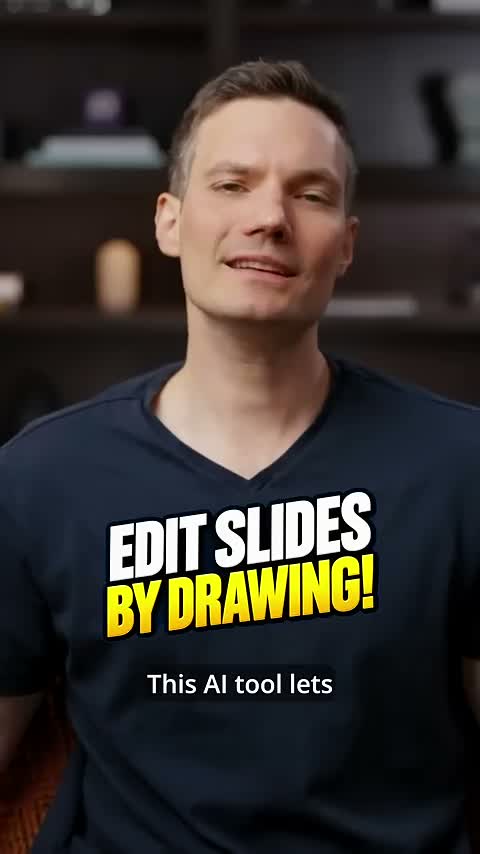
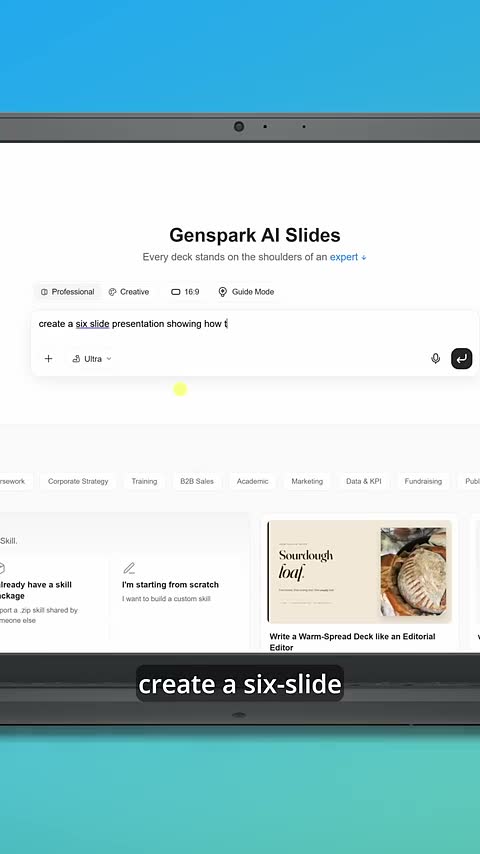
Watch original ShortKevin Stratvert's slide-editing tutorial pairs a clear on-screen headline with a direct capability promise. The task is concrete: create a presentation and change it by drawing on the slides.
The body enters Genspark, requests a six-slide cookie-baking presentation, shortens a subtitle, and uses an arrow to move an image. Those actions connect the opening to something the viewer can inspect. The reusable structure is one outcome, one tool, and a visible revision—not an abstract claim that AI saves time.
2. Turn a familiar burden into a short path
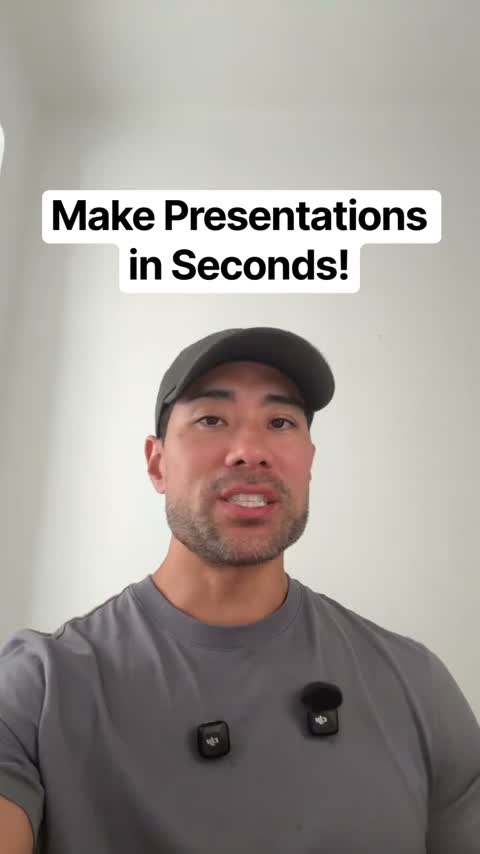
Watch original ShortAurelius Tjin's Gamma presentation tutorial begins with a question about making presentations manually. Its opening headline already names the desired result.
The clip then moves to the tool, a prompt, a generated presentation, and simple edits. The referral offer is part of the content and is recorded in the research table. What transfers to another tutorial is the sequence: recognizable work, specific alternative, first useful step, inspectable result.
3. Keep a numbered promise within its evidence
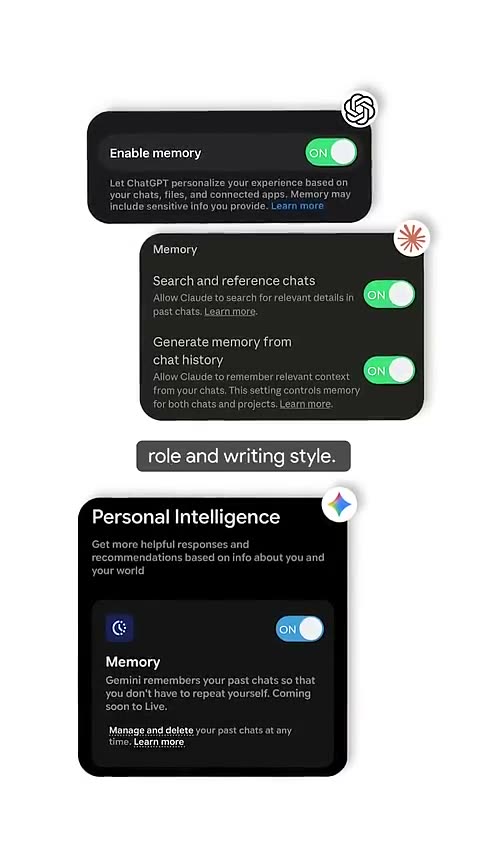
Watch original ShortJeff Su's AI-memory tutorial organizes the body around three layers: built-in memory, projects, and a custom memory system. It provides an intelligible progression rather than a loose list of tips.
We marked delivery as partial because the opening's perfect-memory and never-correct-again scope exceeds what three examples establish. The useful writing lesson is to keep the progression and narrow the promise to what the video can demonstrate. A three-step structure does not require an unlimited guarantee.
4. Make the comparison audible and bounded
Watch original ShortCurious Refuge's AI-versus-human sound-design test asks a question that the body can actually address. It uses the same scene, plays the AI version and the human version, then gives a judgment.
We coded it as a challenge rather than a generic question. The comparison task supplies the structure. Its judgment is still the creator's assessment of these examples; it does not prove that one method always produces better sound design.
5. Give an experiment a real answer
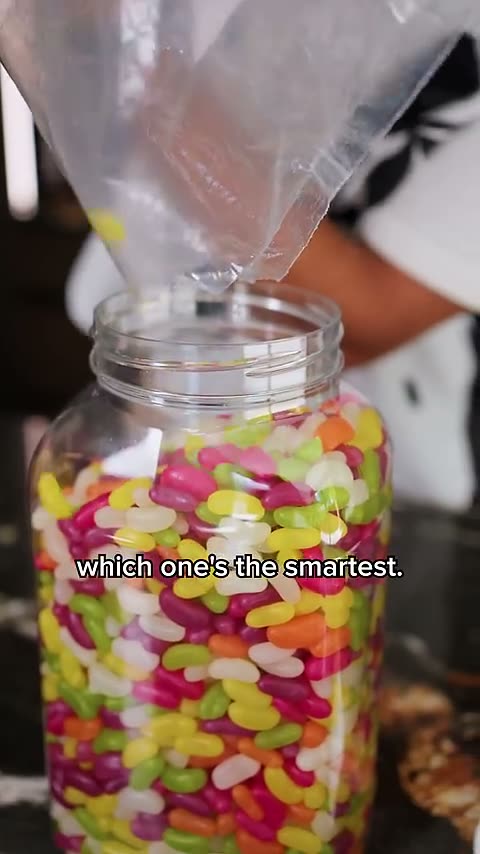
Watch original ShortIn Which AI is smartest?, Mrwhosetheboss uses a jar of jelly beans to make a model-comparison task visible. Each model is asked for an estimate; the final count supplies ground truth.
The ending answers the test that the opening establishes. It does not establish a universal smartest model. When adapting this structure, decide the input, scoring rule and ending before recording. Otherwise, a comparison can become a sequence of outputs without a conclusion.
6. Show a specific failure before explaining it
Watch original ShortQuestions that AI can't answer begins with an image request involving a left-handed writer, then points out the mismatch. Egg counts and mirror reflections extend the pattern.
This is result-first structure built around a failure. A concrete prompt and an inspectable error give the explanation something to address. Our coding concerns presentation and payoff; it does not validate the video's simplified account of model internals.
7. Let revisions supply the middle of the story
Watch original ShortNate Herk's Claude-editing demonstration describes an iterative process: unclear captions become a contrast rule, static material becomes a motion requirement, and sync problems become checks.
The body gives each improvement a cause inside the workflow: a specific note became a persistent editing rule. That makes a repeatable structure for tutorials about refinement. Show the initial problem, state the change, and show what the change does. We cross-checked this source after detecting an inconsistent hosted keyframe; the disputed frame was not used as timing or visual evidence.
8. Let the screen carry the instruction
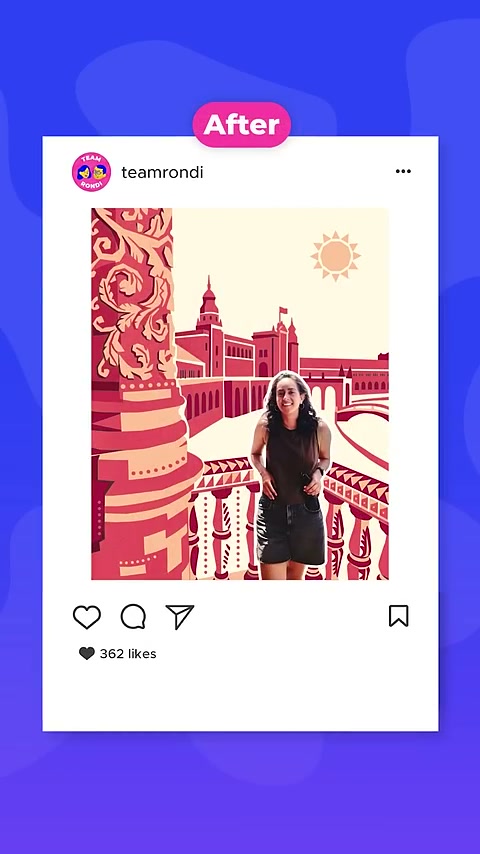
Watch original ShortDesign with Canva's photo-restyling walkthrough has no spoken opening sentence. A headline and a photo transformation introduce the task, then the screen recording uses arrows, prompts and interface actions to guide the viewer.
The ending shows the restyled composition in a before-and-after social mockup. This structure does not need a voiceover promise to make sense: the headline names the change, the screen supplies the procedure, and the ending returns to the change. The missing spoken sentence is recorded as absent, rather than reconstructed from music transcription.
9. Turn a research gap into a first action
Watch original ShortAndy Stapleton's Perplexity introduction workflow begins with the problem of not having enough references. It moves into a specific research prompt, shows the resulting draft and references, and then explains how he would use the references in a citation workflow.
He explicitly treats the output as a starting point rather than text to copy directly. The transferable structure is a concrete gap, a tool operation, an inspectable output and a bounded next step. Our study does not independently validate the generated references or treat the draft as finished academic work.
THE COMPLETE SAMPLE · 30 CONTRIBUTING CHANNELSExplore all 100 video breakdowns +
Browse every included video. Labels describe openings and delivery; public views are context, not a measure of Hook effectiveness.
View all 30 contributing channels and sample counts
- Jeff Su ↗5 videos
- Kevin Stratvert ↗5 videos
- Futurepedia ↗5 videos
- The AI Advantage ↗5 videos
- Skill Leap AI ↗5 videos
- Hayls World ↗1 videos
- Matt Wolfe ↗5 videos
- Justin Brown - Primal Video ↗5 videos
- Think Media ↗2 videos
- PiXimperfect ↗2 videos
- Aurelius Tjin ↗5 videos
- Beebom ↗2 videos
- Website Learners ↗5 videos
- Mrwhosetheboss ↗3 videos
- Theoretically Media ↗2 videos
- Curious Refuge ↗4 videos
- Nate Herk | AI Automation ↗4 videos
- Riley Brown ↗4 videos
- Sam Beckman ↗1 videos
- Trakin Tech English ↗4 videos
- Creator Magic ↗2 videos
- Tina Huang ↗4 videos
- The Rundown AI ↗1 videos
- Olivio Sarikas ↗1 videos
- Andy Stapleton ↗4 videos
- corbin ↗1 videos
- Matthew Berman ↗4 videos
- Design with Canva ↗4 videos
- Ali Abdaal ↗4 videos
- Sebastian Kamph ↗1 videos
Showing 1–10 of 100 videos
01Give your AI perfect memory in 3 stepsJeff Su · Direct promise+
Published 2026-09-02 (UTC) · 64s · 17,610 public views
View snapshot: 2026-10-27 (UTC)
Value clarity: 0–4s · AI memory outcome
First useful delivery: 3–8s · Enable built-in memory in named tools
Estimated from captions and video evidence.
Reusable structure: Promise better memory → built-in settings → projects → custom memory
Promise delivery — Partial: Provides three steps but does not establish perfect memory or that correction is never needed.
Watch original Short ↗02This AI Lets You Edit Presentations by Drawing! 🤯Kevin Stratvert · Direct promise+
Published 2026-10-26 (UTC) · 57s · 3,163 public views
View snapshot: 2026-10-27 (UTC)
Value clarity: 0–5s · Create and draw-edit slides
First useful delivery: 4–10s · Enter site and select AI slides; opening result preview is not the workflow
Estimated from captions and video evidence.
Reusable structure: Name output and edit method → generate deck → draw edits → export
Promise delivery — Yes: A worked slide-generation and drawing-edit sequence supplies the stated capability.
Watch original Short ↗03Claude video generator is a game changerFuturepedia · Direct promise+
Published 2026-10-24 (UTC) · 75s · 3,564 public views
View snapshot: 2026-10-27 (UTC)
Value clarity: 0–5s · Claude motion/explainer videos
First useful delivery: 8–12s · Actual star-animation sample begins, rather than the introductory promise
Estimated from captions and video evidence.
Reusable structure: Name new output → show generated explainer → discuss style choice
Promise delivery — Yes: The opening offers a new kind of output and an example, which the body supplies; it does not promise a complete click-by-click creation tutorial.
Watch original Short ↗04My Favorite Use Case for AI AgentsThe AI Advantage · Direct promise+
Published 2026-10-23 (UTC) · 59s · 2,017 public views
View snapshot: 2026-10-27 (UTC)
Value clarity: 5–9s · Appointment booking through an agent
First useful delivery: 15–24s · Put colleague and agent in a Slack chat before requesting slots
Estimated from captions and video evidence.
Reusable structure: Name favorite task → Slack request → calendar output → scheduling rules
Promise delivery — Yes: An identifiable appointment-booking workflow is demonstrated.
Watch original Short ↗05Gemini 4 Just Did Something WildSkill Leap AI · Result-first+
Published 2026-10-23 (UTC) · 52s · 2,053 public views
View snapshot: 2026-10-27 (UTC)
Value clarity: 0–6s · Walk through generated ancient Rome
First useful delivery: 4–11s · Prompt and navigable environment walkthrough
Estimated from captions and video evidence.
Reusable structure: Show generated world → disclose prompt → tour output → limited comparison
Promise delivery — Yes: A reproducible task description and interactive output are supplied.
Watch original Short ↗06iOS 27 - NEW Photo ToolsHayls World · Challenge/experiment+
Published 2026-06-11 (UTC) · 67s · 325,629 public views
View snapshot: 2026-10-27 (UTC)
Value clarity: 0–5s · Test photo editing tools
First useful delivery: 9–14s · Draw around objects to remove
Estimated from captions and video evidence.
Reusable structure: Test new editing tools → remove objects → expand a photo → change perspective → show results
Promise delivery — Yes: Hands-on examples supply the photo-editing test established by the opening; device availability and technical implementation are not independently verified.
Watch original Short ↗07These ChatGPT Prompts Are Game-Changers!Matt Wolfe · Direct promise+
Published 2026-10-23 (UTC) · 51s · 8,798 public views
View snapshot: 2026-10-27 (UTC)
Value clarity: 0–4s · Three agent prompts
First useful delivery: 10–16s · Price-drop/refund tracking prompt begins
Estimated from captions and video evidence.
Reusable structure: Promise three uses → supply three concrete agent prompts
Promise delivery — Yes: Provides the three task prompts; the analysis does not endorse autonomous transaction execution.
Watch original Short ↗08Bad AI Video Edits? Check Your Transcript FirstJustin Brown - Primal Video · Pain-led+
Published 2026-09-25 (UTC) · 40s · 1,809 public views
View snapshot: 2026-10-27 (UTC)
Value clarity: 0–4s · Transcript errors cause bad AI cuts
First useful delivery: 3–8s · Concrete repeated-introduction example explains the cutting error
Estimated from captions and video evidence.
Reusable structure: Bad-cut problem → transcript example → timed-transcript remedy
Promise delivery — Yes: Final opening review includes the native-observed bad-cuts headline; pain framing takes priority over the earlier caption-only counterintuitive draft.
Watch original Short ↗09The Best AI Video Editor for YouTubers!Think Media · Pain-led+
Published 2026-09-28 (UTC) · 61s · 32,255 public views
View snapshot: 2026-10-27 (UTC)
Value clarity: 0–4s · Reduce editing work
First useful delivery: 9–15s · Drop raw footage into Gling
Estimated from captions and video evidence.
Reusable structure: Editing frustration → upload raw footage → inspect rough cut → export
Promise delivery — Yes: A worked Gling example supplies the promised first-pass editing workflow.
Watch original Short ↗10Firefly 5 in Photoshop vs. Nano Banana: Fight!PiXimperfect · Direct promise+
Published 2026-09-17 (UTC) · 40s · 23,688 public views
View snapshot: 2026-10-27 (UTC)
Value clarity: 0–6s · Better selection-based image editing
First useful delivery: 6–12s · Selection and generative-fill removal prompt
Estimated from captions and video evidence.
Reusable structure: Improvement claim → one selected object → compare two model outputs
Promise delivery — Yes: A specific removal task is completed and compared; no universal model ranking inferred.
Watch original Short ↗04 · SIX SCRIPT STRUCTURES
Six reusable script structures
Adapt these six templates from the observed structures with your own task, footage and proof.
- 01
One outcome, one tool
YOUR OPENINGHere is how to make [specific output] and change [one detail] in [tool].
WHAT TO DELIVERStudy the original example ↗The input, output and actual edit.
- 02
Pain to first useful click
YOUR OPENINGStill doing [recognizable task] manually? Here is the workflow I use.
WHAT TO DELIVERStudy the original example ↗A concrete path into the tool, not only a recommendation.
- 03
A numbered progression
YOUR OPENINGUse these three steps to manage [bounded problem].
WHAT TO DELIVERStudy the original example ↗Three distinct steps and an ending that matches the scope.
- 04
A bounded comparison
YOUR OPENINGCan [tools or methods] solve [the same task]? Here is how I will check.
WHAT TO DELIVERStudy the original example ↗Consistent inputs, inspectable outputs and a stated comparison rule.
- 05
Failure before explanation
YOUR OPENINGI asked for [specific output]. Here is the mismatch.
WHAT TO DELIVERStudy the original example ↗The input, failed output and an explanation within the evidence.
- 06
Revision loop
YOUR OPENINGMy first attempt had [visible problem]. Here is the rule that changed it.
WHAT TO DELIVERStudy the original example ↗A before state, the change and a result the viewer can assess.
05 · PROMISE DELIVERY
Did the body fulfill the opening promise?
Our coding marked 88 videos as delivering their opening promise and 12 as partially delivering it. None was coded No or Unclear. Valid n=100; missing judgments=0.
This is an assessment of the relationship between opening and body. It does not certify product claims, audience satisfaction, or effectiveness. Partial often reflected a promise broader than the example could establish: perfect memory, universal superiority, total replacement, or an outcome deferred beyond the clip.
During scripting, write the opening and ending next to each other. A tutorial promising one transformation should show that transformation. A test needs an answer under its stated conditions. A broad claim needs either more evidence or narrower wording.
Two research tutorials show how scope can drift. One introduces five prompting improvements but supplies only the first in the clip. Another opens with a twelve-word prompt claim and ends after source-upload instructions, before supplying that prompt. Both are marked Partial.
06 · APPLY THE FINDINGS
Use the findings in your next tutorial
Choose the task before choosing the wording. Identify the input, output or failure that makes the task concrete. Then decide what the spoken line, first image and on-screen words each contribute.
Place the first executable instruction or meaningful demonstration on the timeline. Check whether the setup before it is necessary. Keep the ending visible while you edit the opening, so a more exciting line does not quietly promise a different video.
Use short-form Hook prompts to explore wording once the evidence is clear. After publishing, use your own analytics to test the opening.
07 · METHOD & SAMPLE
How we built the sample
We screened 60 channel records; 54 met the threshold of at least 100,000 subscribers. The final sample contains 100 videos from 30 channels, with one to five videos per channel.
Videos had to be published between October 27, 2025 and October 26, 2026 (Asia/Shanghai dates), run 15–90 seconds, and teach or demonstrate an identifiable AI-tool task through English spoken or written instruction. We excluded pure news, general theory, non-AI tutorials and promotions without a concrete demonstration. Sponsorship alone did not exclude a useful tutorial.
Across eligible accounts, 138 upload-list pages yielded 6,872 unique records. Of these, 5,910 fell inside the date window and 2,009 also met the duration rule. Metadata screening produced 510 candidates; 214 received content-screening decisions. The remaining candidates were not all reviewed.
We followed the recorded account-pool order and used the first 30 accounts with identified, accessible eligible material. We filled the sample in account rounds, taking the next newest identified eligible video from each account until reaching 100. The ceiling was ten per account; the actual maximum was five. There was no minimum view count or view-based ranking. Upload-page coverage was bounded, so this is not an exhaustive catalogue of eligible videos.
Public metadata was collected on October 27 and 29, 2026. Three included videos had at least one million public views; all three came from Mrwhosetheboss. We did not use this small subgroup to compare Hook performance.
Coding and timing
An AI assistant assigned one primary Hook label, assessed promise delivery and estimated two event ranges using timestamped captions, whole-video analysis and selected extracted frames. Timing ranges were rounded outward to whole seconds. The median bounds use the medians of all lower and upper endpoints; they are not confidence intervals. Caption errors and interpretation can affect the labels and timings.
Download the 100-video sample data for video IDs, publication dates, view snapshots, labels and evidence notes. Each included video also has a source-linked breakdown in the sample library.
08 · LIMITS & EVIDENCE
What this research cannot establish
This is an exploratory sample of established channels, not a random or representative sample of creators. Videos from the same channel may share an opening style. These patterns cannot establish which Hook causes better performance.
All 100 videos received whole-video analysis. Ninety-seven have usable spoken captions; three use English screen instructions without voiceover. Detailed visual evidence covers a subset of the sample, and timing ranges remain estimates. No independent inter-rater agreement statistic was calculated.
Bounded upload-page coverage, metadata screening and access failures can affect which videos enter the sample. Source links, screening decisions and evidence notes are retained for checking the analysis.
Public views cannot reveal retention, distribution source or why a video succeeded. YouTube provides the audience-retention report in video-level Analytics. Use the observed structures as ideas to test against your own audience data.