
Do you need visuals, transcripts, or performance data?
A transcript can explain what someone said; an object, expression or camera cut needs visual evidence. For views and channel trends, use our free YouTube analytics guide.
| Your task | Tool | Free starting point | Main constraint |
|---|---|---|---|
| Ask questions about a short clip | Gemini Apps | Google account; limited video uploads | Default upload length: 5 minutes total |
| Turn a breakdown into a content idea | Kabo | Signed-in Agent with daily credits | Analysis and follow-ups use available allowances |
| Organize recordings and follow up | ScreenApp | 3 imports and 2 transcriptions to try | Only AI chats/templates have a stated monthly reset |
| Find moments across a video library | TwelveLabs | 3GB cumulative storage on new Free plan | Capped workload; library search needs indexing |
Published by Kabo. Recommendations are grouped by task, without an overall accuracy ranking.
AI video analysis tools worth considering
Gemini: ask questions about short clips
Gemini offers a chat-based starting point for questions about short clips. Upload a video you have permission to share, ask about a scene, and follow up without setting up a searchable library.
Google also supports questions about public YouTube content, requiring sign-in and Keep Activity enabled. A pasted link and an uploaded file are different inputs; neither guarantees that every frame has been examined.
Free path and pricing: The Free plan costs $0 with a Google account. Official upload limits allow videos up to 2GB each and 5 minutes total; Google AI Pro or Ultra extends total video length to 1 hour. Usage limits still apply. Pro is US$19.99/month on the US pricing page.
Kabo: turn a video breakdown into your next idea
Kabo suits creators who want to move from understanding a video to planning their own. Its AI Agent supports account and video analysis, with follow-up questions that can refine the audience, premise and demonstration before writing a script.
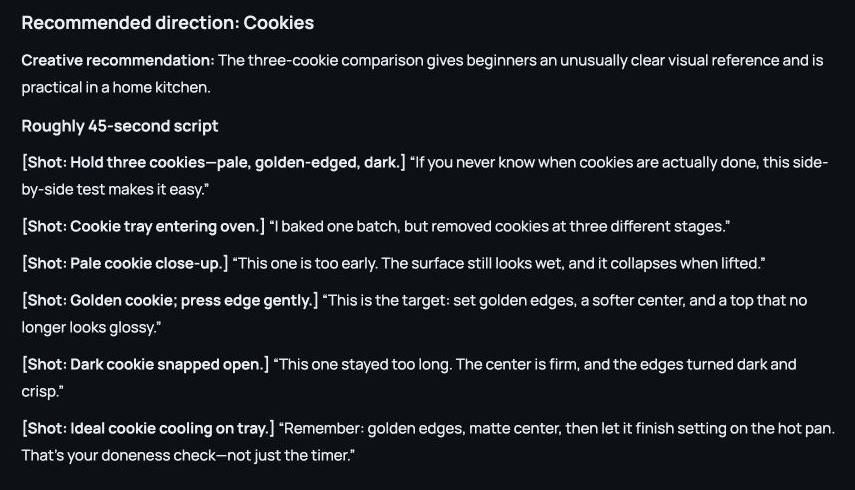
Our saved video-analysis session organized the audience, promise, structure and timestamped lessons. Reference research can then continue into original directions and writing, as the separate conversation below illustrates.
Free path and pricing: Sign in for Free daily Agent credits; public account research does not require connecting the competitor’s account. Pro is US$7.99/month. For a focused first pass, the separate short-video analyzer and YouTube video analyzer start from public links. Those web tools have their own scope and limits; they are not file-upload or unlimited Agent sessions.
ScreenApp: organize recordings and ask follow-up questions
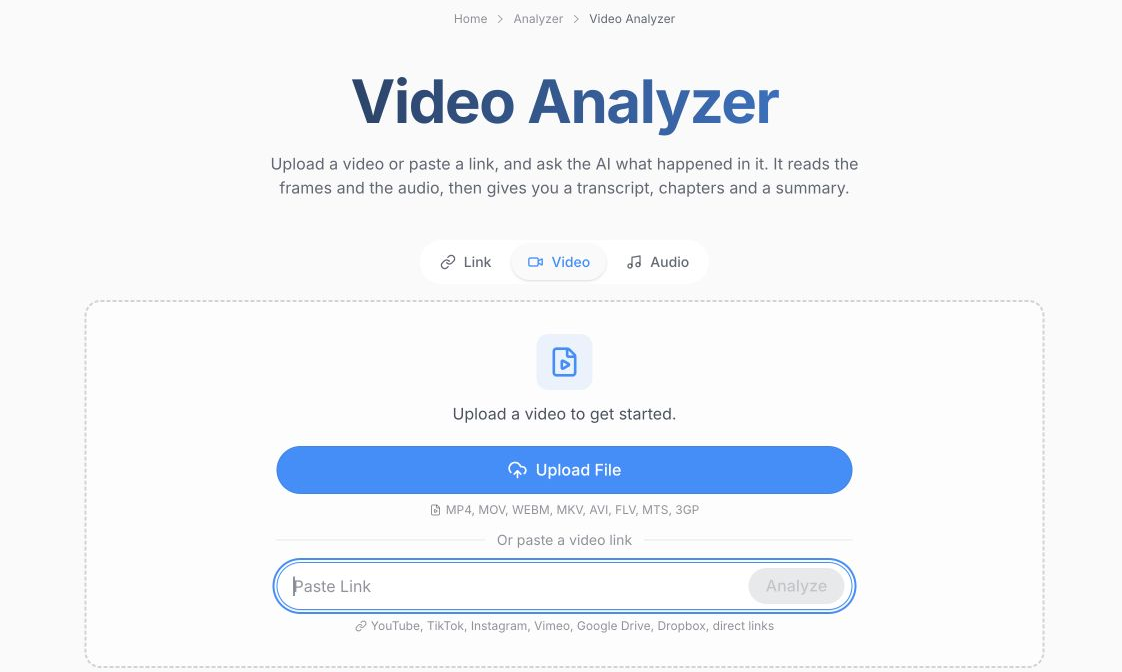
ScreenApp fits a library of tutorials, meetings or recorded explanations. Its Video Analyzer supports file or link input and describes frame and audio analysis alongside transcripts, chapters and questions about on-screen text. Choose it when organizing and revisiting recordings matters as much as the initial answer.
Free path and pricing: The Free plan needs an account but no card: 3 uploads/imports and 2 transcriptions to try, plus 10 AI chats/templates per month. The first two allowances are not advertised as monthly. Pro costs US$30/month or US$228/year (US$19/month equivalent). Its separate 7-day Pro trial requires a card; you do not need that trial to start Free.
TwelveLabs: find moments across a video library
Choose TwelveLabs when you need to find a moment among many files. Its video-understanding tools use visual, spoken and audio information for search and questions.
The no-code Playground offers a starting point before API integration. Library search requires indexing; single-video analysis does not. For occasional questions about one clip, a chat app is simpler.
Free path and pricing: The new Free plan is US$0 with 3GB cumulative storage, a monthly basic workload and plan caps. Plus is US$29/month. Storage does not refresh as another 3GB each month. Billing migration is phased, so existing users should check their account’s Billing & Plans instead of applying old free-minute allowances to the new plans.
When a transcript tool is enough
For lecture notes, interview themes or comparing spoken arguments, text may be all you need. Gemini Notebook, formerly NotebookLM, imports only the transcript from public YouTube videos with captions. It can help you work with the spoken material, but that import does not establish what appeared on screen. A YouTube transcript generator is another starting point when you want the text itself. Switch to a visual workflow when the answer depends on an expression, demonstration, object or edit.
Check an AI answer against the video
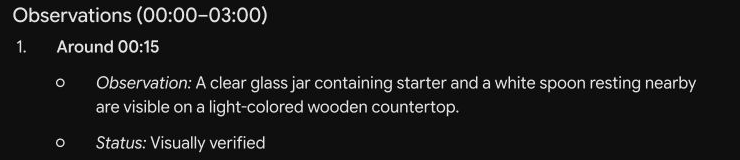
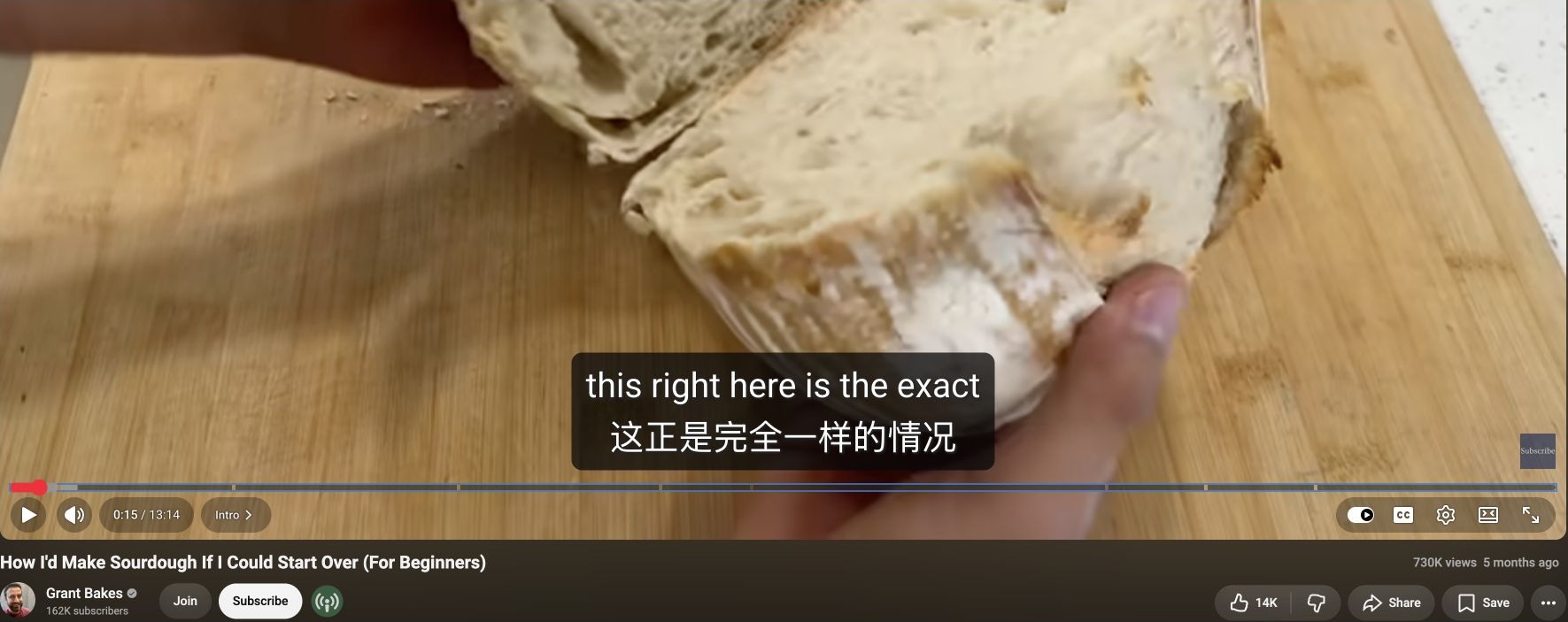
Reopen a cited moment before using an AI answer. In our Gemini link check, the response labeled a starter jar and white spoon at 00:15 “Visually verified.” The original Grant Bakes video shows cut bread on a wooden board. The screenshots below show that specific mismatch, not an overall accuracy score.
Check the object, action and surrounding context. Keep visible evidence separate from narration and from the tool’s creative suggestions.
Conditions checked October 22, 2026. Examples use saved Kabo conversations and a Gemini link check; ScreenApp and TwelveLabs details use official documentation. Upload and paid-plan capabilities are described from those sources.