
Free YouTube analytics tools at a glance
| Tool | Best for | Main tradeoff | Free access |
|---|---|---|---|
| YouTube Studio | Your own reach and retention | Your own channels only | Free; channel access required |
| Viewstats | Other channels and individual videos | Outlier search requires Pro | Free account reports |
| Social Blade | Public totals and channel history | Check upload coverage | Summary free; video list after login |
| TubeBuddy | Public reports while browsing YouTube | Advanced comparisons are paid | Starter extension reports |
| Socialinsider | A recent-upload snapshot | Window covers newly published posts | Checker without login or email |
| Kabo | Explaining patterns and next steps | Review the sample behind advice | Daily credits; account required |
| vidIQ | Channel research and candidate topics | AI tasks share the allowance | 150 monthly AI credits |
| 1of10 | Outlier examples for content research | Free date filters were disabled | Five visible outlier results |
Kabo publishes this guide. Tools are grouped by task; the order is not a performance ranking.
What can free YouTube analytics tools actually show?
Private first-party data: use Studio for reach, retention and audience reports on a channel you manage.
Public platform data: use channel and video reports to study other creators’ visible activity.
Scores and estimates: use research tools to interpret patterns and choose references. Check the date window and baseline before acting on a recommendation.
The 8 best free YouTube analytics tools
Measure your own channel
Use first-party reports to diagnose published work.
1. YouTube Studio
YouTube Studio is the first choice for measuring a channel you manage. Its native reports cover reach, watch time, retention and audience; Advanced Mode adds comparisons and exports.
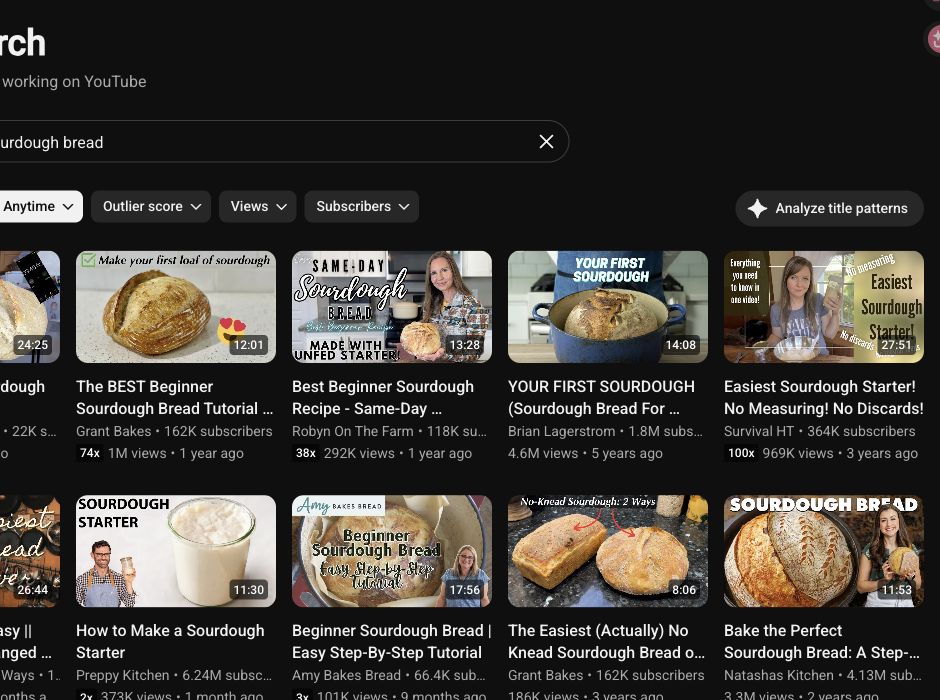
We opened Analytics and found sourdough references in Research. Start here to diagnose your uploads before adding another subscription.
Free access: No separate analytics subscription. Our low-activity test channel was unsuitable for evaluating retention reports.
Use Kabo’s channel analysis to discuss the evidence and develop next steps.
Research other channels with public data
Compare visible activity, uploads and video history.
2. Viewstats
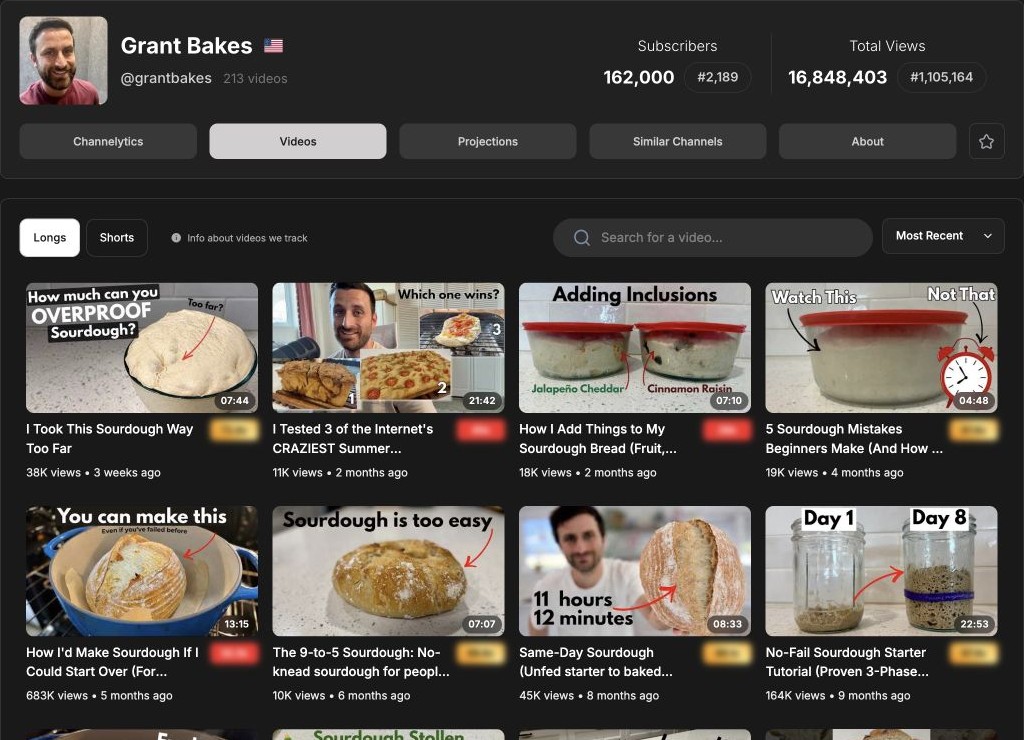
Viewstats is our starting pick for browsing another channel’s public videos, history and similar channels. Longs and Shorts have separate views.
The shared tutorial returned 683K views and a views chart. That made it useful for inspecting one video’s trajectory before choosing references.
Free access: Channel and video reports opened after login. Dedicated Outliers and Thumbnail Search remained locked behind Pro.
3. Social Blade
Social Blade suits a quick check of subscriber totals and view history. It is a useful starting point when your question is how a public channel has changed.
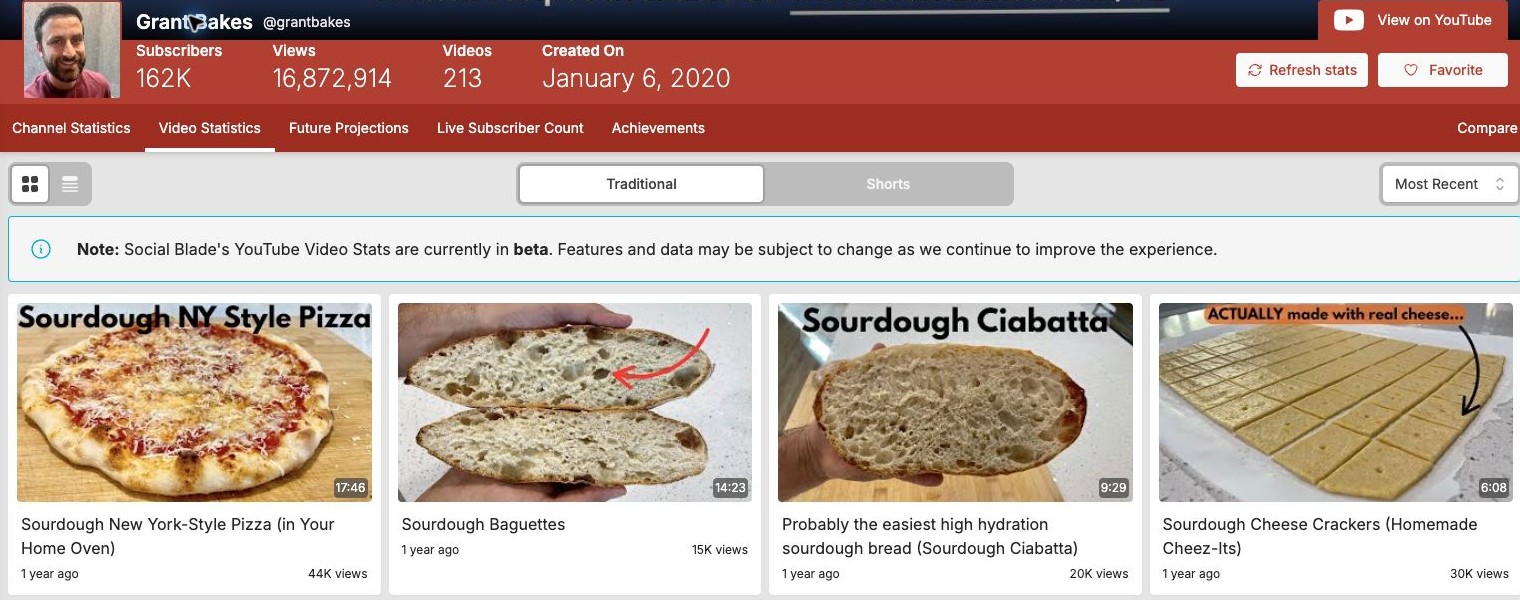
Login opened a 52-video list for GrantBakes, but Most Recent began with an older upload. Check the latest listed date before relying on it for current-topic research.
Free access: Summary and history were visible as visitors. Paid plans expand reporting; our first video-detail page did not load its data.
Browse vidIQ alternatives for tools that add optimization or planning.
4. TubeBuddy
TubeBuddy fits creators who want channel and video reports alongside YouTube. Channelytics and Videolytics keep public statistics close to the videos you are reviewing.
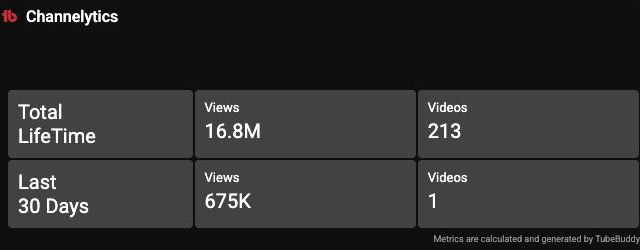
Our GrantBakes report showed 675K channel views over 30 days. Use that as a channel-activity snapshot when comparing it with a recent-upload checker.
Free access: Reports opened in our Starter/free extension session. Competitor Scorecard required Legend.
See Kabo vs TubeBuddy for the research and SEO comparison.
5. Socialinsider
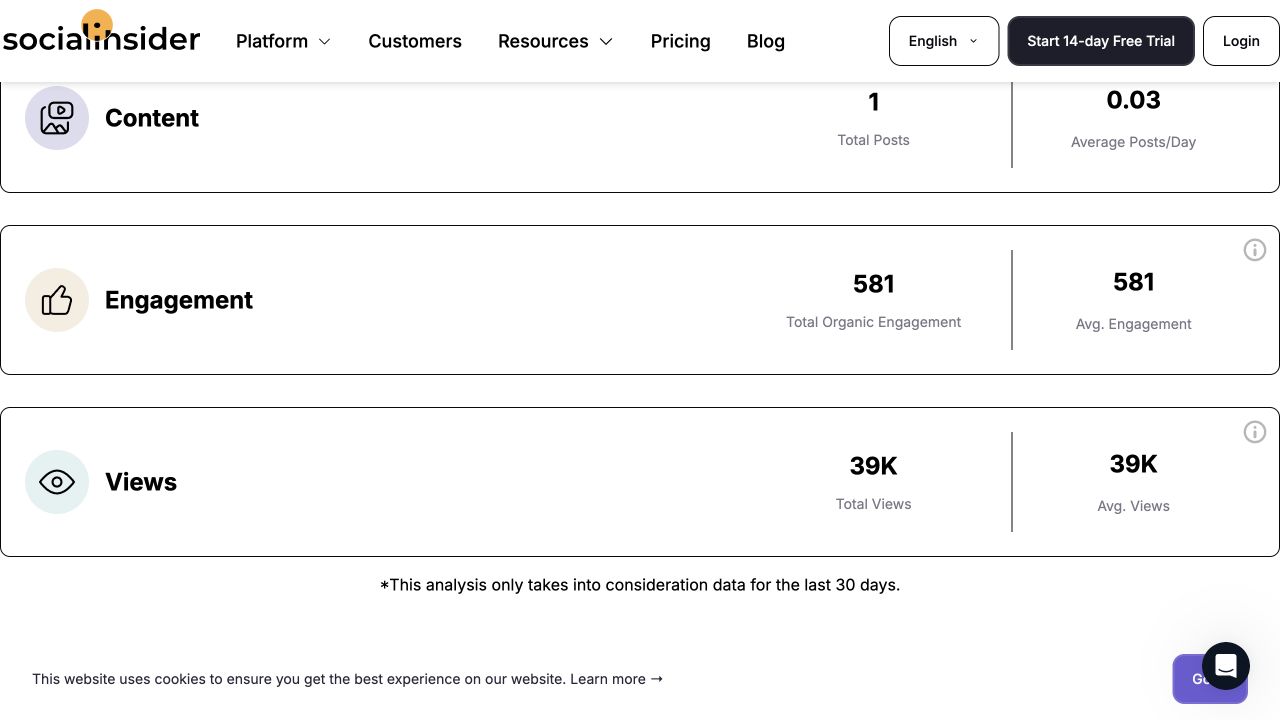
Socialinsider is a simple option for checking recent public uploads without opening an account. Its checker summarizes content published in the last 30 days.
GrantBakes returned one post, 581 engagements and about 39K views. Choose it for a recent-content snapshot; use a channel report for all views gained during that period.
Free access: The result was visible without an email. The full platform’s trial is separate.

Interpret findings and plan content
These tools add analysis and research to your reporting workflow.
6. Kabo
Kabo is our recommendation for turning channel evidence into a discussion. Its approachable AI Agent can analyze patterns, compare examples and continue into ideas or writing.
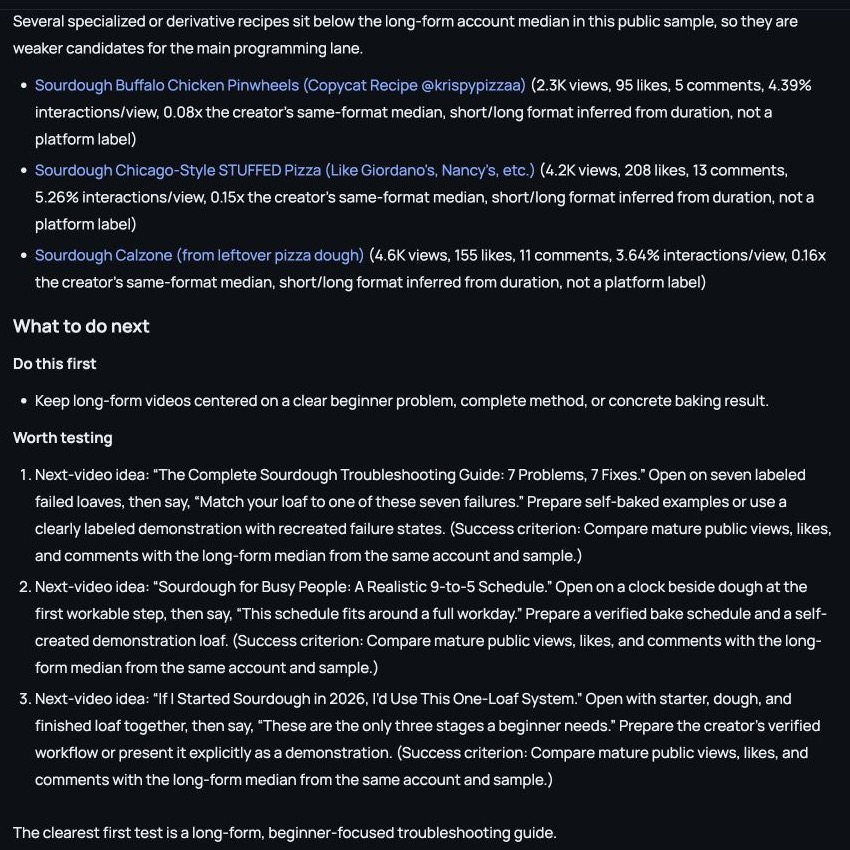
The GrantBakes run returned content patterns and three next-video ideas. It used 100 uploads rather than our requested maximum of 20, so ask which videos and dates support its advice.
Kabo cannot see or infer private YouTube Studio metrics from public data. It can analyze metrics you supply.
Free access: Daily free credits; current allowances and plans are on the pricing page.
Continue into video analysis when a specific upload needs closer attention.
7. vidIQ
vidIQ is useful when you want channel analysis alongside keyword and topic tools. AI Coach connects observations to possible next videos.
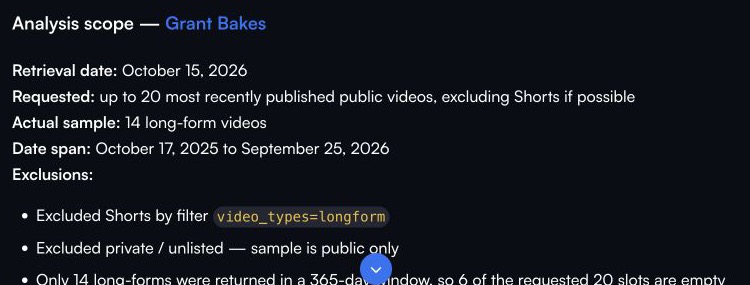
With the same channel prompt, Deep mode used 14 long videos from a 365-day window and proposed three ideas. Check that this window matches the decision you are making.
Free access: The Free plan lists 150 monthly AI credits. Our repeated tasks eventually exhausted the account’s available credits.
Read Kabo vs vidIQ for the wider workflow comparison.
8. 1of10
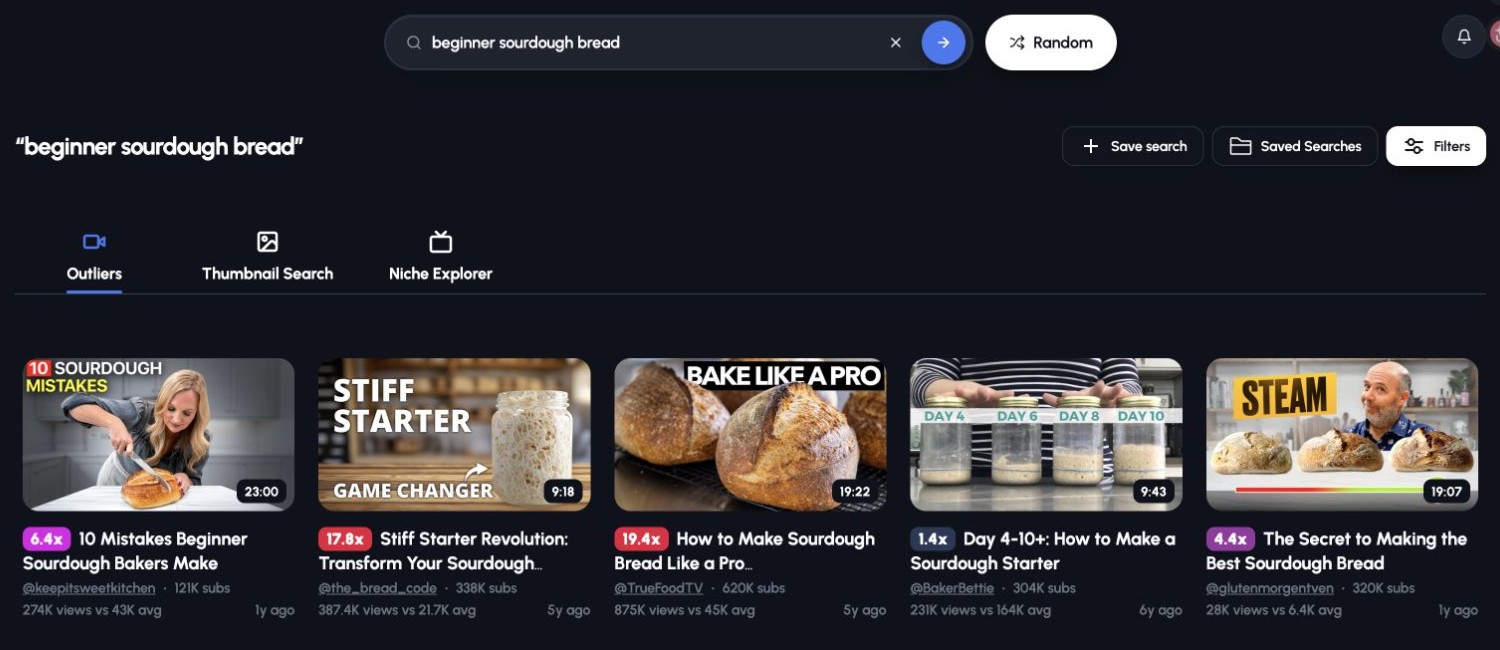
1of10 adds outlier research to an analytics workflow. It shows video views against a product-defined channel average, helping you gather examples for further investigation.
The shared sourdough query returned five visible examples, all older than our requested month. The free path was useful for evergreen references; it could not narrow that search to our target dates.
Free access: Five-result outlier searches. The published 60 monthly AI credits are separate from research access.
Our TubeBuddy alternatives article also covers its title-writing test.
What our same-channel test revealed
For recent-topic research, check upload coverage. Viewstats showed recent GrantBakes uploads; Social Blade’s Most Recent list began with an older video. Their first 20 returned rows shared only 3 video IDs. Check the latest listed date before choosing a source for current examples.
For monthly channel activity, match the reporting window. Socialinsider’s 39K views covered one post published in its 30-day window. TubeBuddy’s 675K described channel-wide views during 30 days. Choose the first for new-content performance and the second for overall channel activity.
For AI recommendations, inspect the sample. Kabo used 100 uploads; vidIQ used 14 long videos within 365 days. Ask for a matching time window before comparing their conclusions.
How we tested
We checked these workflows on October 15, 2026, using GrantBakes, the same public tutorial and “beginner sourdough bread” wherever supported. Kabo received the full channel prompt in Regular mode; vidIQ received it in Deep. Native tools received matching URL or keyword fields.
Studio used an authorized low-activity channel; its reach and retention features are documented, but their usefulness was not evaluated with that sample. We retained original results and screenshots. Product descriptions also use official documentation. Paid tools, private third-party metrics and subsequent publishing outcomes were not evaluated.
Free YouTube analytics tools FAQ
What is the best free YouTube analytics tool?
Start with YouTube Studio for your own channel. Use Viewstats or Social Blade for public channel reports, and Kabo when you want to discuss findings and develop your next idea.
Can I see another channel’s private YouTube analytics?
Public tools show visible counts and estimates. Private reach, CTR, retention and revenue require access to the channel’s first-party reports or metrics the owner supplies.
Why do free tools show different view totals?
Check the channel, capture date, update timing and reporting window. Views on recently published posts are different from all views gained by a channel during the same period.
Are free accounts and free trials the same?
A free account can have ongoing result or credit caps; a trial expires. We reached reports in free Viewstats and Social Blade accounts, capped research in 1of10, and a Socialinsider checker without login.
Does Kabo replace YouTube Studio?
Use Studio for first-party measurement. Kabo can analyze public channels or metrics you supply and help turn findings into content decisions and drafts.
Official sources and current limits
Sources last checked October 15, 2026. Public counts, credits and access limits can change. Official plan allowances are distinguished from results actually returned in our sessions.