
Which part of TubeBuddy do you want to replace?
Replace the work you actually need: keyword planning, channel analysis, content research or thumbnails. A specialist may cover one task well while leaving others to Studio or another tool.
For a direct comparison of keyword research, writing and testing, see Kabo vs TubeBuddy.
TubeBuddy alternatives at a glance
| Tool | Use it to replace | Free access | Replacement boundary |
|---|---|---|---|
| Kabo | Research, analysis and writing | Daily free credits | Numerical keyword scores; live A/B tests |
| vidIQ | Keyword-led planning and SEO | Free AI credits; Boost paid | Verify testing and extension parity |
| YouTube Studio | Own-channel analytics; eligible native A/B tests | No separate subscription | Public channel reports; keyword scores |
| 1of10 | Outlier references and packaging ideas | Five visible results; 60 monthly AI credits | Free date filters restricted; no private reports |
| Viewstats | Public video, channel and packaging research | Free reports; Pro research tools | Public data; Pro research costs extra |
| SnapThumb | Thumbnail candidates from a video link | Three visitor previews returned | Keyword research, analytics and live A/B tests |
The 6 TubeBuddy alternatives
1. Kabo — conversational research and writing
Kabo is our pick for research, analysis and writing in one easy AI Agent conversation.
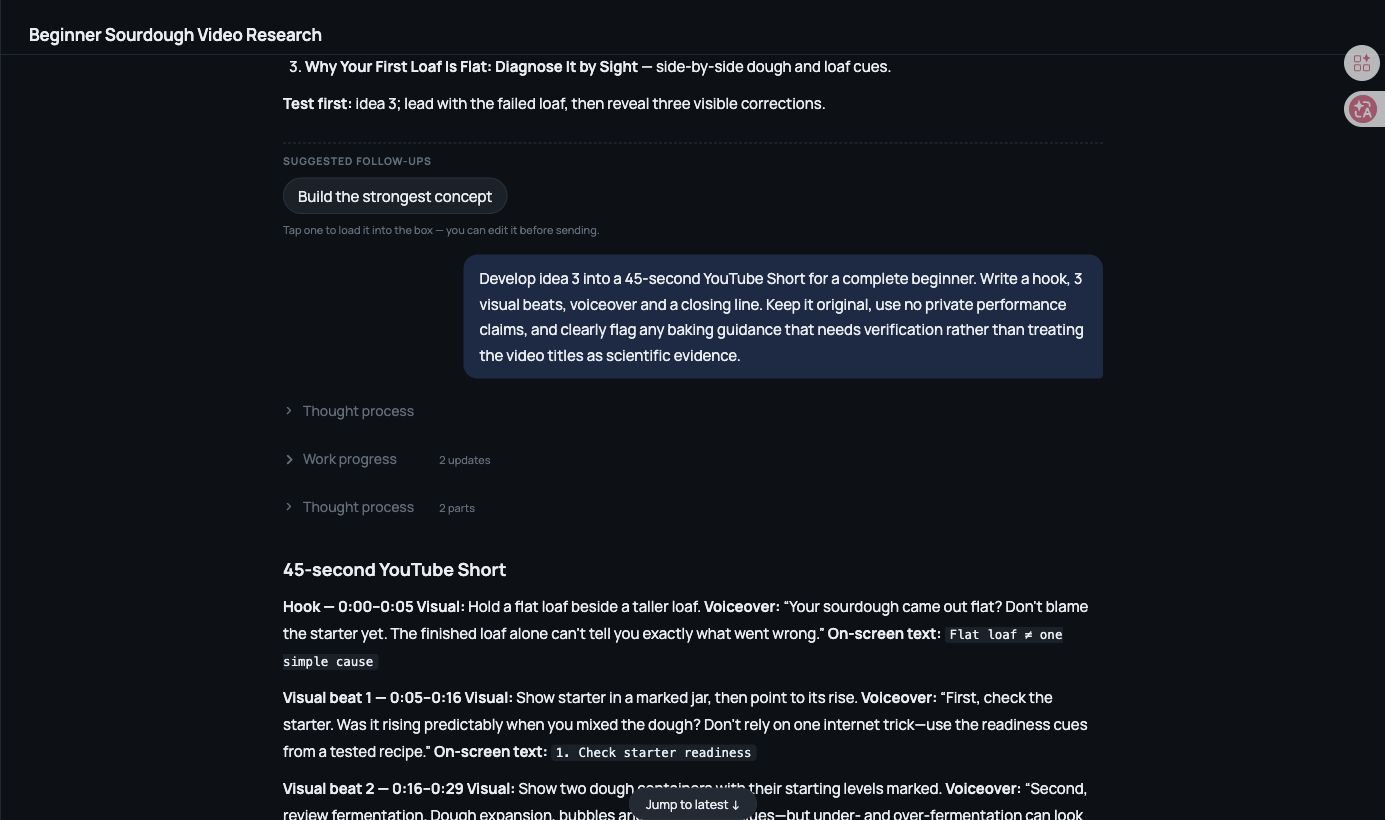
In our October 14 test, it found three public sourdough references, analyzed title and opening angles from their titles/descriptions, and proposed three ideas. We chose “Why Your First Loaf Is Flat: Diagnose It by Sight.” A follow-up produced a Short draft with a hook, three visual beats, voiceover and a closing line, using the same research context.
Choose Kabo when you want to discuss evidence, select an angle and keep writing without starting over. The references were not watched footage; the proposed 45-second timing needs a read-through and baking guidance needs verification.
Free access and price: Kabo has a free plan with daily credits, plus paid Pro and Ultra plans with more credits each day. See the pricing page for current prices.
2. vidIQ — keyword-led YouTube planning
vidIQ is the closest keyword-led alternative in this list. It combines YouTube keyword indicators with AI Coach for topic planning and metadata drafts.
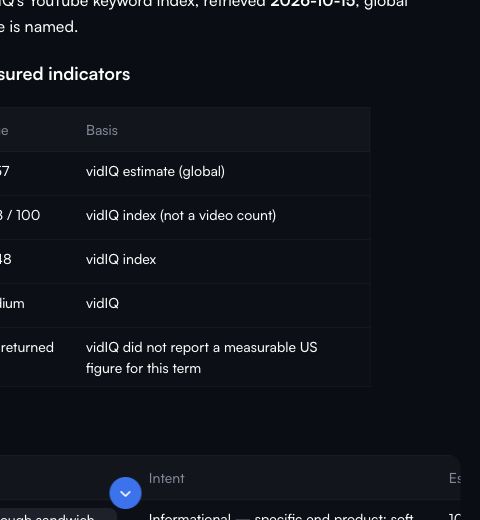
Our repeated query returned five candidates with volume and competition estimates; AI Coach also completed the shared metadata brief. Choose it when you want numerical research alongside writing support. Its keyword model differs from TubeBuddy’s, so compare the terms and market covered rather than the size of the scores.
Free access and price: Free lists 150 monthly AI credits; repeated tasks exhausted ours. Our October 15 capture listed Boost at $19/month with monthly billing. See vidIQ alternatives for other workflows.
3. YouTube Studio — your own channel analytics
YouTube Studio is the first place to check if you mainly use TubeBuddy to understand your own uploads. Native reports cover reach, retention and audience, with deeper comparisons in Advanced Mode.
YouTube also documents title and thumbnail A/B tests in desktop Studio for eligible videos and channels with advanced features enabled. Check eligibility before paying specifically for packaging tests. We opened Analytics and Research, but did not run a live experiment.
Free access and price: no separate subscription. Use an external tool for other creators’ public data; our free YouTube analytics guide separates those options.
4. 1of10 — outlier research and packaging
1of10 suits creators who start with examples that outperform a channel’s usual baseline. Its documented tools cover outliers, thumbnail search, trending formats and AI creation.
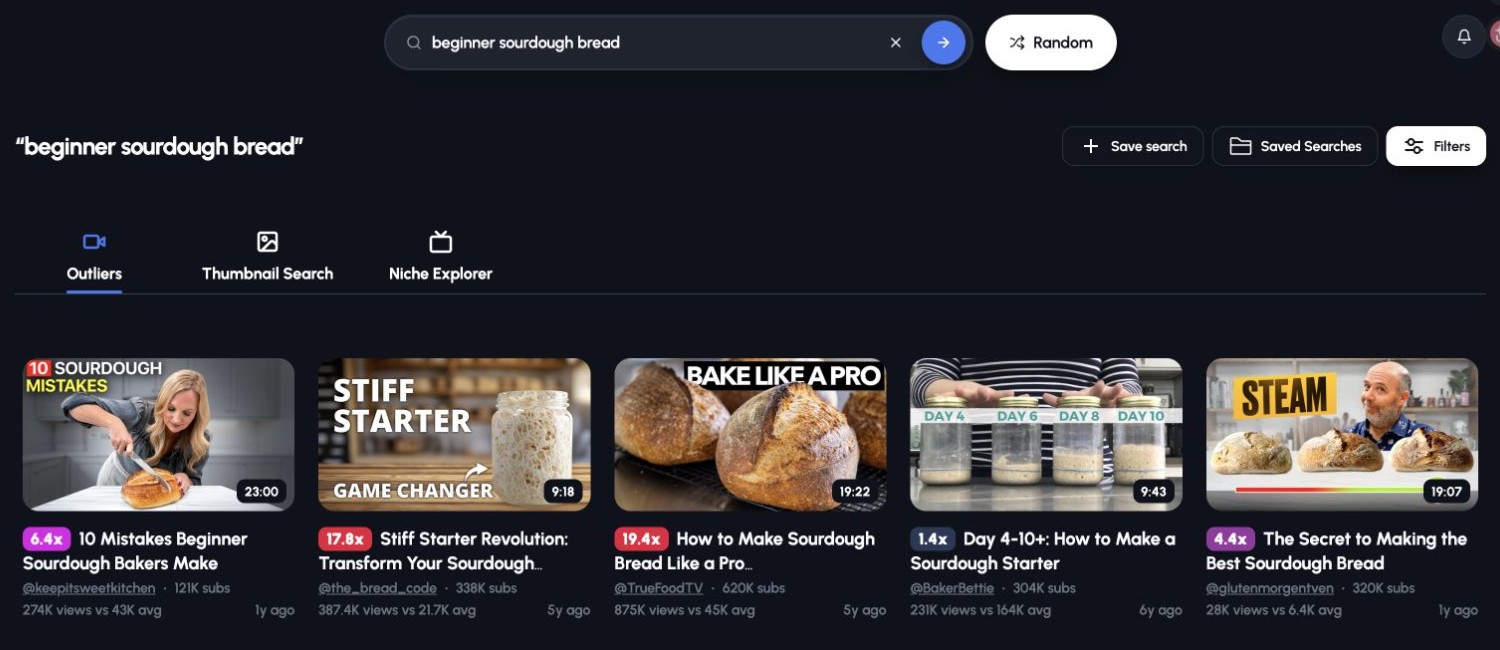
The same sourdough query returned five visible examples with views and channel-average figures. All were older than our target month, and Free date filters were disabled: useful for evergreen references, limited for recent-topic research. The shared SEO brief also returned ten title drafts using eight credits; it did not return the other requested metadata.
Free access and price: five-result outlier and thumbnail searches, three trending formats and 60 monthly AI credits. Basic lists $19/month, or $15/month billed as $180 yearly.
5. Viewstats — competitor and packaging research
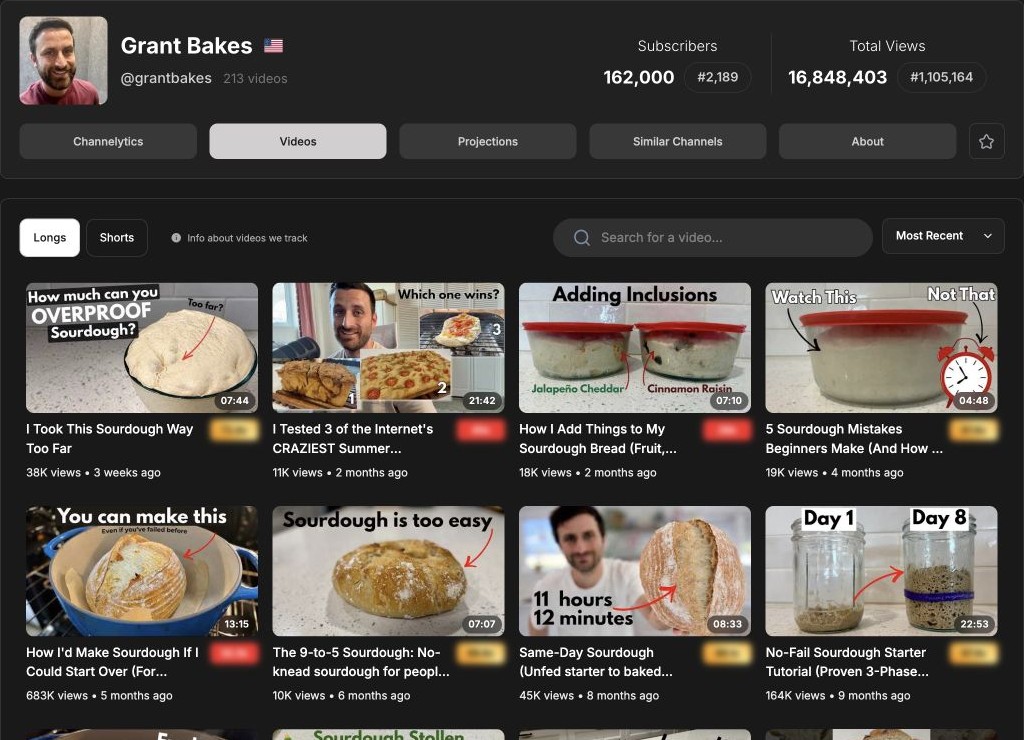
Viewstats is useful for studying another channel’s public videos before choosing references. Its free account opened channel history, Longs and Shorts lists, individual-video charts and similar channels.
Choose the free reports when you want to inspect what a channel published and how a video’s views developed. The documented Pro suite adds outlier search, thumbnail search, tracking and alerts. Outliers and Thumbnail Search were locked in our test; the Competitors route returned an error, so its results remain unevaluated.
Free access and price: free account reports; our signed-in October 15 page displayed Pro at $49.99/month. Confirm current inclusions on the pricing page.
6. SnapThumb — thumbnails from a video link
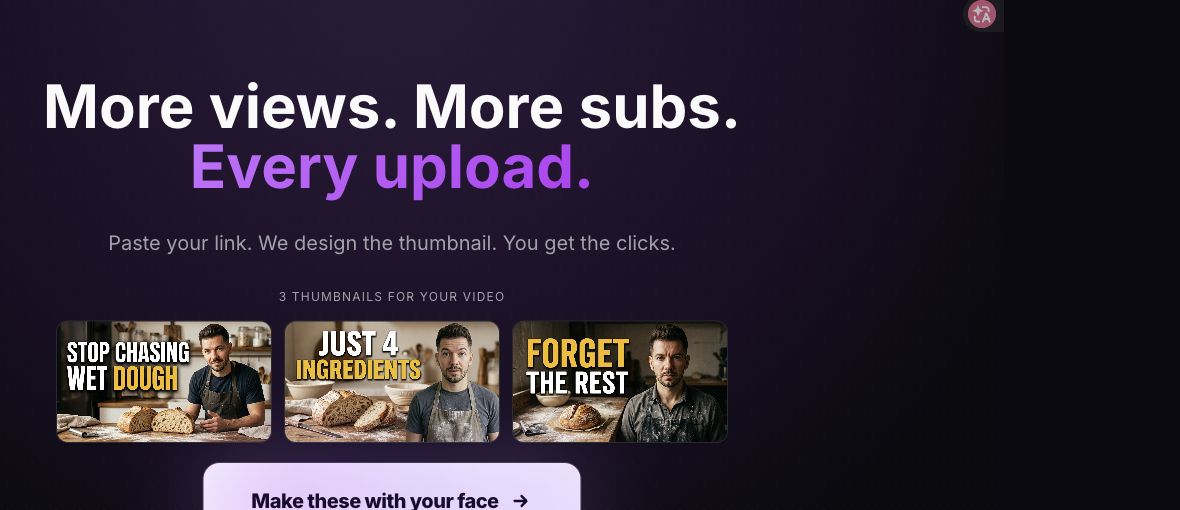
SnapThumb is a focused option when thumbnail creation is the part you want to replace. Paste a video link to get candidate designs rather than assembling a full research toolkit.
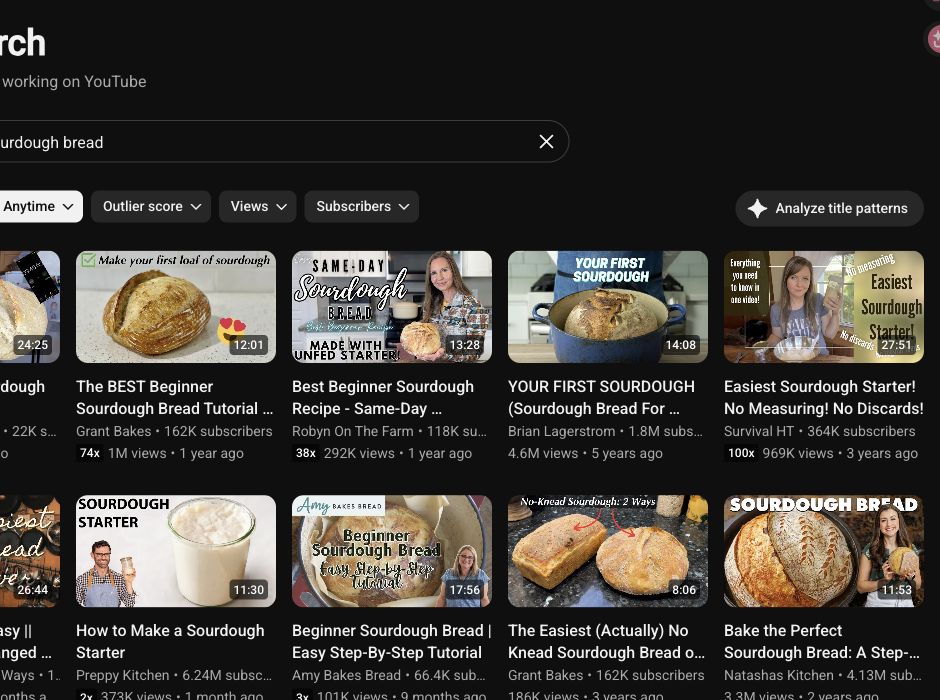
The shared Grant Bakes tutorial returned three thumbnail candidates without login. Choose it to explore packaging directions; check editing and production-file access before building your workflow around the free preview. Face personalization, edits and downloads were not tested.
Free access and price: three previews were accessible. The Create plan displayed $15/month during our October 15 early-access check; promotional pricing and allowances may change.
How we tested
We checked these workflows on October 15, 2026, using “beginner sourdough bread,” GrantBakes, the same public tutorial and a synthetic video brief. Kabo and vidIQ received identical prompts; native tools received matching fields. The Kabo research-to-script case is a separate continuous conversation captured October 14, not an identical-brief writing contest.
Signed-in follow-ups covered 1of10 and Viewstats. We retained original results and screenshots, and used official documentation for features beyond the tested paths. Studio’s low-activity channel could not support a retention evaluation. No live A/B test or publishing outcome was measured.
Prices are USD and were checked on October 15, 2026. Monthly and annual billing are distinguished; taxes, offers and account allowances can vary. Kabo publishes this guide and is one of the products included.
FAQs
Which is the closest alternative to TubeBuddy?
Start with vidIQ if keywords and YouTube optimization are your priority. Choose Kabo for conversational research and writing, or a specialist for the single task you want to replace.
What is the best free TubeBuddy alternative?
Start with Studio for your own reports and eligible native packaging tests. Viewstats offers free public reports; Kabo and vidIQ provide AI credits. 1of10 caps research results, while SnapThumb’s visitor previews do not establish a complete free production workflow.
Can these tools replace TubeBuddy’s A/B testing?
YouTube documents title and thumbnail A/B testing in desktop Studio for eligible videos and channels with advanced features. We did not run an experiment or establish parity with every TubeBuddy testing control. Kabo can help draft titles and thumbnail concepts for a separate testing workflow.
Can Kabo turn research into a video script?
Yes. Our test continued from three public references through angle selection into a Short draft with a hook, visual beats and voiceover. Review the sources and timing before filming. Explore Kabo script writing.