
Which tool fits your Instagram audio workflow?
| Tool / best for | Growth evidence | Niche / region | Audio workflow | Free access |
|---|---|---|---|---|
| InstagramChecking the exact sound and example Reels | Native trends + use counts (documented) | Account/region dependent; mobile list untested | Reel grids observed; save/use in native app (documented) | No separate discovery subscription |
| KaboGrowth research through to a Reel concept | Observed daily changes | Global tracked sample; no US 7-day ranking | Exact audio links → Agent analysis and Reel draft | 5 named entries; top 20 with free account; Agent credits |
| ReelTrendsPersonalized sound discovery on a phone | Trend analytics documented; detail interaction gated | Food & Cooking / Instagram route reached | Signed-in web check; mobile workflow untested | Free download + purchases; web membership gate |
| TokChartInstagram trend reporting for a team | Daily Instagram chart (documented); paid results untested | Instagram region/niche coverage unverified | CSV + scheduled email (documented) | Business + Instagram add-on; no free chart tested |
| EditsTurning saved audio inspiration into an edit | Growth chart not verified | Personalized inspiration documented; filters untested | Saved audio, Ideas + templates (documented) | Free editor; optional offers; mobile untested |
Written by Kabo. Picks reflect different creator tasks, not a universal performance ranking. Hands-on findings and documented features are identified below.
The 5 best Instagram trending audio tools
1. Instagram
Instagram is the starting point when you want to find a sound and check whether your account can use it. Meta documents a native trends destination with usage counts and save/use actions.
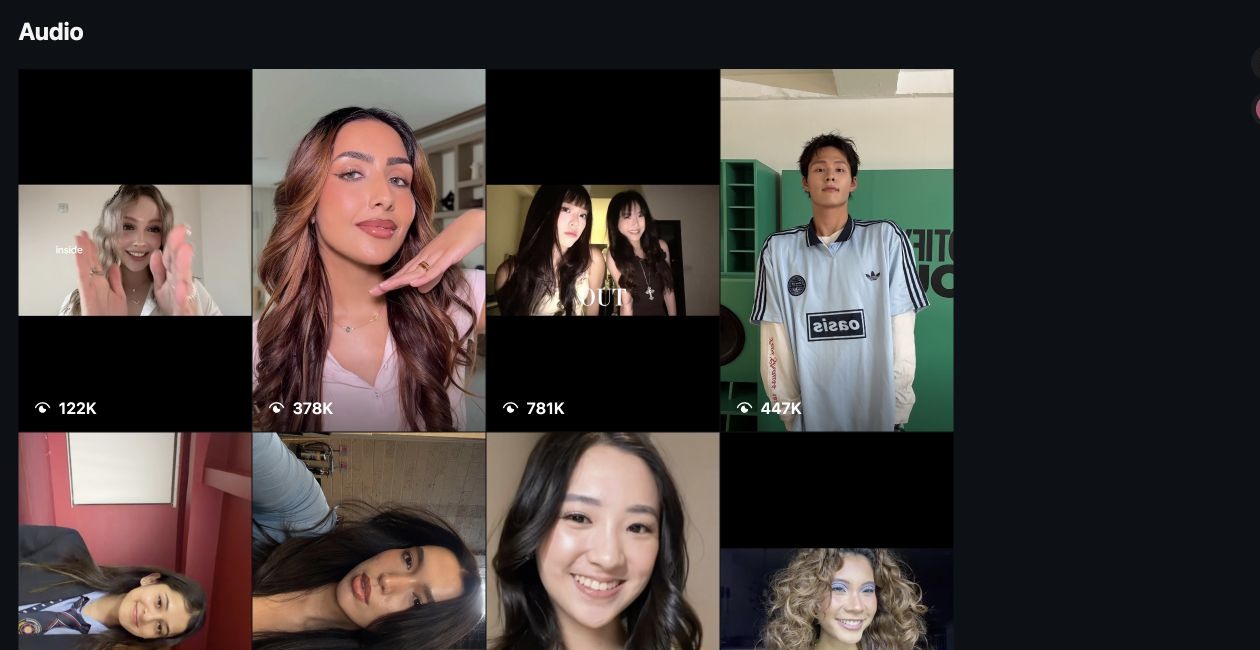
Our two desktop audio URLs opened Reel grids but no usable title-and-count header. Choose the native app for the excerpt and availability check; our session did not verify its mobile trending list.
Access: No separate audio-discovery subscription. Availability is account- and region-dependent. See Meta’s native Reels trends announcement for the documented workflow.
2. Kabo
Kabo is our pick for connecting audio research with ideas and writing. Its Instagram audio board supplied daily changes and exact links; the Agent returned five candidates and continued into a baking-video concept.
Choose it when you want to compare evidence, ask follow-up questions and develop a draft without briefing another writing tool. The complete 25-second case below shows what we received.
Access: The board is free; Agent tasks use credits. See Kabo’s current allowances and the snapshot’s sample/display distinction below.
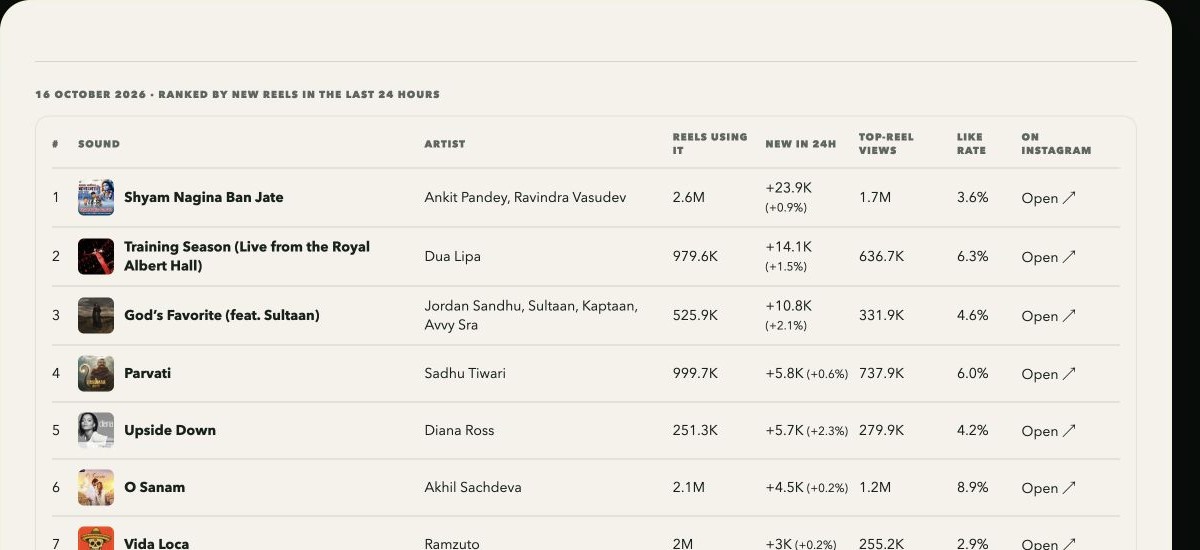
56 tracked sounds; 20 ranked entries. The October 16 snapshot’s methodology reported a 56-sound sample. The board displayed its top 20, ranked by observed new Reels in 24 hours. Visitors see five named entries; a free account opens ranks 6–20 and current risers. The 20 is the displayed shortlist, not the entire tracked sample. This is a sample of public Instagram audio, not Instagram’s own chart.
3. ReelTrends
ReelTrends is worth considering for niche-led discovery. Its official web link opens TrendLab. After login, we reached Food & Cooking with an Instagram candidate list and opened a candidate route. A membership overlay blocked continued interaction.
Choose it if sorting by category, preferences or geography matters: those are documented capabilities. Prediction quality and the full iPhone workflow remain untested.
Access: The US App Store listing lists a free download with in-app purchases, including $2.99/week Pro. Web membership and mobile offers can differ; we did not purchase either.
4. TokChart
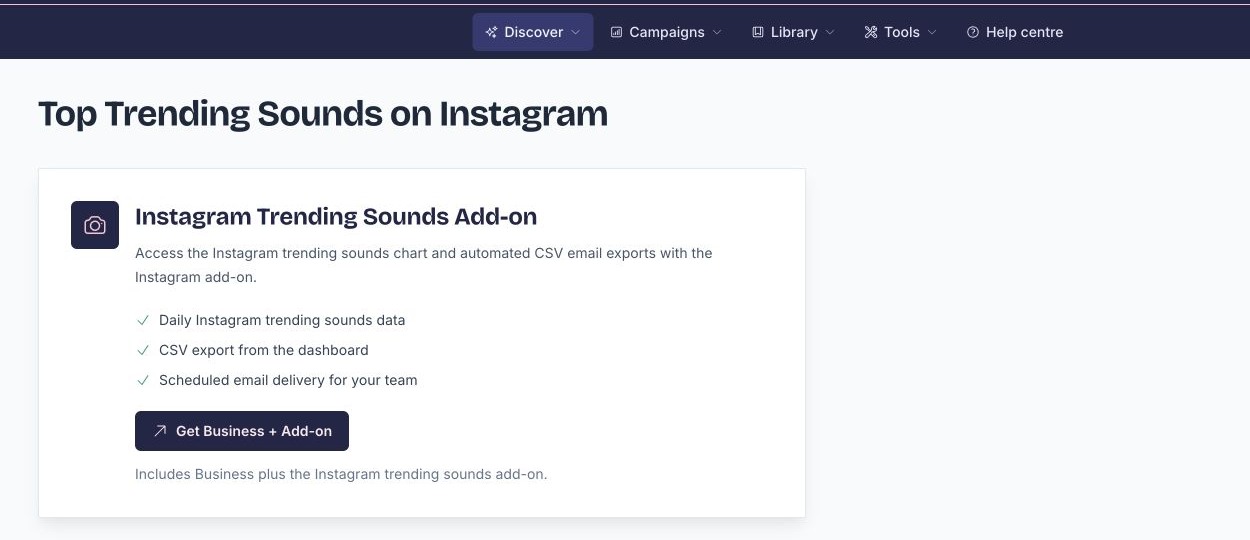
TokChart fits teams that need a recurring Instagram audio report. Its offering documents daily trending-sound data, dashboard CSV export and scheduled email delivery.
Choose it when sharing a chart is part of the job. Our session reached the Business-plus-add-on requirement, so candidate quality and Instagram geographic coverage remain untested.
Access: Business displayed $59/month before the separate Instagram add-on. We did not obtain the combined total; confirm it through the Instagram-specific offering.
5. Edits
Edits earns its place at the inspiration-to-edit step. Meta documents saved Instagram Reels and audio alongside notes in Ideas, plus templates you can open to study their use of trending audio.
Choose it when you already have references and want to build the Reel. Its documented workflow supports that handoff; we did not test a mobile project or a standalone growth chart.
Access: The official US listing describes a free video editor and displays in-app purchases. Check current optional offers in the app.
What our same-task test revealed
Our brief was a 20–30 second kitchen montage for a US English beginner baking creator: find five exact candidates and develop three creative directions.
For comparing current adoption, Kabo’s daily changes gave us a usable shortlist. Among the three below, Training Season added the most Reels; QUE LOUCURA had the fastest percentage growth. For turning a candidate into something to film, the follow-up conversation was the useful next step. These observations did not establish US seven-day baking demand.
| Exact audio version | Observed new Reels / 24h | Daily growth |
|---|---|---|
| Training Season (Live from the Royal Albert Hall)Dua Lipa | +14.1K | +1.5% |
| Upside DownDiana Ross | +5.7K | +2.3% |
| QUE LOUCURA (Instrumental)DJ EXE | +2.2K | +6.3% |
Use absolute gains to find the largest additions, or percentage growth to explore faster proportional adoption. These are changes in a tracked public-audio sample; listen and inspect relevant Reels before choosing.
From an audio shortlist to a Reel plan
We continued the same conversation from the shortlist into three editable concepts. The Agent did not listen to the tracks; these are creative directions to preview against the actual audio.
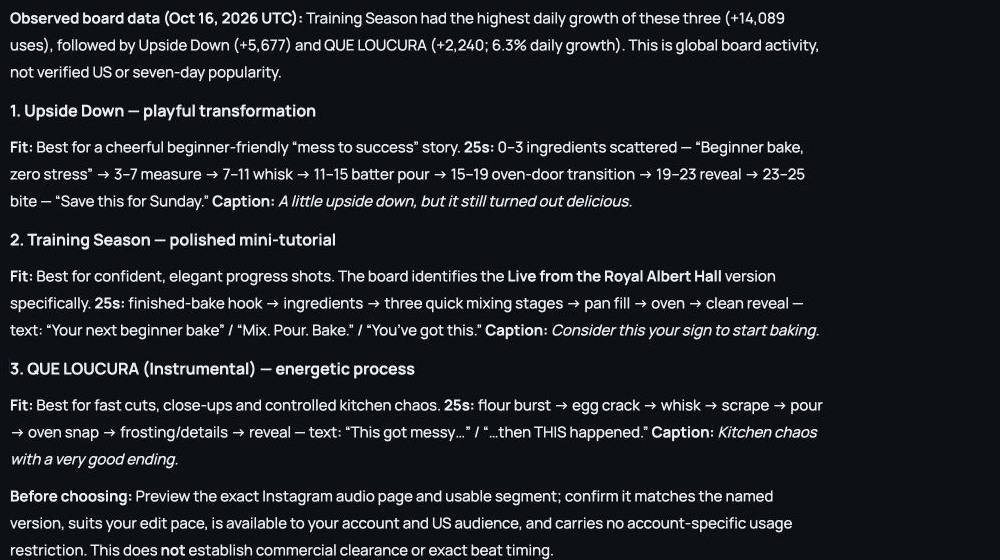
The Agent proposed Upside Down for a playful “mess to success” story, Training Season (Live from the Royal Albert Hall) for a polished mini-tutorial, and QUE LOUCURA (Instrumental) for energetic process cuts. Those are provisional creative judgments, not measured audience preferences.
The returned 25-second Upside Down concept
- 0–3sScattered ingredientsBeginner bake, zero stress
- 3–11sMeasure, then whisk
- 11–19sPour batter, then oven-door transition
- 19–25sFinished bake, then first biteSave this for Sunday
The suggested caption was “A little upside down, but it still turned out delicious.” Preview the exact audio segment before timing cuts: these shot lengths were a draft, not beat detection. For another angle, use the Reels ideas generator, then refine the accompanying text with the Instagram caption generator.
Check the sound before you use it
Version: check the audio attached to the Reel itself. One example opened from our Training Season grid had a different original-audio ID; it was excluded as a match.
Momentum: record the metric, period and geography. A lifetime total is not seven-day growth, and TikTok popularity does not establish Instagram demand.
Fit: listen to the usable segment and watch relevant examples. Our sound-as-a-video-hook guide explains how to give that opening sound a clear job.
Rights: being able to select a sound does not establish permission for an ad or sponsored use. Meta says its licensed library is intended for personal, non-commercial use; access can vary by account, post type and region. Consult Instagram’s music-library guidance, including Sound Collection, for the relevant terms.
Instagram trending audio tools FAQ
What is the best free tool for finding trending Instagram audio?
Start with Instagram for native discovery and availability checks. Kabo’s free board adds daily-growth comparisons from a tracked public sample. Neither establishes that a sound will work for your audience.
Can I use a TikTok trending-sounds list for Instagram?
Use it as an idea source, then locate the exact Instagram version and check Instagram activity. Different platforms, versions and regions can have different adoption patterns.
Does a high use count mean a sound is still trending?
A total records accumulated use. Look for a dated growth measure, its time window and coverage before interpreting current momentum. There is no universal use-count threshold for choosing a sound.
Are trending Instagram sounds cleared for commercial use?
Popularity and commercial permission are separate. Check the relevant music rights, account restrictions and use case. Instagram’s licensed library is intended for personal, non-commercial use; Meta Sound Collection is another resource to check.
How we checked these tools
Checked October 16, 2026. Inputs, conversations, page results and screenshots were archived. Kabo received the full brief; other interfaces were checked for matching fields. ReelTrends’ signed-in web route reached Instagram discovery pages but encountered a membership overlay. TokChart’s paid chart and the ReelTrends and Edits mobile workflows were not tested. We did not publish or measure reach. Counts, prices and access can change.
For the broader process, explore creator research, content planning and script writing.