
vidIQ vs Viewstats at a glance
Researching demand, inspecting a reference and drafting an upload are related but distinct tasks.
| Your task | vidIQ | Viewstats |
|---|---|---|
| Validate a topic | Keyword context Demand estimates, related phrases and competition. | Published examples Search videos and niches for performance references. |
| Review a channel | Interpret and follow up Ask for patterns and possible next-video directions. | Inspect trajectories Browse uploads, curves and channel context. |
| Develop packaging | Draft and create Titles, descriptions and thumbnail concepts or assets. | Research and organize Study thumbnails and save references in Collections. |
| Plan paid use | AI and tool allowances Check credits and features in Boost or MAX. | Research access Check Pro access for discovery and packaging tools. |
Why compare vidIQ and Viewstats?
A search-led tutorial needs a useful query; a format-led video may need better reference material. Try the task that slows your planning. Compare whether each output helps you choose an angle, understand a pattern or assemble examples you can inspect. Paying for overlapping feature lists can otherwise duplicate work.
Keyword demand versus evidence from published videos
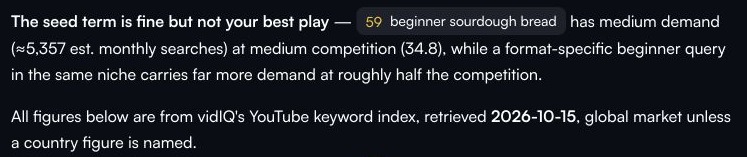
For “beginner sourdough bread,” vidIQ returned five keyword candidates and recommended “how to make sourdough sandwich bread” as the primary query, with supporting phrases. It also reported an estimated 5,357 global monthly searches for the seed. Check that the recommended angle matches your intended footage.
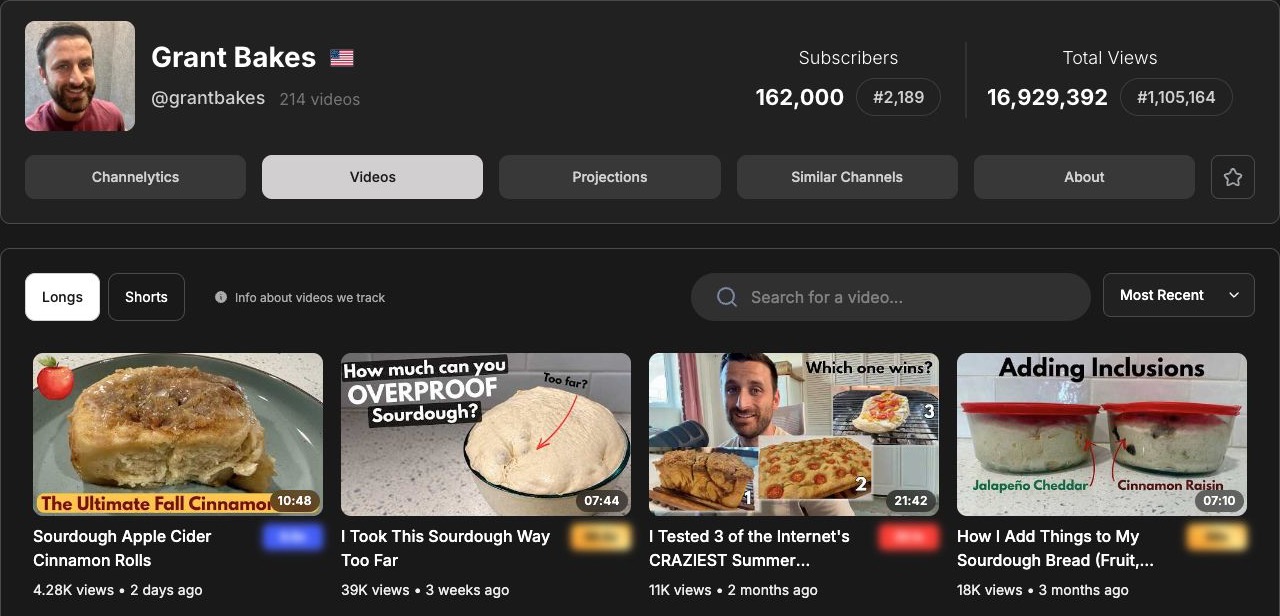
Viewstats approaches the question through published videos and niches. Its research can help you find examples worth studying, but a high view count is not a measurement of keyword demand.
Use keyword research to investigate the query, and video references to understand how creators package the subject. Neither a demand estimate nor a breakout video guarantees that your adaptation will work.
Channel research and outlier discovery
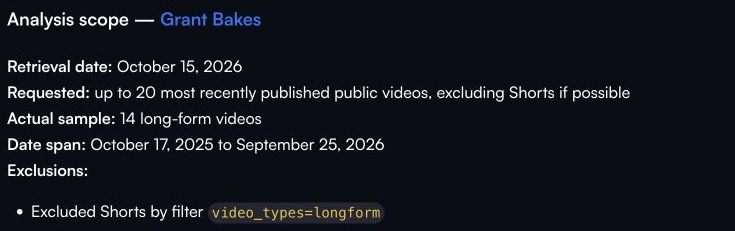
vidIQ’s Grant Bakes review interpreted 14 long-form videos within a 365-day window and produced three next-video ideas. This suits a creator who wants an explanation they can question and develop. It was a bounded sample, not a complete catalog review.
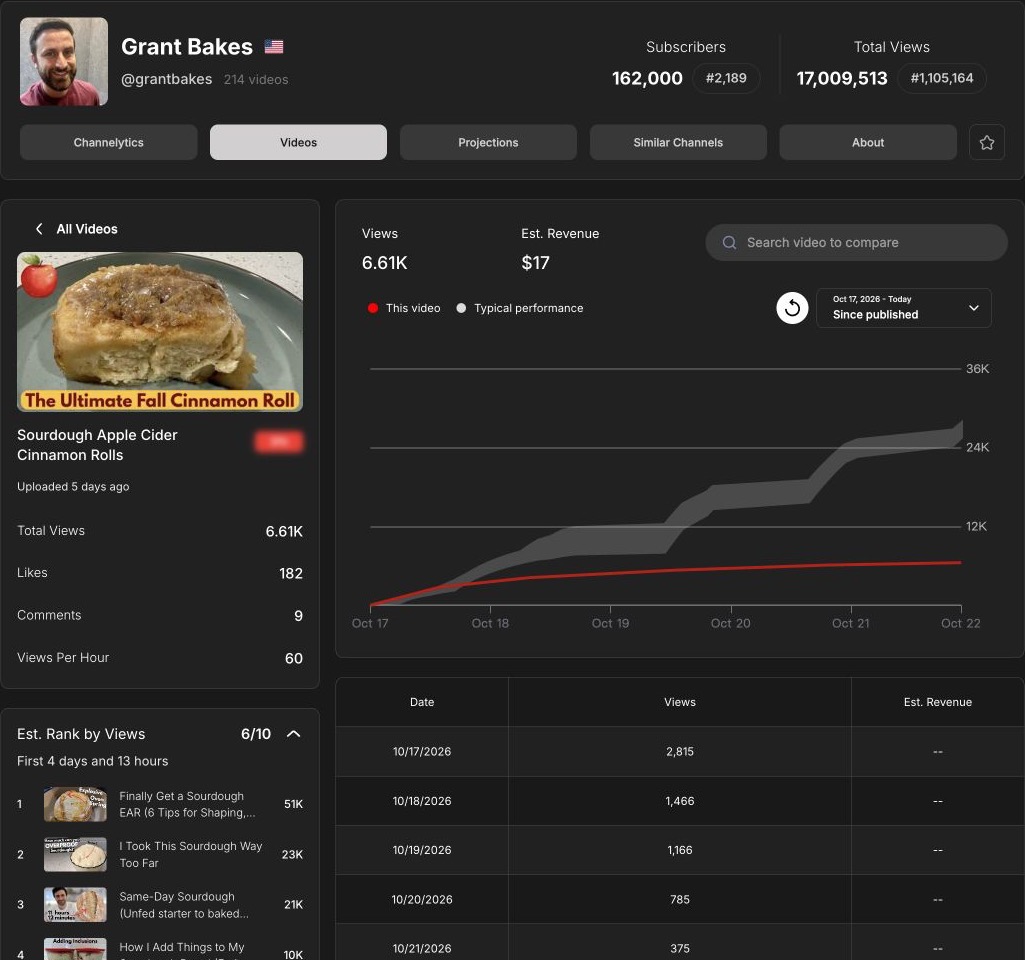
Viewstats lets you inspect the underlying uploads and their trajectories. The cinnamon-roll example compares views since publication with typical performance and an estimated rank at a similar elapsed time. That helps answer how an upload is progressing without comparing differently aged totals as though they were equivalent.
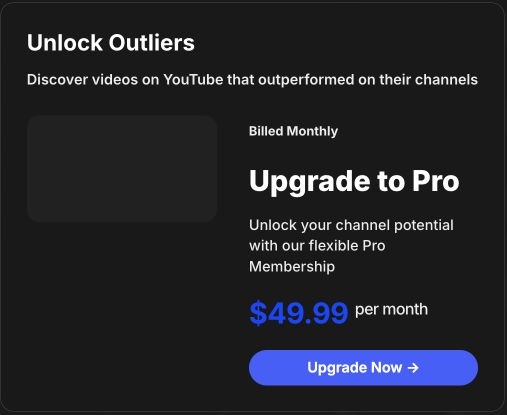
Both tools offer outlier discovery. Compare their filters, niche relevance and access limits rather than treating proprietary scores as a shared measurement scale. Viewstats’ Outliers tool was gated in the recorded free account; its paid search quality was not tested.
Thumbnail research, collections and current tool limits
Viewstats’ Thumbnail Search and Collections are relevant when you need packaging references and a place to organize them. vidIQ combines thumbnail creation and suggestions with its wider planning workflow. Researching examples, generating a candidate and measuring viewer response are separate jobs.
Older comparisons may recommend Viewstats’ A/B library. The October 22 in-app notice states that its A/B test tool retired on June 29, 2026. Do not make that retired feature your reason to subscribe. Check YouTube Studio’s current native testing options for your own uploads, separately from either product’s research or generation tools.
From a research question to an upload draft
For a synthetic nine-minute sourdough demonstration, vidIQ produced three title options, a description, five tags and a thumbnail concept. One title was “Beginner Sourdough Bread for First-Time Bakers.” The supplied recipe facts kept the draft tied to an active starter and covered-pot method, rather than promising a no-starter shortcut.
Try this when upload copy is your bottleneck; check the draft against your footage.
A Viewstats shortlist or collection is a different handoff: examples and performance context for your own creative decisions. If that is the missing input, its research workflow may be more valuable than another draft generator. Neither output establishes a measured improvement in views or search ranking.
Free plans, paid access and recurring value
vidIQ offers 150 monthly AI credits on Free. Boost is $19/month or $199/year; MAX is $49/month or $468/year. Check how the tasks you use consume allowances.
Viewstats provides free channel and video statistics, while advanced research can require Pro. Its current official price is $49.99/month; the recorded free account required an upgrade for Outliers and Thumbnail Search.
Pay for the workflow you will repeat. The lower entry price matters only if its included tools let you finish the task.
Kabo: develop references into an original script
Once you have a reference, the next task is adapting it to your audience. Kabo offers channel and video analysis, follow-up questions and script development in an AI Agent conversation. In the baking example, two references led to three original directions and a cookie-doneness script with shot notes. Its roughly 45-second length was a writing target; frames were not inspected. Since vidIQ also supports writing, compare the workflow using your own references.
Which tool fits your next video?
For a search-led tutorial, start by investigating the query and testing vidIQ’s drafting workflow. For competitor or thumbnail research, inspect Viewstats’ references and curves. Use both only when they contribute distinct recurring outputs; if free access already answers your question, wait for a specific limit before subscribing.
vidIQ vs Viewstats FAQ
Which is more direct for keyword research?
vidIQ provides keyword estimates and related terms. Viewstats’ video research answers a different question about published examples and their performance.
Do I need both subscriptions?
Only if both solve recurring problems. Try one complete planning task and identify what is still missing before adding a second tool.
Can either reveal competitor retention?
Public channel research does not reveal private retention or CTR. Use authorized YouTube Analytics for accounts you manage.
Sources and scope
Published by Kabo. vidIQ examples reuse separate October 15 keyword, channel and synthetic-brief tasks. Viewstats screenshots date from October 19–22; paid research results were not unlocked. Public observations do not establish CTR, retention, publishing gains or why a video succeeded.
USD pricing checked October 19–22, 2026. Prices, access and allowances can change.