
A small sentence with 340K views.
Public counts checked on November 26, 2026:
| Metric | Displayed count |
|---|---|
| Views | 340K |
| Likes | 5,303 |
| Comments | 147 |
| Shares | 4,821 |
Sources: the original Reel and the creator’s public Reels grid.
For context, the first ten entries displayed in that grid had a median view count of 2,126.5. The reference’s rounded 340K was approximately 160× that median.
That’s a snapshot of cumulative views across videos with different posting ages. It shows the size of the difference; it doesn’t establish which creative choice caused it.
So, what actually happens on screen?
01. Reach into the viewer’s space.
At approximately 0:00, she looks up toward a camera positioned above her. The angle fits her face, outfit, and the room into one vertical frame.
Around 0:01, her hand comes close enough to cover most of the lens.
Hello. Personal space? 😭
That movement gives the opening a physical change before the headline arrives. We go from seeing a person in a room to seeing a hand almost fill the screen.
For your version, choose an opening action that connects to what happens next. Here, the hand introduces the same fingers that will appear to handle the words.
02. Make the words feel touchable.
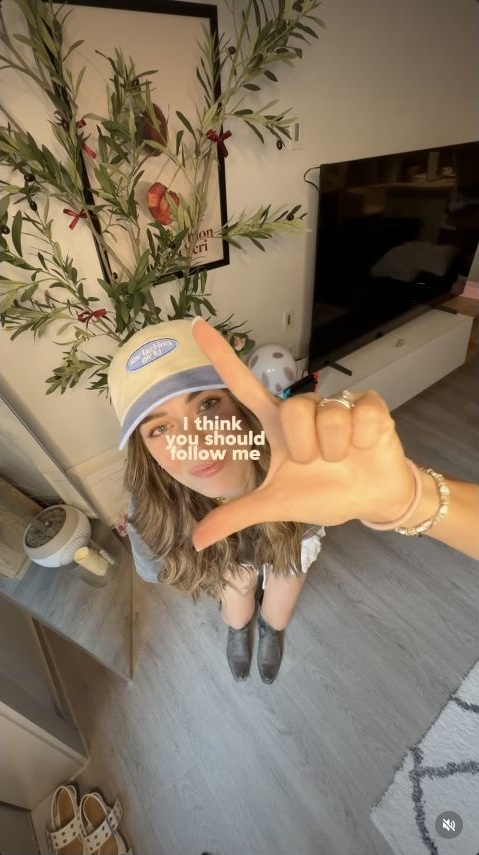
By approximately 0:02.6, the sentence is visible near her face, with her thumb and index finger held prominently in front of the camera.
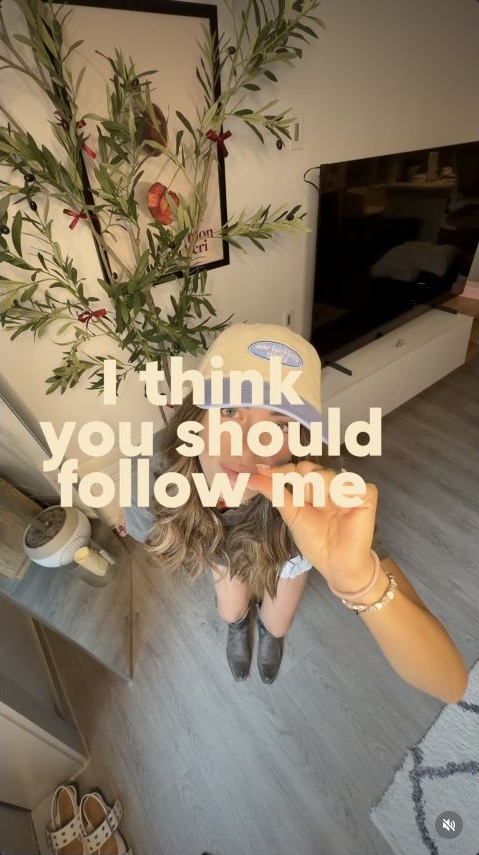
Around 0:04.8, the same words are much larger, spread across the middle of the frame.
The wording barely needs explaining. The interesting bit is the apparent relationship between her fingers and the text: she performs as though the sentence is something she can grab and resize.
It’s a tiny bit of screen magic attached to a very ordinary request.
The useful detail to borrow is that connection. Pick one action—stretch, push, pull, lift—and make one piece of text respond clearly to it.
03. Keep one sentence doing the work.
There isn’t a stack of tips or a paragraph to finish reading. The same short sentence changes size.
That keeps the visual task straightforward: recognize the words, notice the gesture, then see the words become bigger.
The high angle helps, too. Her hand sits close to the lens, while her face and body remain behind it. There’s room for the gesture to feel oversized.
For an original version, write the message before planning the effect. If the sentence needs three explanations, a cute pinch probably won’t save it.
One thought. One movement. Let them meet.
04. The payoff happens before the ending.
The enlarged sentence is already the visual payoff at approximately 0:05.
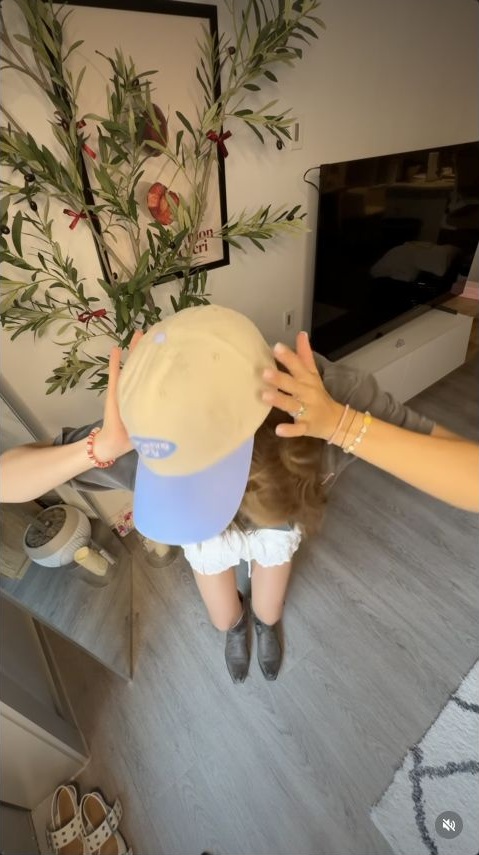
By around 0:06.7, the text has disappeared. Through the later moments, she looks down and brings both hands around her cap. The clip runs approximately 11.2 seconds.
The ending adds a little personality and outfit detail after the main effect. It doesn’t introduce another reveal.
That gives you a useful editing choice to test: finish on the large, readable message, or keep a short character beat afterward. This Reel’s public counts don’t tell us which ending would perform better for your audience.
Your message. Your little screen trick.
Borrow the relationship between movement and words, then give it a reason to exist in your content.
- A recipe creator could stretch a short invitation to follow for quick lunch ideas.
- An illustrator could pull a commission announcement into the frame, then show an original drawing.
- A local café could lift an opening-hours card into view, followed by the actual counter or entrance.
Change the gesture, setting, wording, and final image. Give people a clear idea of what they’ll get from taking the next step.
The reference makes a follow request feel playful. Your version can bring that same energy to something specific your audience wants.
Two prompts. Your own version.
Analyze the reference first. Then adapt the idea into a new scene and message using the prompts below.
View full prompt
Analyze this reference Reel:
https://www.instagram.com/reels/Dd-NkjsOc55/

Actually watch the video before analyzing it. If you cannot access the footage, tell me what video file or screen recording you need instead of guessing from its caption, thumbnail, or comments.

Break down:
1. The opening camera angle, framing, and hand-to-lens movement.
2. The exact on-screen sentence and when it appears.
3. How the apparent interaction between the fingers and text develops.
4. How the text changes size and how long the larger message remains readable.
5. Where the visual payoff happens, what follows it, and how the video ends.

Use approximate timestamps tied to moments you can inspect. Separate visible actions from your interpretation. Do not claim to know the editing software, tracking method, production workflow, or audio timing without evidence.

Explain three techniques I can adapt to a different topic, and suggest one alternative ending worth testing.

Use performance data only when you can verify its source and collection date. If you compare account videos, list the sample, calculation, exclusions, and differences in posting age. Do not infer retention, follower conversion, or sales from public counts.

Finish with a practical summary: what makes this particular execution recognizable, and what I should change to create an original version.
View full prompt
Help me create an original vertical video in which a physical gesture appears to move or resize an on-screen message.

Reference:
https://www.instagram.com/reels/Dd-NkjsOc55/

My topic, product, or business: [fill in]
My audience: [fill in]
My goal: [fill in]
The action I want viewers to take: [fill in]
The real benefit or offer behind that action: [fill in]
Brand tone: [fill in]
Target platform and duration: [fill in]
People, location, props, and footage available: [fill in]
Production preference: [generate with Kabo / film it myself / combine both]
Must-use details or restrictions: [fill in]

Use the reference analysis from this conversation if available. Otherwise, inspect the reference first and tell me if you cannot access it.

Borrow the connection between a clear gesture and a short, readable message. Create different wording, a different setting, and a different final image. Give the CTA a specific reason that matters to my audience.

Give me three concepts. Choose the strongest one and develop:
- A timed shot sequence from the first frame to the ending.
- Exact on-screen wording and when it appears, moves, changes size, and disappears.
- Camera position, framing, hand movement, and space needed for the text.
- Any dialogue or voiceover, or a clear choice to use none.
- A final CTA with enough time to read it.
- A shorter alternative ending for comparison.

Then prepare the chosen version for my production preference. If I choose generation, generate the video using the available Kabo tools. If exact text cannot be rendered cleanly, provide clean footage plus separate timed text-overlay instructions.

Keep the hand action simple and the message readable on a phone. Use my real offer and details; ask about missing information that materially changes the concept. Do not invent testimonials, results, or performance claims.
Sources & measurement
Original footage, on-screen wording, likes, comments, and shares: @fedeericalauricella’s Reel. Views and comparison sample: the public Reels grid. Checked November 26, 2026.
The comparison uses the first ten grid entries displayed at the time of inspection: 895, 4,445, 3,279, 2,084, 3,825, 8,799, 2,046, 1,700, 2,169, and 1,841. The reference is excluded.
Median: (2,084 + 2,169) ÷ 2 = 2,126.5. Comparison: 340,000 ÷ 2,126.5 ≈ 159.9. The reference count is rounded by Instagram; this is not an age-matched or pre-publication baseline.
Times are approximate browser playback positions. The analysis is based on inspected video frames; audio was not independently transcribed. No retention, follower conversion, or sales data was available.