
Think about a folder full of footage and no script. We have the ingredients for a video, but a blank-page writing prompt may give us scenes we never filmed. Let’s build the spoken explanation around what we actually have. A cookie-doneness lesson is the example; the method also works for product demos, experiments and tutorials.
We’ll use Kabo, an AI agent for creator research, through its Codex plugin when a missing explanation needs public reference evidence. Codex does the local assembly: a shot inventory, an ordered sequence and lines we can read over it.
1. Start with the part the viewer needs to see
Imagine three owned photos of the same cookie recipe at different stages, plus a clip of the tray leaving the oven. Our viewer wants to know when to stop baking. That gives the script a job: help them compare the visible cues in this batch.
An authored starting sequence could be:
- Show: the three photos together. Ask: what looks different?
- Show: the edge close-ups. Explain: the differences recorded in our test notes.
- Show: the tray clip. Recap: what we checked before taking this batch out.
We have not written an intro yet. First check that these images can actually carry the lesson.
Bring footage, test notes and a voice sample
[ ] viewer-promise.md — One useful result the video will deliver.
[ ] recipe-facts.md — In the baking example, observations from our own tested batch.
[ ] voice.md — A short writing sample and words or promises to avoid.
[ ] assets.md — Owned photos and clips, including what each demonstrates.
[ ] research/ — Reference URLs and available transcript or analysis notes.
[ ] selects.csv — Clip/photo filename, checked range, visible detail and any usability limit.
2. Let Codex mark what each asset can explain
Open the content folder in Codex. Ask it to read our inventory and notes, then match each intended teaching point to a file. It can use the supplied descriptions; if it cannot inspect a clip, that limitation belongs in the output.
A line about an edge changing needs a view of the edge. If all we have is a finished-cookie photo, either change the line to describe that photo or put the close-up on a pickup list.
Read viewer-promise.md, recipe-facts.md, voice.md, assets.md and selects.csv. Build an assembly map: viewer question, supported observation, usable filename/range, proposed beat and missing pickup. Distinguish what you inspected from my inventory description. Flag any teaching point with no suitable image. Do not write full narration yet.
Add research tools to the editing project
Install Kabo in Codex, complete sign-in and start a new task in the folder holding the footage inventory and script files. The connection guide covers setup.
3. Research only the explanation we cannot resolve
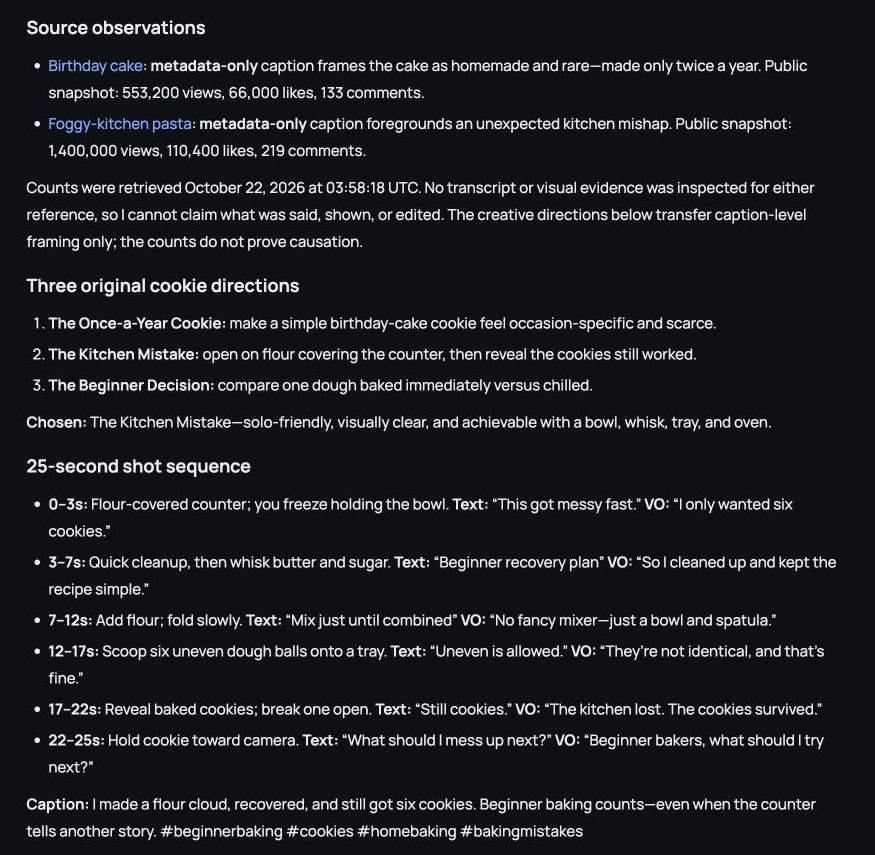
Suppose our photos are useful but we’re unsure how to explain why the clock alone is insufficient. Ask Kabo for a small set of relevant public explanations, keeping source observations separate from our recipe results. A reference can help with explanation order; it cannot supply a result for our own batch.
Use the research notebook guide for a broader source study. If a new saved video analysis is needed, propose it first; it requires Kabo Pro and confirmation.
Use Kabo to research [specific explanation question]. Return a few relevant public sources and short attributed observations from available evidence. Suggest how to explain the missing link between our selected shots. Keep recipe-facts.md authoritative for our batch; do not import another creator’s test result as ours.
4. Write the narration against the selected sequence
Review the map before asking for spoken lines. In our example, “These came from the same recipe—look at the edges” may work over the comparison if our notes support it. “This method never fails” would add a claim the footage does not establish.
Have Codex write the script in the order of the selected assets, with a reason for each line and a separate pickup list. We’re fitting the words to the lesson, rather than inventing visuals to rescue a polished monologue.
Using the accepted assembly map, write drafts/script-v1.md in asset order. For each beat include filename/range, what the viewer should notice, spoken line and fact/source note. Use my voice sample. Add missing visuals to pickups.md instead of describing them as filmed. Keep unsupported observations out of narration.
5. Read the lines over the images before recording
Play the selects or place the photos in order. Read the draft aloud. If the sentence finishes before the comparison is understandable, simplify it or give the shot more room. Do not solve that mismatch by adding another explanatory paragraph.
Take the accepted sequence into DaVinci Resolve or your usual editor. Keep the pickup list beside the timeline. If only the opening needs work, the Codex Hook guide examines shot order in more detail.
Beat [number] asks the viewer to notice [detail], but the selected image only shows [actual detail]. Rewrite that beat around what is visible or name one required pickup. Preserve the accepted order and recipe facts. Show the changed passage and updated pickup list; do not rewrite the whole script.
Worked examples are illustrative. Product screenshots show existing Kabo web results, not a run of the example in this guide. Use your own materials and the evidence returned in your task.