
Import and analyze a video link
Bring an Instagram, TikTok, or YouTube video into your workspace and read its analysis.
Updated October 21, 2026You’ll need: A signed-in Kabo account and an accessible Instagram, TikTok, or YouTube video link.
Import the link
Open Videos and choose Add a video.
Choose Paste a link. Use a link to the specific video, rather than a channel or profile homepage.
Paste the video URL.
Check that the original video opens and that the link points to the example you mean to analyze.
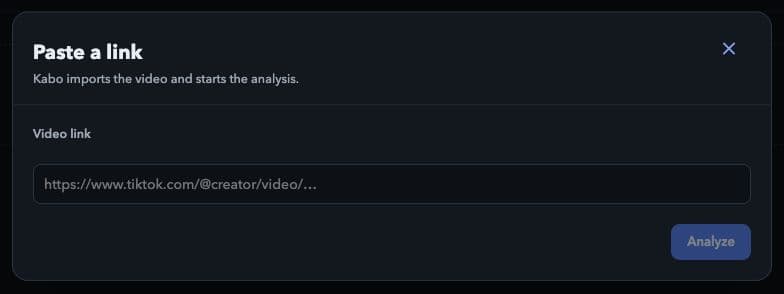
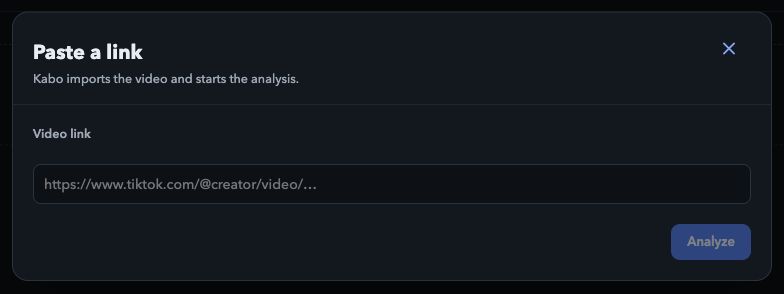
Paste the individual video URL, then choose Analyze. Local interface preview · Kabo Web Agent 44f3bda4. Open image to enlarge. Choose Analyze.
Kabo imports the video and starts its analysis. The result is filed in the appropriate video group; use the group selected after import to find it.
Follow the analysis
A video may be queued or still processing before its report is ready. The interface can show Prepare, Read, Transcribe, and Analyze as the task progresses.
Open the video when a report is available. Read its overall verdict and summary, then expand the individual dimensions and look at the timestamped evidence. A score without its explanation is not the whole assessment.
Use the report
Check the referenced moments.
Compare the timestamped observations with the original video. This helps you judge whether a recommendation fits the content.
Ask Kabo about a specific point.
Use Ask Kabo on the video to continue the investigation. Review and send the prepared message yourself.
Build on the reference when useful.
Build my script on this starts a script workflow from the video. Adapt the idea to your own audience and material rather than copying the source.
If import or analysis fails
Confirm that the source is accessible and that you pasted a supported video URL. A private, removed, or otherwise inaccessible source may not be retrievable.
Use the failed item’s Try again action when available. If the item exists but no report has started, use Analyze. Check the status before submitting the same job again.