
Upload a draft video for analysis
Analyze an unpublished cut and find it again in Videos → Drafts.
Updated October 21, 2026You’ll need: A signed-in Kabo account and an MP4, MOV, or WebM video file of up to 200 MB for the Videos upload workflow.
On this page
Upload through Videos
Open Videos → Add a video.
Choose Upload a draft. This guide describes the Videos uploader, not the attachment button in Chat.
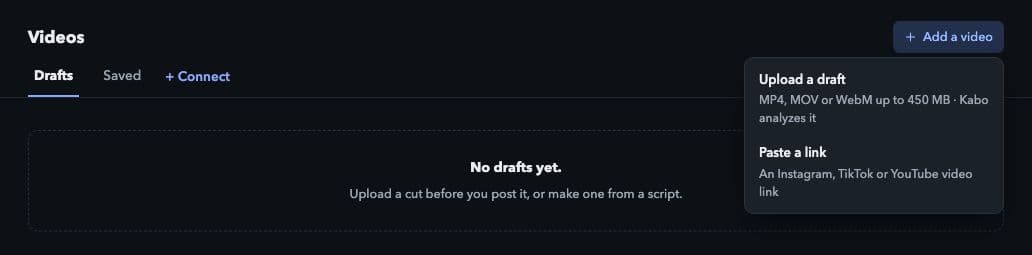
Open Add a video to upload a draft or import a link. Local interface preview · Kabo Web Agent 44f3bda4. Open image to enlarge. Choose your video file.
Select an MP4, MOV, or WebM file up to 200 MB. If Kabo rejects it, check the actual file format and size; changing only a filename extension does not convert a video.
Let the upload finish.
Watch the upload progress and avoid closing the page or starting the same upload repeatedly while it is still running.
Find the cut in Drafts.
After upload completion, Kabo starts analysis and switches to Drafts. Upload completion does not mean the analysis report is already ready.
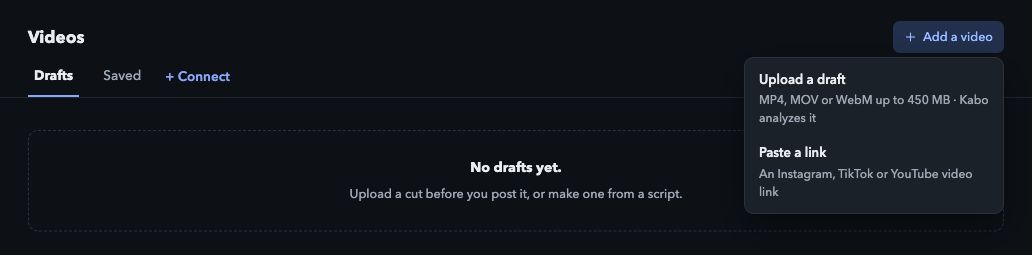
Read the analysis
Open the draft to play the uploaded video and read its analysis. Compare timestamped evidence and the written verdict with your cut before deciding what to change.
Use Ask Kabo for a more specific question, or Build my script on this when you want to develop a script from the uploaded material.
Use the limit for the right uploader
Videos → Upload a draft accepts the formats and 200 MB limit above. Chat attachments use a separate upload flow and have their own limits. Do not assume a file accepted in one location will be accepted in the other.
If upload succeeds but analysis fails, retry the analysis on the existing item where possible rather than uploading another copy.
Remove a draft you no longer need
Use Delete draft on the draft item and read the confirmation before proceeding. The interface treats this action as irreversible. It is different from removing a saved reference from Saved.