
Troubleshoot uploads, analysis, and script generation
Find the stage that failed and take the next useful action.
Updated October 21, 2026You’ll need: The error message or task state shown in your Web Agent workspace.
On this page
Find the stage that needs attention
First distinguish a failed upload, an imported or uploaded item with a failed analysis, and a script-generation step that did not finish. They have different retry actions.
A queued or running state means the task has not completed yet. Check the item’s current state before starting another copy of the same task.
When a video upload fails
Check the file.
For Videos → Upload a draft, use an MP4, MOV, or WebM file no larger than 200 MB. Chat attachments are a separate workflow with separate limits.
Read the error and check the connection.
A rejected format or size needs a different file. A transfer interrupted by a network problem may need another attempt.
Check whether a draft was created.
If the draft exists and only its analysis failed, use the analysis retry action rather than uploading it again.
When a link or analysis fails
Open the original link.
Check that it is a supported video URL and that the source is accessible. Private, removed, or unavailable content may not be retrievable.
Use the action on the affected item.
Choose Try again on a failed task where shown. If a library item has no report, use Analyze when that action is available.
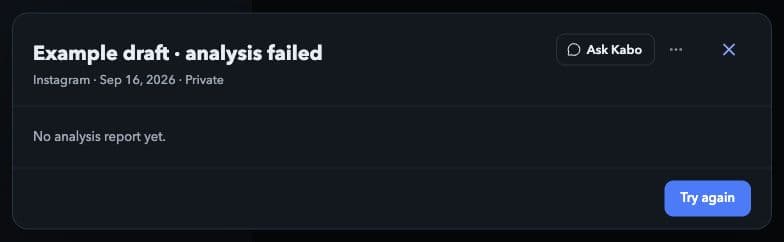
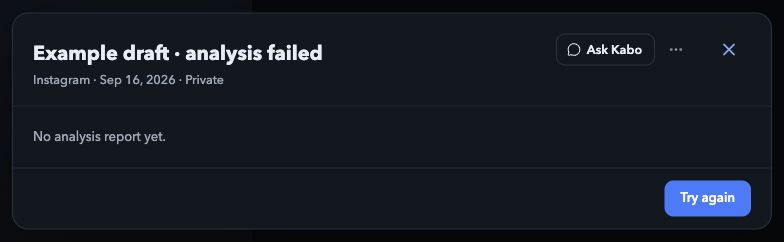
Open the affected video and choose Try again when it is available. This is a simulated failed task; no real analysis was submitted or retried. Local interface preview · Kabo Web Agent 44f3bda4. Open image to enlarge. Treat missing data as missing.
A report that did not load is not a zero score. For account reviews, also check the connected account and its public availability.
When a script step fails
Use Try again in the script wizard for the step that failed. Keep your topic or existing script text available so you do not lose your own input.
If the project changed elsewhere, reload its current state and review your text before applying another edit. Use Rewrite with AI on the current saved script when you want a new rewrite.
When you see a sign-in or credit message
If the interface requests sign-in, sign in again before retrying the action. If it reports insufficient credits, open your account’s credit or plan information and read the options shown for your account.
Do not repeatedly submit the task to get around an account or credit restriction. A retry is not a promise of a refund, a free execution, or an immediate completion.
Contact support with useful context
Include that you are using Web Agent, your browser, the time and time zone, the workspace and action, and the exact error message. Include the relevant public URL only when it is necessary to reproduce the issue.
If you attach a screenshot, remove private messages and personal information first. Never send a password, verification code, authorization token, or API key. Use the contact link below for support.