
Review and improve an existing script
Review feedback on a pasted script, try an AI rewrite, and keep the version you prefer.
Updated October 21, 2026You’ll need: A signed-in Kabo account and script text you want to review.
Start a script review
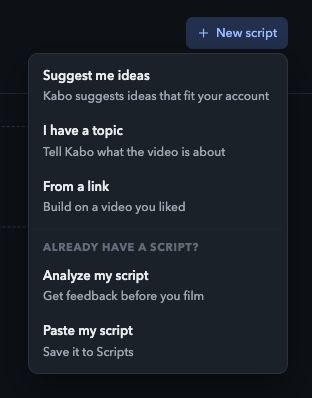
Open Scripts → New script → Analyze my script.
Paste your text and submit it. Kabo analyzes the script and prepares an improved version. For an already saved script, open it and choose Rewrite with AI.
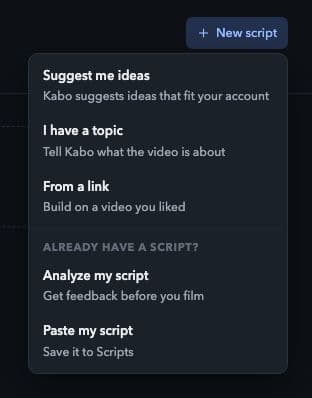
Choose Analyze my script to check an existing draft. Local interface preview · Kabo Web Agent 44f3bda4. Open image to enlarge. Wait for the review.
A queued or running task is not a completed review. Keep the script open or return to it from Scripts to see the result.
Read the explanation.
Use the feedback to identify a specific weakness and check that the advice fits your intended audience, topic, and footage.
Consider a rewrite
Read the analysis of your pasted script.
Read the feedback before deciding whether to keep your text or use the improved version.
Choose whether to keep or improve your script.
Choose Keep my version to retain your text, or See improved script to replace it with the prepared rewrite. Check facts, promises, examples, and voice.
Use Rewrite with AI for a saved script.
This runs analysis and rewriting, then replaces the saved text. Read the result and use Undo if you want to restore the previous version.
Review each new version
Feedback describes the text that was reviewed. If you edit that text, read the current version again before deciding to film it.
To improve the current saved text, use Rewrite with AI again. Keep a copy of wording you want to retain; Undo provides a single step back after a rewrite.
Finish with a human check
Copy or edit the saved result once you are happy with it. Read it aloud to check delivery and duration, and verify factual claims before filming.
Script feedback does not predict views or guarantee that a platform will distribute your post.