
Change your interface language
Choose a language in Settings or follow your browser’s preference.
Updated November 5, 2026You’ll need: A signed-in Kabo account.
Choose a language
Open your account menu, then Settings → General. Use the language dropdown to choose your preferred interface language. Choose the system option to follow your browser’s preferred language again. You do not need to disconnect social accounts or start a new conversation.
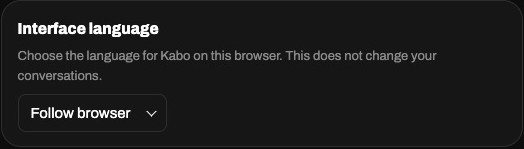
Interface language and content language
This setting changes the interface. It does not translate an existing conversation, saved script, or video. If you want Kabo to write in another language, include that instruction in your message and check the result. Help Center and other public website pages use their own language selector and language-specific URLs.
If the language looks wrong
Reopen General and check the selected option. If you use the system option, check your browser’s preferred languages. On another browser or device, check its setting too. Contact support if the interface still uses the wrong language, and include the page and the language you selected.